
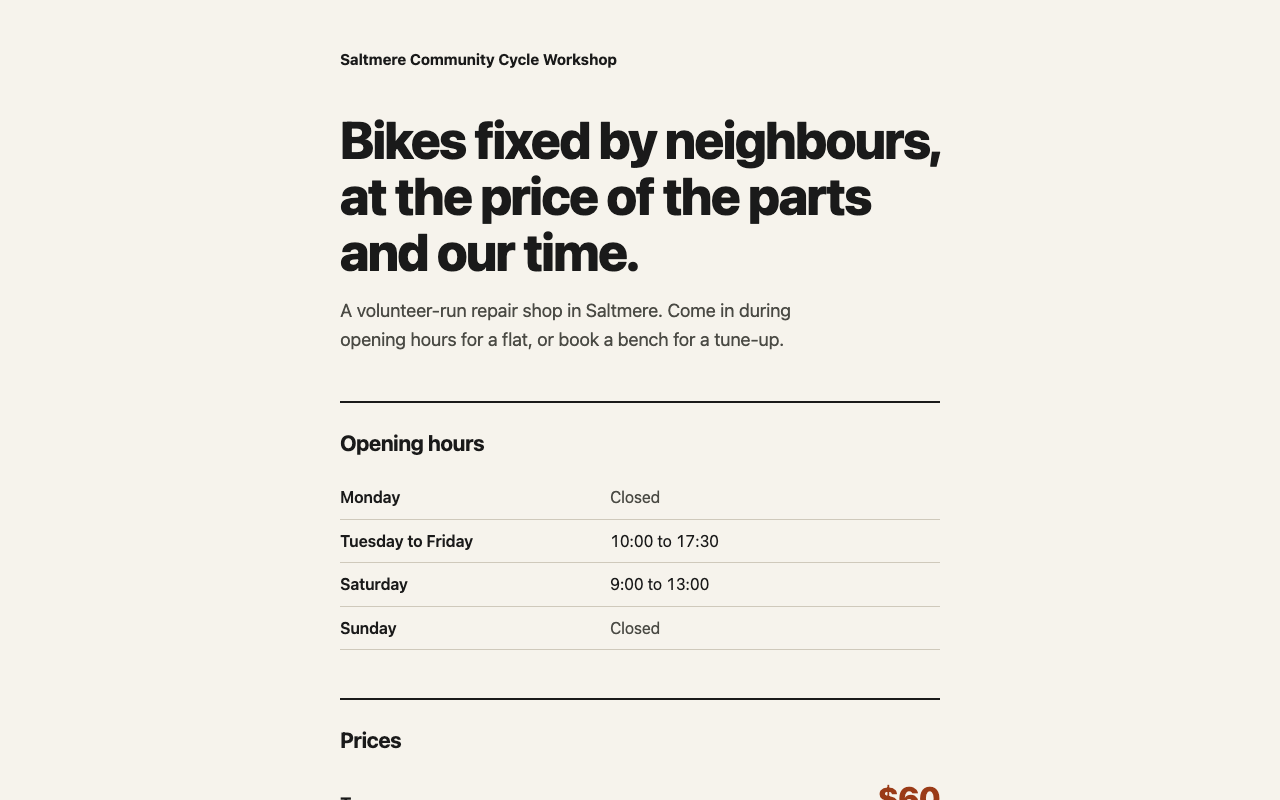
This picture is from one run by SkillLift on an invented brief. It is not from the project.
Anti Slop
Thirty-eight rules that filter generic interfaces and copy, without telling you which colours or fonts to use.
Anti Slop · Miqdad Badjuber · MIT
Install
For any agent
npx skills add miqdadbadjuber/anti-slop
Inside Claude Code
/plugin marketplace add https://github.com/miqdadbadjuber/anti-slop
/plugin install antislop@anti-slop
Commands are copied word for word from the project's README. Read them before you run them.
We ran it once
The brief: A fictional community bicycle repair shop in the fictional town of Saltmere needs a one-page site: hours, prices for a tune-up and flat repair, how to book. (Invented brief. Shop, town, hours, prices and contacts are all made up; output.html carries no label so the page stays as the skill produced it.)
The skill is a rulebook, not a generator. It had me declare dials and a one-line Design Read, ban em dashes, buzzwords, fake stats, badges, icons and card grids, then run a long PASS/FAIL gate. The result is a plain single-column page: ink on paper, one rust accent on prices and buttons, system font, a hours table, two price rows, mailto and tel buttons.
What we thought: It does what it claims: it stops the usual AI-page habits and the page that came out has none of them (no gradients, badges, icons, fake stats, dead links, em dashes), with contrast checked by script. But it adds no design on its own, so without a DESIGN.md you get a clean, plain draft. Useful to a developer who already has a look in mind; a normal person wanting a pretty page would find it heavy and not enough by itself.
Open the full outputOne run by an AI agent on 2026-11-02, at commit 3005235. No person has judged it, and your result will differ.
Why it was picked
Thirty-eight firm rules, and it prescribes no style of its own. It only filters defaults, and it expressly forbids copying popular products. It has 42 releases.
Why it exists
Style guides impose a look. A filter removes what is lazy and leaves the look to you.
What you get
Your agent produces less generic work, and can audit existing pages.
How it works
- Install the skill.
- Keep working as normal.
- Ask it to audit a page.
What it needs
Node.js, for the install command.
In short
Pick this as a floor under any design work, whatever your style.
Worth knowing
It also includes a rule set for code comments, which only programmers need. The project's own site uses a generated picture, which we do not show. There is no finished output to show.