
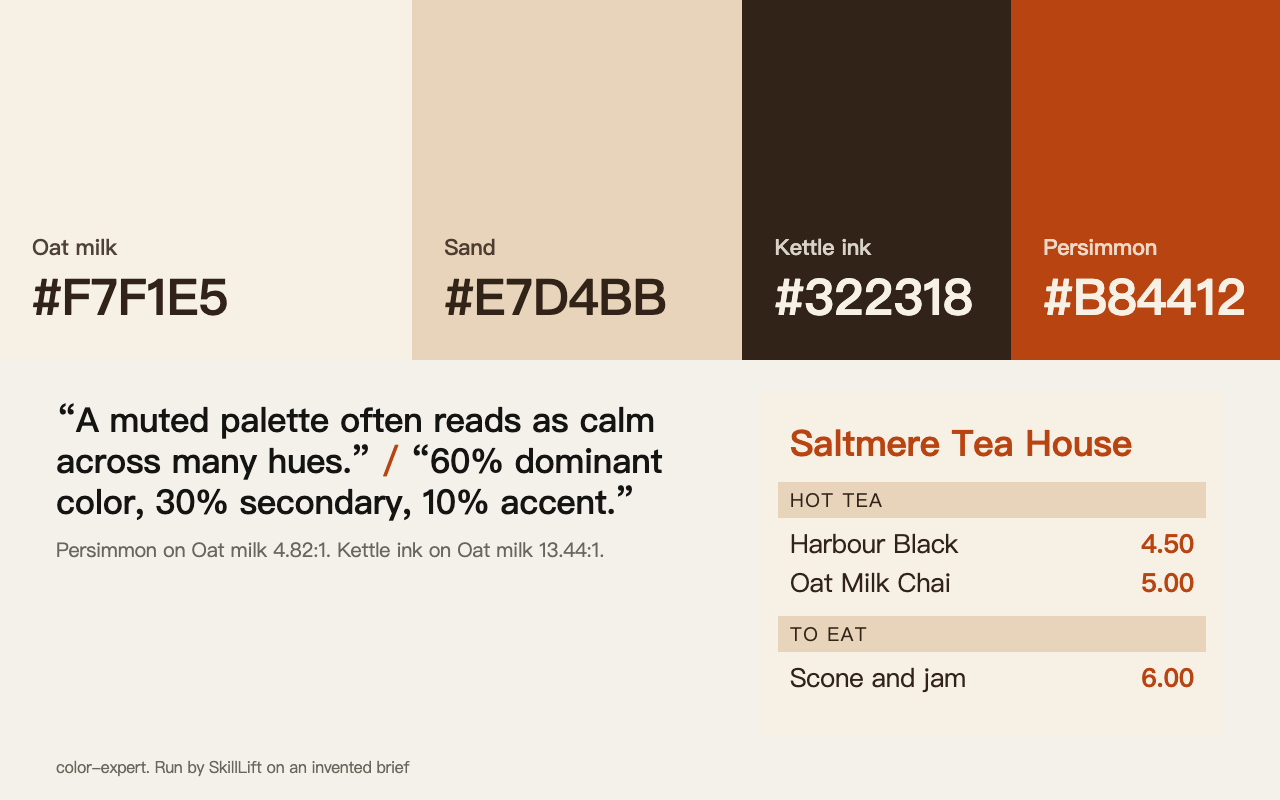
This picture is from one run by SkillLift on an invented brief. It is not from the project.
Color Expert
A colour specialist for your agent: palettes for a poster or a logo, theory, naming and readable contrast.
Color Expert · David Aerne (meodai) · CC BY 4.0
Install
For any agent
npx skills add meodai/skill.color-expert
Commands are copied word for word from the project's README. Read them before you run them.
We ran it once
The brief: Choose a colour palette for a fictional tea shop in the fictional town of Saltmere, starting from "a warm and calm brand, one strong accent".
The skill is a rulebook, not a generator: it gave principles (muted and calm comes from low chroma and lightness, 60-30-10, one saturated outlier, test accent against 4.5:1), and the agent applied them by hand, computing OKLCH to hex and contrast by script. Result: Oat milk #F7F1E5, Sand #E7D4BB, Kettle ink #322318, Persimmon #B84412.
What we thought: Useful as a knowledge pack for an agent that already knows colour: the rules steered the result to a sensible, calm palette. But it does not do the job by itself and a normal person would not see anything from it; the value depends on the model applying it. Good for designers' agents, not a one-click palette tool.
Open the full outputOne run by an AI agent on 2026-11-02, at commit 5bf7c77. No person has judged it, and your result will differ.
Why it was picked
Written by someone who clearly knows colour, with more than 180 reference files. Ask it for a poster palette and it asks about the medium and mood first.
Why it exists
Colour is where amateur work shows first, and an agent reaches for the same few palettes.
What you get
A palette with reasons, or a checked colour system.
How it works
- Install the skill.
- Say what the colours are for.
- Answer its questions on medium and mood.
What it needs
Node.js, for the install command.
In short
Pick this when you cannot get the colours right.
Worth knowing
The licence requires credit to the author. It covers the project's own text; third-party material in the references stays under its own terms, as its notice explains. There is no visual output to show.