Free
Blueprint Explainer
Any idea, explained in under a minute as a living engineering drawing.
Install
Install the "Blueprint Explainer" skill into ~/.claude/skills/blueprint-explainer.
Download each file and save it under that folder:
https://skilllift.pages.dev/packs/blueprint-explainer/SKILL.md → SKILL.md
https://skilllift.pages.dev/packs/blueprint-explainer/references/style.md → references/style.md
https://skilllift.pages.dev/packs/blueprint-explainer/assets/engine.html → assets/engine.html
https://skilllift.pages.dev/packs/blueprint-explainer/assets/scenes.template.json → assets/scenes.template.json
https://skilllift.pages.dev/packs/blueprint-explainer/scripts/render.mjs → scripts/render.mjs
https://skilllift.pages.dev/packs/blueprint-explainer/scripts/check.mjs → scripts/check.mjs
Then read SKILL.md, tell me what it does, and remind me to start a new session.
Unpack it into ~/.claude/skills
Same skill, different brief
The left is the preview. The right was made by a separate agent from a different brief, using only the installed skill and without seeing the preview.

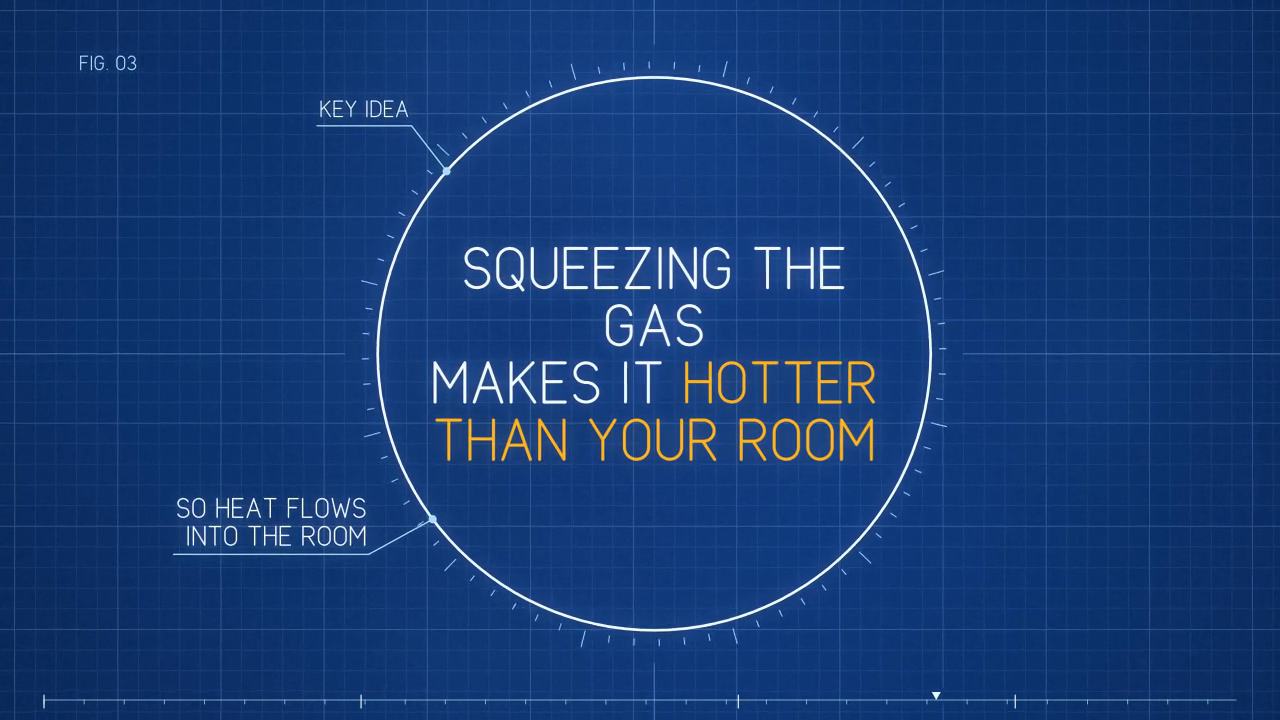
One test run on a fictional brief. Letterforms can differ on systems without the same fonts.
Makes a silent explainer of 60 seconds or less that looks like a living engineering drawing, with blueprint paper, self-drawing lines, dimension arrows, one amber highlight and one continuous camera move. Use when someone wants a concept, process or set of numbers explained in a short video with on-screen text and no voiceover, in 16:9 or 9:16.
What it must pass before delivery
node scripts/check.mjs scenes.jsonexits 0.ffprobe -v error -show_entries format=duration -of csv=p=0 explainer.mp4prints 60 or less.ffprobe -v error -select_streams v -show_entries stream=codec_name,pix_fmt,width,height,r_frame_rate -of csv=p=0 explainer.mp4printsh264, the expected size,yuv420pand30/1.ffprobe -v error -select_streams a -show_entries stream=index -of csv=p=0 explainer.mp4prints nothing (no audio).- For each scene in
--timeline, you extracted one frame at its inspect time withffmpeg -ss <t> -i explainer.mp4 -frames:v 1 scene-<n>.pngand looked at the image. - In every extracted frame, no text is clipped, overlapping a line or crossing another label.
- In every extracted frame, at most one idea is amber.
- You recomputed the three most important numbers independently of
scenes.json, and they match. - Any illustrative number is called illustrative on screen, and
meta.disclaimeris set if the topic needs one. - For Chinese text, you confirmed the characters rendered with a real CJK font and not boxes. Chinese uses a system font; Latin text and digits do not.
- Temporary frames are deleted.
Read the full SKILL.md
---
name: blueprint-explainer
description: Makes a silent explainer of 60 seconds or less that looks like a living engineering drawing, with blueprint paper, self-drawing lines, dimension arrows, one amber highlight and one continuous camera move. Use when someone wants a concept, process or set of numbers explained in a short video with on-screen text and no voiceover, in 16:9 or 9:16.
version: 1.0.0
---

# Blueprint Explainer

You fill in one JSON file. The engine draws the video. The look lives in `assets/engine.html` and `references/style.md`, so every video matches `example/explainer.mp4` whatever the topic.

Do not edit `assets/engine.html`, do not write your own CSS or animation, and do not add scene types. If the content does not fit the scene types, change the content.

## Requirements

- Node.js 22 or later
- Playwright with Chromium: `npm install playwright && npx playwright install chromium`
- FFmpeg (on the PATH, or set `FFMPEG=/path/to/ffmpeg`)

## Ask for these first

1. **The one idea.** One sentence the viewer should be able to repeat afterwards.
2. **The audience.** Who it is for and what they do not already know.
3. **The numbers and their sources.** Any figure to be shown, and where it comes from. If the user has none, ask whether illustrative numbers are acceptable, and label them illustrative on screen.
4. **Format and language.** 16:9 (default) or 9:16. English or Simplified Chinese.
5. **Any disclaimer the topic needs.** Money, health and legal topics need one.

If the user cannot answer, make a reasonable choice and state it in your delivery note.

## Steps

1. Read `references/style.md`.
2. Write the story as one sentence per scene: a title, 3 to 6 scenes that each make one point, then the sheet. Length comes from reading time, so cut words before adding seconds.
3. Compute every number with code, or get it from a named source. Never estimate in your head.
4. Copy `assets/scenes.template.json` to your working folder as `scenes.json`. Delete the scene types you do not need, keeping `title` first and `sheet` last. Replace every `{{SLOT}}`.
5. Record every number shown on screen in `meta.numbers`, with a `formula` the checker can run or a `source` it can show. See "Numbers" below.
6. Check: `node scripts/check.mjs scenes.json`. Fix everything it reports.
7. Print the timeline: `node scripts/render.mjs scenes.json --timeline`.
8. Render: `node scripts/render.mjs scenes.json out/explainer.mp4`. Add `--portrait` for 9:16.
9. Work through "Before delivering".

## Scene types

| Type | Use it for | Main fields |
|---|---|---|
| `title` | Opening question or claim, on drafting guide lines | `title`, `dim`, `subtitle` |
| `dimension` | One quantity split into parts, drawn to scale | `heading`, `parts`, `total`, `caption` |
| `calc` | A worked sum, row by row | `heading`, `rows`, `callout`, `caption` |
| `curve` | A value changing over something, plotted from a formula | `heading`, `x`, `y`, `series`, `zone`, `gaps`, `caption` |
| `bars` | Comparing 2 to 6 amounts | `heading`, `bars`, `caption` |
| `flow` | A process or feedback loop of 2 to 4 steps | `heading`, `nodes`, `loop`, `caption` |
| `detail` | The key idea, inside a graduated detail circle | `statement`, `label`, `callouts` |
| `sheet` | Required last scene: the camera pulls back to show the whole drawing, with the takeaway in a title block | `takeaway`, `notes` |

## Writing the text

- Text is drawn in capitals by the engine's lettering. Write in normal sentence case.
- `[[double brackets]]` make a phrase amber. One amber item per scene, including any `highlight: true`.
- `\n` forces a line break. Use it so a line never splits an amber phrase or a sentence badly.
- `seconds` is how long the camera stays on a scene. The checker rejects a scene too short to read.

## Numbers

Every number in on-screen text must have an entry in `meta.numbers`:

```json
{ "value": "1,967", "formula": "1000*1.07^10" }
{ "value": "7", "source": "input: illustrative annual rate" }
{ "value": "31", "source": "ABS 6401.0, September 2026 quarter" }
```

The checker runs each formula and fails if it does not round to `value`. It also fails if a drawn bar, part, table result or curve gap disagrees with its label. Axis ticks are exempt because they are the scale itself. Do not write a `source` you have not actually seen.

## Deliverables

- `explainer.mp4`: 1280x720 (or 720x1280), 30 fps, H.264, yuv420p, silent, 60 seconds or less
- `scenes.json`: the source, so the video can be re-rendered
- A short note listing each number and where it came from, and any assumption you made

## Before delivering

- [ ] `node scripts/check.mjs scenes.json` exits 0.
- [ ] `ffprobe -v error -show_entries format=duration -of csv=p=0 explainer.mp4` prints 60 or less.
- [ ] `ffprobe -v error -select_streams v -show_entries stream=codec_name,pix_fmt,width,height,r_frame_rate -of csv=p=0 explainer.mp4` prints `h264`, the expected size, `yuv420p` and `30/1`.
- [ ] `ffprobe -v error -select_streams a -show_entries stream=index -of csv=p=0 explainer.mp4` prints nothing (no audio).
- [ ] For each scene in `--timeline`, you extracted one frame at its inspect time with `ffmpeg -ss <t> -i explainer.mp4 -frames:v 1 scene-<n>.png` and looked at the image.
- [ ] In every extracted frame, no text is clipped, overlapping a line or crossing another label.
- [ ] In every extracted frame, at most one idea is amber.
- [ ] You recomputed the three most important numbers independently of `scenes.json`, and they match.
- [ ] Any illustrative number is called illustrative on screen, and `meta.disclaimer` is set if the topic needs one.
- [ ] For Chinese text, you confirmed the characters rendered with a real CJK font and not boxes. Chinese uses a system font; Latin text and digits do not.
- [ ] Temporary frames are deleted.

## When not to use it

- The story depends on real footage, faces, products or places.
- The user needs a voiceover, music or lip sync. This style is silent.
- The subject calls for warmth or emotion, such as a memorial or a personal story. A technical drawing will feel cold.
- The brief is a brand film that must follow someone else's visual identity.
- There is no real structure to draw, only opinion. Without quantities, parts or steps, the drawing is decoration.
- The video must run longer than 60 seconds.

## Before you render

- Install Playwright where you run the script (npm install playwright). If it still cannot be found, set NODE_PATH to that node_modules folder.
- A 30-second render can take several minutes, so run it in the background and allow for that in any time limit.
- check.mjs counts titles and subtitles when it works out reading time. If a scene is rejected, make it longer or cut words.
- Keep flow labels to one or two short words and use at most four nodes at 16:9. Render a test frame of each scene before the full render, because line breaks are automatic.
- This skill draws diagrams and charts, and it has no scene type for physical devices. Say so if the topic needs one.
- If nobody can answer questions, proceed and list every assumption in your reply.
Used in these workflows
- Run a lesson step 3
- Explain a concept step 4
- Record a video lesson step 3