

Free
Ink Yellow Notes
Bold black and yellow how-to decks with fine-line ink figures, a built-in editing studio and an editable PowerPoint.
Install
Install the "Ink Yellow Notes" skill into ~/.claude/skills/ink-yellow-notes.
Download each file and save it under that folder:
https://skilllift.pages.dev/packs/ink-yellow-notes/SKILL.md → SKILL.md
https://skilllift.pages.dev/packs/ink-yellow-notes/references/style.md → references/style.md
https://skilllift.pages.dev/packs/ink-yellow-notes/references/figures.md → references/figures.md
https://skilllift.pages.dev/packs/ink-yellow-notes/references/figures.zh.md → references/figures.zh.md
https://skilllift.pages.dev/packs/ink-yellow-notes/assets/template.html → assets/template.html
https://skilllift.pages.dev/packs/ink-yellow-notes/assets/engine.css → assets/engine.css
https://skilllift.pages.dev/packs/ink-yellow-notes/assets/engine.js → assets/engine.js
https://skilllift.pages.dev/packs/ink-yellow-notes/assets/layouts.js → assets/layouts.js
https://skilllift.pages.dev/packs/ink-yellow-notes/assets/figures.js → assets/figures.js
https://skilllift.pages.dev/packs/ink-yellow-notes/assets/pptx-browser.js → assets/pptx-browser.js
https://skilllift.pages.dev/packs/ink-yellow-notes/scripts/build.mjs → scripts/build.mjs
https://skilllift.pages.dev/packs/ink-yellow-notes/scripts/check.mjs → scripts/check.mjs
https://skilllift.pages.dev/packs/ink-yellow-notes/scripts/browser.mjs → scripts/browser.mjs
https://skilllift.pages.dev/packs/ink-yellow-notes/scripts/export.mjs → scripts/export.mjs
https://skilllift.pages.dev/packs/ink-yellow-notes/scripts/verify-pptx.mjs → scripts/verify-pptx.mjs
https://skilllift.pages.dev/packs/ink-yellow-notes/scripts/pdf-pages.mjs → scripts/pdf-pages.mjs
https://skilllift.pages.dev/packs/ink-yellow-notes/scripts/drive.mjs → scripts/drive.mjs
https://skilllift.pages.dev/packs/ink-yellow-notes/scripts/figures.mjs → scripts/figures.mjs
https://skilllift.pages.dev/packs/ink-yellow-notes/scripts/image-to-data.mjs → scripts/image-to-data.mjs
https://skilllift.pages.dev/packs/ink-yellow-notes/scripts/pptx.mjs → scripts/pptx.mjs
Then read SKILL.md, tell me what it does, and remind me to start a new session.
Unpack it into ~/.claude/skills
Same skill, different brief
The left is the preview. The right was made by a separate agent from a different brief, using only the installed skill and without seeing the preview.
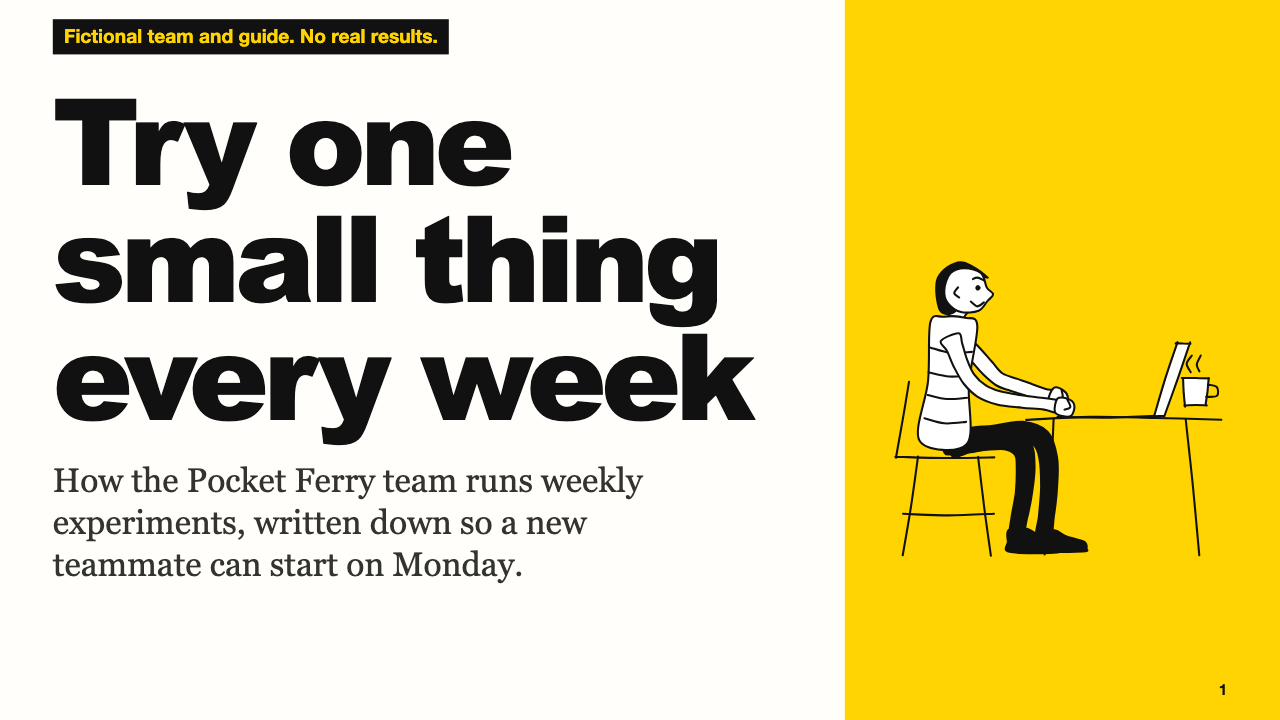

One test run on a fictional brief. Letterforms can differ on systems without the same fonts.
Builds a browser presentation at any slide count for small-team guides and how-to talks, in a bold editorial look with oversized black and yellow type and fine-line ink figures drawn in code. Includes page navigation, overview, speaker notes, print, a built-in editing studio, and export to an editable PowerPoint and PDF. Use when someone asks for a guide, how-to talk, onboarding deck, training deck or team playbook, or asks for this style by name.
What it must pass before delivery
check.mjssays PASS, from a full run and not--static.- I viewed every slide at 1280 and at 390 wide.
- Every figure shows the literal thing on its slide. Any
nullis named in my note. - Nothing is invented. Every number has a source. A thin brief's inferred sentences went to the user.
- A fictional deck says so once, on the cover.
- Speaker notes are written for every slide.
- If exported:
pdf-pages.mjsandverify-pptx.mjspass, I viewed every page and slide picture, and I told the user what is editable and what is a picture.
Read the full SKILL.md
---
name: ink-yellow-notes
description: Builds a browser presentation at any slide count for small-team guides and how-to talks, in a bold editorial look with oversized black and yellow type and fine-line ink figures drawn in code. Includes page navigation, overview, speaker notes, print, a built-in editing studio, and export to an editable PowerPoint and PDF. Use when someone asks for a guide, how-to talk, onboarding deck, training deck or team playbook, or asks for this style by name.
version: 1.0.0
---

# Ink Yellow Notes

You write one JSON file. `scripts/build.mjs` turns it into a single self-contained `deck.html`. The look lives in `assets/`, so do not restyle anything. `scripts/check.mjs` looks at the rendered pages the way a viewer would and tells you what to fix.

Read `references/style.md` only if you need the tokens. The full figure list is `references/figures.md`.

## Inputs to ask for

Ask once, in one message, for whatever the brief does not give.

Required:
1. Topic, and who will be in the room.
2. The facts: what the guide actually says. Steps, rules, tools, names.
3. Number of slides, if they have one.
4. Language: English or Chinese. One language per deck.
5. Is the team or example real or fictional?

Optional: any numbers with their sources, photographs, a theme, a footer line.

## Steps

1. Pick slides and layouts from the table below. Write `content.json` next to your output.
2. Choose figures. Run `node scripts/figures.mjs --find "word"`, or read `references/figures.md`. Follow "When no figure fits".
3. Run `node scripts/build.mjs content.json deck.html`.
4. Run `node scripts/check.mjs deck.html`, using this skill's script. Fix what it reports in `content.json`, rebuild, rerun until it says PASS. Never edit the CSS or engine to get a pass.
5. Look at every slide yourself at 1280 and at 390 wide. Passing the checker does not replace this. Rewrite any line that reads badly, and replace any figure that does not say the thing.
6. If exports are wanted, run `node scripts/export.mjs deck.html --pptx deck.pptx --pdf deck.pdf`.
7. PDF: run `node scripts/pdf-pages.mjs deck.pdf pages/ --deck deck.html`. It checks the page count and that the text layer does not repeat, then rasterises each page with `sips`. View every page.
8. PowerPoint: run `node scripts/verify-pptx.mjs deck.pptx --expect-slides N --deck deck.html --render thumbs/`. It validates parts and counts, then draws each slide through `qlmanage`. View every picture. Do not open PowerPoint, Keynote or any desktop application.
9. If you changed anything in `assets/`, or want proof that the controls work here, run `node scripts/drive.mjs deck.html`.

## Top-level keys

The file has exactly two keys, `meta` and `slides`. Any other key fails the build.

| `meta` key | Meaning | Limit | On a thin brief |
|---|---|---|---|
| `title` | The deck's title, used for the file and browser tab | 80 chars, required | Use the user's own words for the topic |
| `lang` | `"en"` or `"zh"`. Also sets the language of the controls | Required | Use the language of the brief |
| `theme` | `ink`, `paper`, `sun` or `noir` | Required | `ink` |
| `displayType` | Chinese decks only. `grotesque` heavy sans (default), `songti` black serif, the strongest and most editorial, `kaiti` black brush | Optional | Omit. Use `songti` when the deck faces clients |
| `footer` | Short line printed on every page. Never a disclaimer | About 40 chars. Omit to use the title | Omit |
| `author` | Goes in the PowerPoint file's properties | Optional | Omit. Never invent one |
| `fictional` | `true` if the team or example is made up | Required boolean | If you made anything up, it is `true`. If nobody can say, ask; failing that, `true` |
| `fictionalLabel` | Printed once, on the cover. Must plainly say fictional | 80 chars. Required when `fictional` is true | "Fictional example." |
| `brief` | `"full"` or `"thin"` | Required | `"thin"` |
| `inferred` | Printed text you wrote that the brief did not state. One entry per slot, or per sentence of a slot, word for word, without `*` or `{}`. The footer and fictional label count as printed text | Array. Must not be empty when `brief` is `"thin"` | Everything printed must be in `inferred` or `given`; `check.mjs` fails anything missing and prints the list for review. Show it to the user |
| `given` | Printed text the user supplied, word for word, in the same form | Array, optional | Put the user's own words here |
| `sources` | `[{"claim": "...", "from": "..."}]`. `claim` is the words holding a number, exactly as on the slide. `from` is where it came from | Array, may be empty | Leave empty and use no numbers |

Each slide has `layout`, `notes` (speaker notes, plain text, may use line breaks), `variant` (optional, see Compositions), and its slots below.

**Speaker notes** are your words too. They may only restate the slide and the brief, and never add new facts, names or specifics. On a thin brief `check.mjs` prints every note for review; show those as well.

## Layouts and slots

Limits are characters: English / Chinese. `*` means required. Going over a limit fails the check.

In any slot, `*word*` puts words on a highlight, and `{words}` keeps them on one line. Chinese lines already break only between whole words, on every screen, so you should rarely need braces. Use them for a phrase that must not break, such as `{先查再问}`. Never add a space to control a line. If `check.mjs` reports a split word, rebuild with this engine, then use braces.

| Layout | Use it for | Slots |
|---|---|---|
| `cover` | First page | `title*` 52/24, `sub` 120/60, `byline` 40/24, `figure*` |
| `statement` | One sentence that carries the talk | `kicker` 28/14, `text*` 100/48, `figure*` |
| `section` | Opens a part, full-colour page, big number | `label` 24/12, `title*` 40/20, `sub` 90/44, `figure*` |
| `island` | A big drawing and a small block of copy | `kicker` 28/14, `title*` 52/26, `body*` 230/110, `aside` 70/36, `figure*` |
| `agenda` | What this covers | `title*` 34/16, `items` 2 to 6 of {`text*` 46/24}, `figure*` |
| `steps` | Two to four steps in order | `title*` 52/26, `items` 2 to 4 of {`head*` 24/12, `text*` 90/44}, `figure*` |
| `timeline` | A sequence over time | `title*` 52/26, `items` 3 to 5 of {`when*` 14/8, `text*` 64/32, `figure*`} |
| `compare` | Two sides. **Left is the wrong way (crosses), right is the right way (ticks)** | `title*` 52/26, `leftHead*` 22/12, `left` 2 to 4 lines 54/28, `rightHead*` 22/12, `right` 2 to 4 lines 54/28, `leftMark`, `rightMark`, `figure` (optional, a small one on the right panel) |
| `tiles` | Three to six things, each with a drawing | `title*` 34/16, `items` 3 to 6 of {`head*` 20/10, `text` 52/26, `figure*`} |
| `checklist` | Things to confirm | `title*` 44/20, `items` 3 to 6 of {`text*` 64/32}, `figure*` |
| `bigword` | One word explained | `kicker` 28/14, `word*` 16/7, `gloss*` 150/72, `figure*` |
| `quote` | A real quote | `text*` 120/58, `who*` 44/24, `figure*`. `who` must be a real source, or a clearly fictional one in a fictional deck |
| `stat` | One sourced number | `value*` 8/8, `label*` 60/30, `source*` 70/36, `note` 130/64, `figure*` |
| `image` | A supplied photo or screenshot | `title*` 40/20, `caption*` 130/64, `image*`, `alt*` 120/60 |
| `closing` | What to do next, full-colour page | `title*` 52/24, `action` 110/54, `figure*` |

`image` must be a `data:` URI: `node scripts/image-to-data.mjs photo.jpg`. If there is no real image, do not use this layout.

`leftMark` and `rightMark` are `cross`, `check` or `arrow`, defaulting to `cross` on the left and `check` on the right. Write the bad version on the left. For two options where neither is wrong, set both to `arrow`. `check.mjs` fails a heading or line that reads the opposite of its mark, but it can only read plain labels, so look at the slide too.

## Compositions

Each layout has two or three compositions, so a deck does not read as one template repeated. The engine picks them: it rotates per layout, starts from the deck title so different decks differ, and keeps two full-colour pages from touching. Leave this alone unless a page looks wrong, then set `"variant": "a"`, `"b"` or `"c"`. `cover`, `statement`, `island` and `bigword` have a, b, c; the rest have a, b. Two neighbouring pages may not share both layout and composition. In the studio, choose under Composition.

Slot meanings, where the name does not say: `kicker` is a small label above a heading. `aside` is one bold line after the body. `gloss` explains the big word. `action` is the one thing the audience should do next. `note` is one line of context for a number.

## The figure system

There are 81 named figures: a cast of people working in 21 poses, bulbs, rockets, arrows, stars, charts, tools and desk objects. Names are exact. You never need to read `assets/figures.js`.

```
node scripts/figures.mjs --list              every name and what it shows
node scripts/figures.mjs --find "calendar"   exact word match only
```

Write `figure` in one of three ways:

```json
"figure": "person-laptop"
"figure": null
"figure": [
  { "name": "person-thinking", "at": "c", "size": "l" },
  { "name": "bulb", "at": "ne", "size": "s", "rot": 8 },
  { "name": "arrow-curly", "at": "sw", "size": "s", "flip": true }
]
```

| Field | Meaning | Values |
|---|---|---|
| `name` | Exact figure name | Required |
| `at` | Where in the layout's figure space | `c`, `n`, `s`, `e`, `w`, `ne`, `nw`, `se`, `sw`. Default `c` |
| `size` | Share of the figure space | `s` 36%, `m` 62%, `l` 100%. Default `l` |
| `rot` | Tilt in degrees | -15 to 15 |
| `flip` | Mirror it, so a person faces the type | true or false |

To combine: put one large figure first, then at most three small ones in free corners. Later ones draw on top. A person plus one prop usually reads best. Item figures in `timeline` and `tiles` take one name or `null`, not a list. `image` has no figure.

### When no figure fits

A figure must show the literal thing the slide talks about, readable at a glance. A rocket can mean a launch. A rocket does not mean a delivery van. A chart drawing never stands for a real result.

If nothing fits, write `"figure": null`. The space gets a plain yellow block. Say which slides in your delivery note, so the user can supply a picture. Do not take the nearest figure, and do not draw a new one inline. `build.mjs` and `check.mjs` refuse any unknown name, and neither of them will suggest a substitute.

## When things are missing

- **Thin brief.** Restate the user's facts and invent nothing. Set `"brief": "thin"`. List every sentence you inferred in `meta.inferred`, word for word, then show the list the checker prints and ask the user to confirm it. Prefer fewer slides over padding.
- **A fact is unknown.** Write the sentence without it. If the gap must show, these wordings pass the checker: "Owner to be confirmed with the team", "Link to follow". Do not use brackets, `TBD` or `TODO`.
- **Nobody can answer.** Proceed, list your assumptions in `meta.inferred` and in your delivery note.
- **Different length.** Any count works. One slide is a `cover`. At up to six, use `cover`, the content and `closing`. From about 15, open each part with a `section`. Do not stretch thin facts to reach a count: say how many slides the facts support and offer that.
- **No real link.** Leave it out, or write "Link to follow". Never invent a URL.
- **Numbers.** On slides and in notes alike, every number needs a `meta.sources` entry from the user, including spelled-out quantities such as "three weeks" and 三成. One exception: a spelled-out count equal to the number of items listed on that same slide, such as "these three steps" over three steps. Ordinals, weekdays, and the word "one" are not counted. To count anything else on the page, such as the letters of a slogan, add a source entry that says so, or rewrite it. Never invent customers, results, testimonials or credentials.
- **Fictional content.** Set `fictional` to true. The label prints once, on the cover. Do not repeat it anywhere else, including the footer.

## Using the deck

Arrow keys, Space, Page Up and Page Down, Home, End; swipe on a phone. `O` overview, `N` notes, `S` presenter window with notes and a clock, `P` print or PDF, `E` studio, `F` full screen, `?` help.

The studio changes text in place, highlights selected words, swaps images, reorders pages by dragging or with buttons, adds, duplicates and deletes pages, changes layout and theme, places figures, and edits notes. **Save** downloads a complete new HTML file with the edits inside. Reopen that file to continue. Unsaved edits are also kept in the browser. Reopening the same file restores them automatically and shows a Discard button.

## Deliverables

- `deck.html`, one self-contained file with no external requests.
- `content.json`, its source.
- `deck.pptx` and `deck.pdf`, when asked.

**Chinese type:** `songti` and `kaiti` use system fonts that come with a Mac; on other systems they fall back to the nearest serif.

**Chinese PDFs:** on a Mac the browser can write some characters in the PDF's text layer as radical forms (⼝ for 口). The page looks right, but searching or copying those characters can miss. Say so if search matters; the HTML and PPTX do not have this problem.

**State this plainly when you deliver a PowerPoint:** text and speaker notes stay editable. Panels, highlights and rules are editable shapes. Figures and photographs are pictures. Headings and highlighted lines hold fixed line breaks so they match the page; remove the breaks if you rewrite them.

## Before delivering

- [ ] `check.mjs` says PASS, from a full run and not `--static`.
- [ ] I viewed every slide at 1280 and at 390 wide.
- [ ] Every figure shows the literal thing on its slide. Any `null` is named in my note.
- [ ] Nothing is invented. Every number has a source. A thin brief's inferred sentences went to the user.
- [ ] A fictional deck says so once, on the cover.
- [ ] Speaker notes are written for every slide.
- [ ] If exported: `pdf-pages.mjs` and `verify-pptx.mjs` pass, I viewed every page and slide picture, and I told the user what is editable and what is a picture.

## When not to use it

- Formal board, legal or financial decks, where cartoon figures would undercut the message.
- Data-heavy reporting. There is one sourced number per `stat` page, and no real charts.
- Solemn subjects: illness, loss, safety incidents.
- Brands with their own required colours.

## Requirements

Node 22 or newer. No npm packages for building, checking or exporting. `check.mjs`, `export.mjs` and the checks use a headless Chromium-family browser found automatically, including Chrome. It starts one hidden browser process and closes it. If none is found: `npm install playwright && npx playwright install chromium`, or set `IYN_BROWSER` to a browser binary. `drive.mjs` needs Playwright itself: `npm install playwright`, with `NODE_PATH` pointing at its `node_modules` if needed.

`pdf-pages.mjs` rendering needs `sips`, and `verify-pptx.mjs --render` needs `qlmanage`; both are on every Mac. Elsewhere the checks still run without the pictures.

Times on a laptop: build under a second; `check.mjs` about a second per slide; export a few seconds; `drive.mjs` under a minute.
Used in these workflows
- Run a lesson step 2

