

Free
Ledger Landing
A striking product page on warm paper, drawn in ledger rules, with one terracotta accent.
Install
Install the "Ledger Landing" skill into ~/.claude/skills/ledger-landing.
Download each file and save it under that folder:
https://skilllift.pages.dev/packs/ledger-landing/SKILL.md → SKILL.md
https://skilllift.pages.dev/packs/ledger-landing/references/style.md → references/style.md
https://skilllift.pages.dev/packs/ledger-landing/assets/template.html → assets/template.html
https://skilllift.pages.dev/packs/ledger-landing/assets/fonts-license.txt → assets/fonts-license.txt
https://skilllift.pages.dev/packs/ledger-landing/scripts/check.mjs → scripts/check.mjs
Then read SKILL.md, tell me what it does, and remind me to start a new session.
Unpack it into ~/.claude/skills
Same skill, different brief
The left is the preview. The right was made by a separate agent from a different brief, using only the installed skill and without seeing the preview.
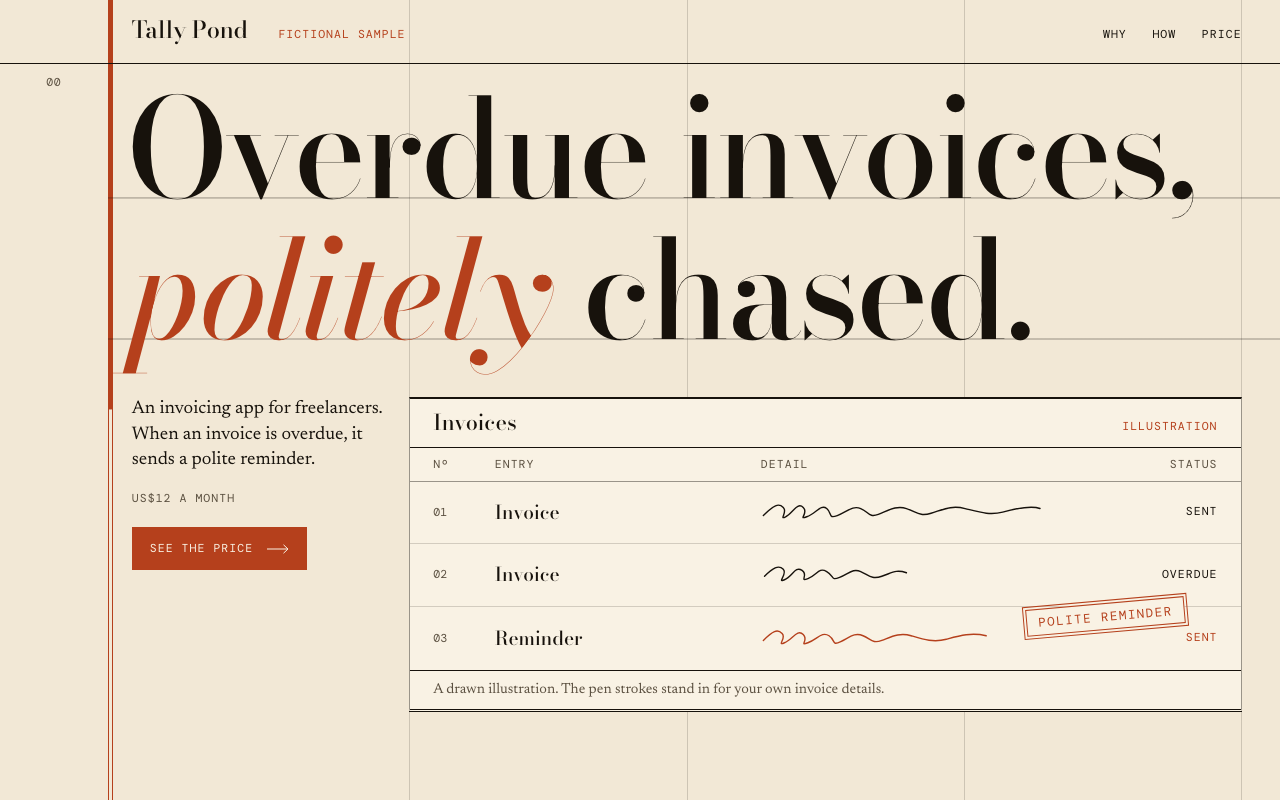
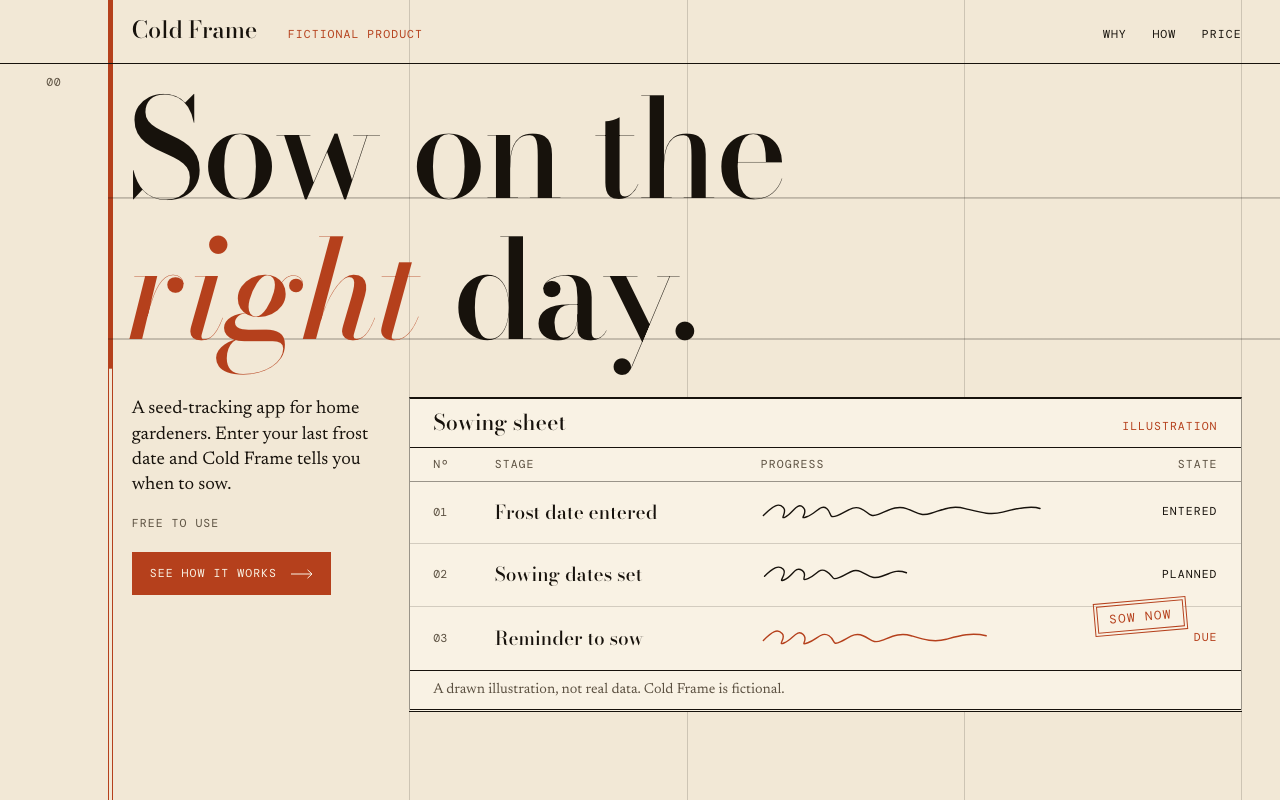
One test run on a fictional brief. Letterforms can differ on systems without the same fonts.
Builds a single-page product site in the Ledger Landing style by filling a locked HTML template, so the result visibly matches the preview whatever the product. Warm paper, very large serif headline, one terracotta accent, fine ledger rules, a code-drawn product panel, restrained motion. Use when someone asks for a landing page, product page or launch page and wants a striking editorial look, or asks for this style by name.
What it must pass before delivery
- The file started as a copy of
assets/template.html. node scripts/check.mjsexits 0 on the final file.- No placeholder text remains, and the title and description are written.
- Every claim on the page can be traced to the brief.
- The headline has exactly one
<em>and breaks well at 375, 768 and 1440. - No horizontal overflow at 375, 768 or 1440.
- The panel caption says the panel is an illustration.
- Both button targets go somewhere real.
- A notice is present if the product is fictional, unreleased or a sample.
Read the full SKILL.md
---
name: ledger-landing
description: Builds a single-page product site in the Ledger Landing style by filling a locked HTML template, so the result visibly matches the preview whatever the product. Warm paper, very large serif headline, one terracotta accent, fine ledger rules, a code-drawn product panel, restrained motion. Use when someone asks for a landing page, product page or launch page and wants a striking editorial look, or asks for this style by name.
version: 1.0.0
---

# Ledger Landing

The look lives in `assets/template.html`. Your job is to write the words. You copy the template, fill the marked slots, and leave layout, type scale, motion and motif exactly as they are. `scripts/check.mjs` enforces this.

Read `references/style.md` if you need the exact tokens or the reasoning behind a rule.

## Inputs to ask for

Ask for anything the brief does not already give you. Ask once, in one message.

Required:
1. Product name.
2. What it is and who it is for, in one sentence.
3. The problem it solves.
4. How it works, as three steps.
5. Price, or the one short word or figure that takes its place, such as "Free".
6. The target of the main button: a URL, an email address or a section anchor.

Optional:
7. Four short facts for the statement section. If they are not given, build them from the answers above.
8. A notice, if the page is a sample, a pilot or a preview.
9. Page language, if it is not English.

## Steps

1. Copy `assets/template.html` to the output path, for example `index.html`. Never rebuild it from memory.
2. Fill every slot from the table below. Replace only the text between the tags of an element with `data-slot`, plus the `content` of the `data-slot-content` meta tag and the `href` of each `data-slot-href` link.
3. Keep the `<!-- SLOT:... -->` comments and every attribute.
4. Change a permitted token only if you have a reason: `--accent`, `--stamp-tilt`, `--headline-scale`. Allowed values are in `references/style.md`. Set `lang` on `<html>` if the page is not in English.
5. Run `node scripts/check.mjs path/to/output.html`, using the script in this skill. Fix whatever it reports, and rerun until it passes.
6. Open the page at 375, 768 and 1440 pixels wide. Look at the headline breaks and at the panel. Rewrite copy if something reads badly. Do not touch the CSS.

## Slots

Limits are in characters. Chinese, Japanese and Korean characters count as 2. Each slot carries its limit in `data-max`.

| Slots | Limit | What goes there |
|---|---|---|
| `page-title`, `page-description` | 80, 170 | Browser title and meta description |
| `brand`, `brand-foot` | 18 | Product name |
| `notice` | 30, optional | Short notice beside the brand. Empty hides it |
| `nav-why`, `nav-how`, `nav-price` | 12 | Navigation labels |
| `headline` | 40 | The one claim. Put exactly one word in `<em>` |
| `lede` | 130 | What it is, who it is for, what it does |
| `hero-price` | 26, optional | Price in words |
| `cta`, `cta-href` | 24 | Main button text and its target |
| `panel-title`, `panel-tag` | 24, 18 | Name of the drawn sheet, and a tag such as "Illustration" |
| `panel-col-a`, `panel-col-b`, `panel-col-c` | 14, 14, 10 | Column headings |
| `row1-label` to `row3-label` | 22 | Three stages of the product's main job, not data |
| `row1-status` to `row3-status` | 10 | One-word state for each stage. Row 3 is the accent row |
| `stamp` | 16 | Two words at most, stamped on row 3 |
| `panel-caption` | 80 | Say that the panel is a drawn illustration |
| `why-label`, `how-label`, `terms-label` | 16 | Section labels |
| `why-body`, `why-turn` | 100, 46 | The problem, then the product's answer |
| `step1-title` to `step3-title` | 30 | Step names |
| `step1-body` to `step3-body` | 90 | One sentence for each step |
| `terms-head` | 34 | Heading of the statement |
| `fact1-label` to `fact4-label` | 16 | Fact labels |
| `fact1-value` to `fact4-value` | 36 | Fact values |
| `total-label`, `total-figure`, `total-unit` | 16, 7, 14 | The large figure at the end, such as "Price", "$49", "a month" |
| `close-line` | 34 | Closing statement |
| `close-cta`, `close-cta-href` | 24 | Closing button text and its target |
| `foot-note` | 130, optional | Footnote. Empty hides it |

## Rules for the words

- **Never invent customers, numbers, testimonials, ratings, awards or results.** Everything on the page must come from the brief. If a fact is missing, ask, or leave it out by rephrasing.
- The panel has no figures on purpose. Its rows name stages, and its pen strokes stand in for data. Do not add names, dates or amounts to it.
- If the page describes something fictional or unreleased, say so in `notice` and `foot-note`.
- Write short, plain sentences. The headline carries the page, so spend the most time on it.

## Deliverables

- One self-contained HTML file at the path the user asked for, or `index.html`.
- The passing output of `scripts/check.mjs`.
- A short note listing any brief facts you could not place, and any button target still to be supplied.

## Before delivering

- [ ] The file started as a copy of `assets/template.html`.
- [ ] `node scripts/check.mjs` exits 0 on the final file.
- [ ] No placeholder text remains, and the title and description are written.
- [ ] Every claim on the page can be traced to the brief.
- [ ] The headline has exactly one `<em>` and breaks well at 375, 768 and 1440.
- [ ] No horizontal overflow at 375, 768 or 1440.
- [ ] The panel caption says the panel is an illustration.
- [ ] Both button targets go somewhere real.
- [ ] A notice is present if the product is fictional, unreleased or a sample.

## When not to use it

- The product already has a brand system that the page must follow.
- The page needs a form, a checkout, a gallery, a pricing table or several plans. The template has no slot for them.
- The page must carry photographs or product screenshots.
- The owner wants a different colour, a dark theme or a different layout. This style does not change.
- The content is a long article, documentation or a multi-page site.
- The audience calls for a playful or childlike tone.

## Thin briefs and unattended runs

- If nobody can answer questions, proceed and list every assumption in your reply.
- If the brief has too few facts for a slot, restate the user's own facts plainly. Never add a claim to fill space, and list every line you inferred so the user can confirm it.
- If there is no real button link, point it to an anchor on the page and say so.
- Slot length limits are written in the comment beside each slot. Read them before writing copy.
Used in these workflows
- Launch a product step 2
- Build a personal site or portfolio step 2
- Refresh brand visuals step 4
- Run a campaign step 2

