

Free
Motion Beats
A library of 46 cut-paper motion clips: map each beat of your script to an effect, fill one JSON file, render 1080p MP4s.
Install
Install the "Motion Beats" skill into ~/.claude/skills/motion-beats.
Download each file and save it under that folder:
https://skilllift.pages.dev/packs/motion-beats/SKILL.md → SKILL.md
https://skilllift.pages.dev/packs/motion-beats/references/style.md → references/style.md
https://skilllift.pages.dev/packs/motion-beats/assets/engine.html → assets/engine.html
https://skilllift.pages.dev/packs/motion-beats/assets/engine.js → assets/engine.js
https://skilllift.pages.dev/packs/motion-beats/assets/fx-title-behind.js → assets/fx-title-behind.js
https://skilllift.pages.dev/packs/motion-beats/assets/fx-chart-scan.js → assets/fx-chart-scan.js
https://skilllift.pages.dev/packs/motion-beats/assets/fx-one-look-stack.js → assets/fx-one-look-stack.js
https://skilllift.pages.dev/packs/motion-beats/assets/fx-corner-drag.js → assets/fx-corner-drag.js
https://skilllift.pages.dev/packs/motion-beats/assets/fx-screen-wall.js → assets/fx-screen-wall.js
https://skilllift.pages.dev/packs/motion-beats/assets/fx-topic-cloud.js → assets/fx-topic-cloud.js
https://skilllift.pages.dev/packs/motion-beats/assets/fx-card-row.js → assets/fx-card-row.js
https://skilllift.pages.dev/packs/motion-beats/assets/fx-chat-stack.js → assets/fx-chat-stack.js
https://skilllift.pages.dev/packs/motion-beats/assets/fx-status-focus.js → assets/fx-status-focus.js
https://skilllift.pages.dev/packs/motion-beats/assets/fx-light-spectrum.js → assets/fx-light-spectrum.js
https://skilllift.pages.dev/packs/motion-beats/assets/fx-post-scan.js → assets/fx-post-scan.js
https://skilllift.pages.dev/packs/motion-beats/assets/fx-best-match.js → assets/fx-best-match.js
https://skilllift.pages.dev/packs/motion-beats/assets/fx-ink-crumble.js → assets/fx-ink-crumble.js
https://skilllift.pages.dev/packs/motion-beats/assets/fx-gallery-pan.js → assets/fx-gallery-pan.js
https://skilllift.pages.dev/packs/motion-beats/assets/fx-grading-lens.js → assets/fx-grading-lens.js
https://skilllift.pages.dev/packs/motion-beats/assets/fx-mascot-window.js → assets/fx-mascot-window.js
https://skilllift.pages.dev/packs/motion-beats/assets/catalogue.json → assets/catalogue.json
https://skilllift.pages.dev/packs/motion-beats/assets/library.json → assets/library.json
https://skilllift.pages.dev/packs/motion-beats/assets/library.zh.json → assets/library.zh.json
https://skilllift.pages.dev/packs/motion-beats/assets/sample-screen.png → assets/sample-screen.png
https://skilllift.pages.dev/packs/motion-beats/assets/sample-screen.zh.png → assets/sample-screen.zh.png
https://skilllift.pages.dev/packs/motion-beats/scripts/render.mjs → scripts/render.mjs
https://skilllift.pages.dev/packs/motion-beats/scripts/check.mjs → scripts/check.mjs
https://skilllift.pages.dev/packs/motion-beats/scripts/sheet.mjs → scripts/sheet.mjs
https://skilllift.pages.dev/packs/motion-beats/scripts/shared.mjs → scripts/shared.mjs
https://skilllift.pages.dev/packs/motion-beats/scripts/cutout.mjs → scripts/cutout.mjs
https://skilllift.pages.dev/packs/motion-beats/scripts/segment-person.swift → scripts/segment-person.swift
Then read SKILL.md, tell me what it does, and remind me to start a new session.
Unpack it into ~/.claude/skills
Same skill, different brief
The left is the preview. The right was made by a separate agent from a different brief, using only the installed skill and without seeing the preview.
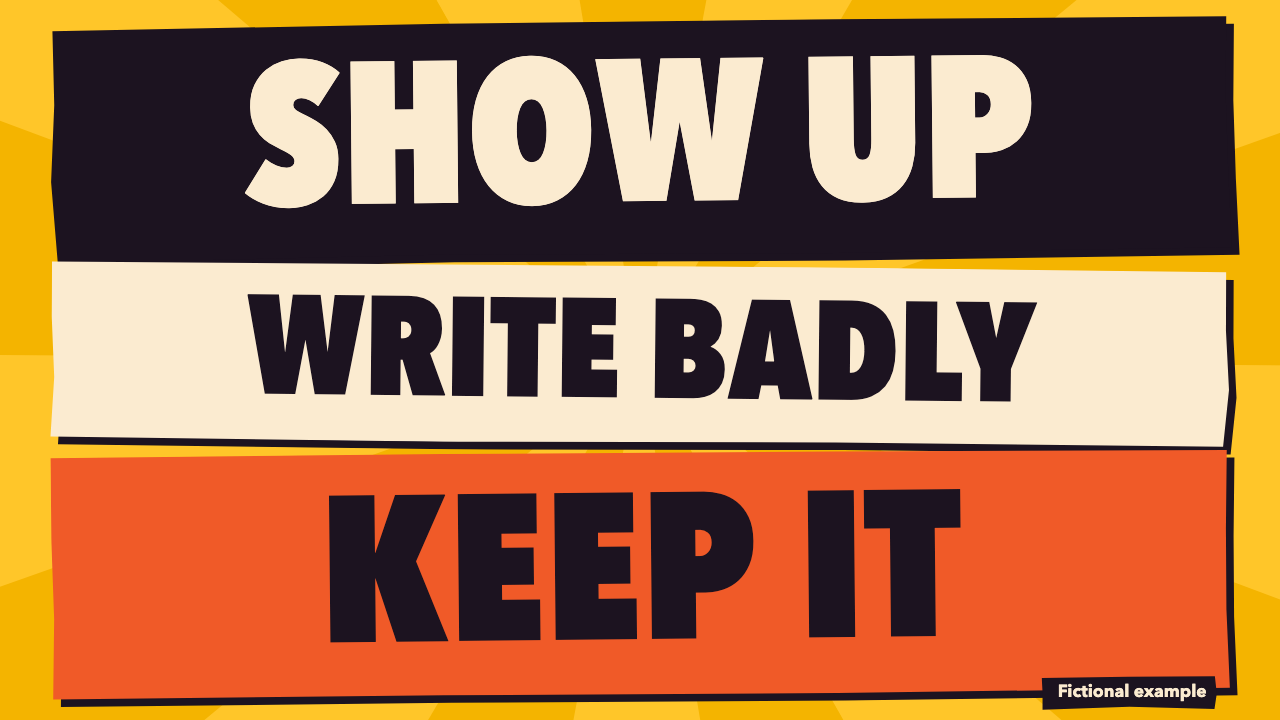
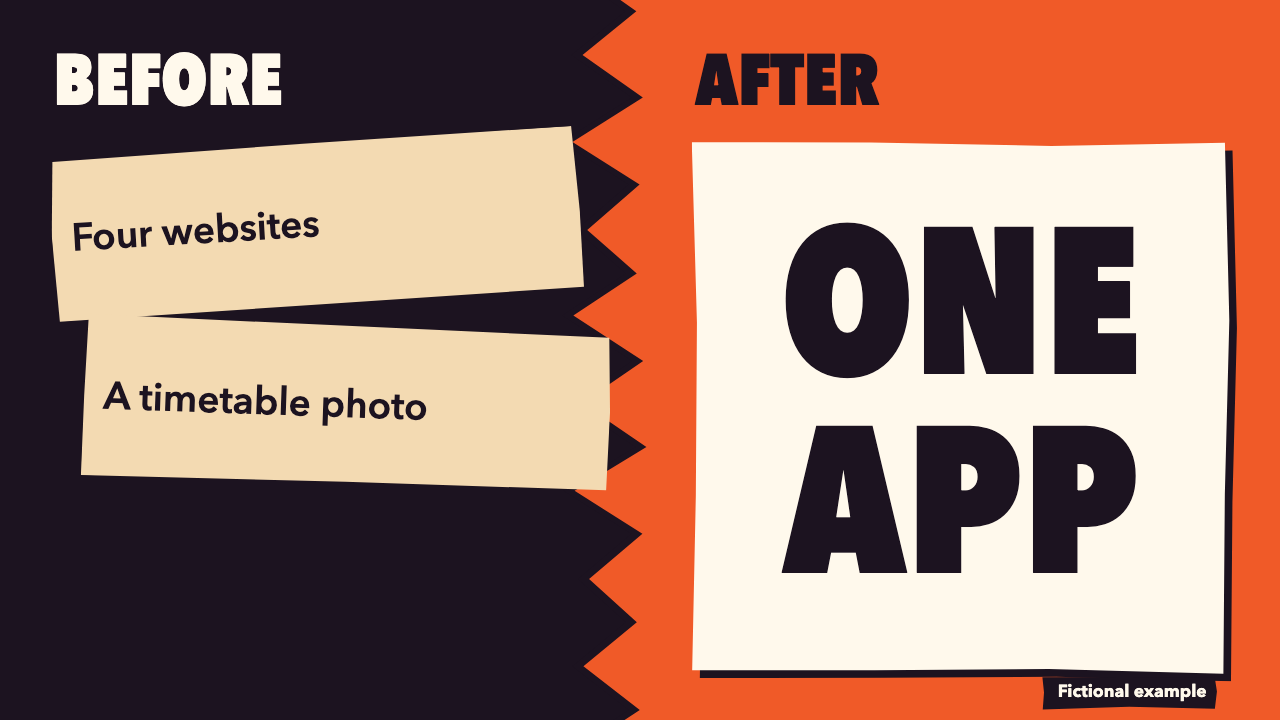
One test run on a fictional brief. Letterforms can differ on systems without the same fonts.
A library of 46 short motion segments for creators and product teams, drawn as cut-paper stop-motion on one shared engine. From a script, an outline or product facts, it maps each key beat to one effect, fills the text slots and renders 1920x1080 30 fps H.264 MP4 clips of 4 to 8 seconds, plus an optional joined film. Use when someone wants animated explainer segments, data motion graphics, chapter cards, kinetic type, quote cards or closing cards for a video, in English or Chinese, with no footage, voice or music.
What it must pass before delivery
check.mjson the folder exits 0. Quote its last line.- Every beat's effect matches what the beat is doing, and the neutral effect is used where nothing fits.
- You viewed real frames from every final MP4, not only the sheet.
- Comparing visibly compares. Growth visibly grows. Each idea reads at a glance. The line to remember is really big.
- Every callout-panel uses a real supplied image, and each ring lands on what it names.
- Every number on screen is in the user's source, and you have listed any inferred lines.
- One language per version, one palette per film.
- No footage, voice or music was generated.
- Fictional material is labelled through
label.
Read the full SKILL.md
---
name: motion-beats
description: A library of 46 short motion segments for creators and product teams, drawn as cut-paper stop-motion on one shared engine. From a script, an outline or product facts, it maps each key beat to one effect, fills the text slots and renders 1920x1080 30 fps H.264 MP4 clips of 4 to 8 seconds, plus an optional joined film. Use when someone wants animated explainer segments, data motion graphics, chapter cards, kinetic type, quote cards or closing cards for a video, in English or Chinese, with no footage, voice or music.
version: 1.0.0
---

# Motion Beats

Every text and value lives in one JSON file. Re-rendering is one command. The look lives in `assets/engine.html` and `assets/engine.js`: your job is to choose effects and write slots, never to restyle. Exact tokens and timings are in `references/style.md`.

## Inputs to ask for

Ask once, in one message, for whatever the brief does not give:

1. The script, outline or product facts. Paste it unchanged into `"source"`.
2. Language: `en` or `zh`. One language per version. For both, make two JSON files.
3. Clips only, or also one joined film.
4. Palette: `vermilion`, `cobalt`, `pine` or `apricot`. If nobody says, use `vermilion` for launches, `cobalt` for products and data, `pine` for calm or money topics, `apricot` for personal stories.
5. For `callout-panel`: the product's real screenshot. Without one, use a different effect.

**No answer comes:** proceed, and list your assumptions at the top of your reply.

## Steps

1. Split the source into key beats: one idea, one clip, about one clip for every 5 seconds of script. Decide what each beat is **doing**.
2. Pick the `job` from the table below, then the first effect of that job whose fields the source can truly fill, following "Choosing well". **If no effect fits a beat, use the neutral effect `phrase-emphasis` with job `statement`.** It works on any sentence.
3. Write `beats.json` in a new folder, for example `motion/beats.json`. `assets/library.json` and `assets/library.zh.json` hold a valid filled example of every effect: copy the shape, not the fictional words.
4. Validate: `node <skill>/scripts/check.mjs motion/beats.json`. Fix everything it reports.
5. Look before rendering: `node <skill>/scripts/sheet.mjs motion/beats.json motion/sheet.png` makes one image with the final frame of every beat. View it with your image tool. Redraw any beat whose idea does not read at a glance, by choosing a different effect or shorter words.
6. Render: `node <skill>/scripts/render.mjs motion/beats.json --out motion`. Add `--film` for the joined film.
7. Check what a viewer sees: `node <skill>/scripts/check.mjs motion`. Fix the JSON, re-render only what changed with `--only b03`, and run the check again until it passes.
8. Extract frames from the final MP4s and look at every clip: `nice -n 10 ffmpeg -threads 2 -ss 2 -i motion/clips/b03.mp4 -frames:v 1 b03.png`. The checker cannot judge whether an effect shows the idea. You can.

Handy render options:

- `--only b03,b07` renders only those beats.
- `--only b03 --frame 120` re-renders one frame to `motion/frames/b03-120.png`, in about a second. Stills go to the same folder.
- `--stills 0.3,0.6,1` writes those points of every beat, as stills.
- `--scale 0.5` draws at half size into `motion/draft/<id>.mp4`, even with `--flat`. Use it while iterating. The checker refuses drafts.
- `--film-only` joins clips that already exist.
- `--flat` writes `motion/<id>.mp4` instead of `motion/clips/<id>.mp4`.
- `--crf 24` sets film compression. The film steps its compression up by itself until it is under `film.maxMB`.

Rendering is heavy on a shared machine: draft at reduced size, render a full MP4 only when ready, never run two renders at once, and never use machine-wide kill commands by process name. The render script runs at low priority with one browser and two ffmpeg threads.

**Check options.** `check.mjs` runs standalone from wherever the skill is installed. Give it a JSON file, a folder, or any MP4. A folder is checked against `beats.json` inside it, or against `--beats path/to/beats.json`; each clip may be at `clips/<id>.mp4` or flat as `<id>.mp4`. MP4s in the folder that match no beat get a warning. `check.mjs clip.mp4 --beats beats.json` ties one clip to the JSON. `--quick` samples fewer frames. `check.mjs --test` is the short self test: about 2 seconds, proving it catches frozen clips, wrong names, invented numbers and more. On an MP4 not made by this skill it still checks format, frozen frames, blankness and overall contrast, warns that text checks were skipped, and does not crash.

## beats.json

```json
{
  "lang": "en",
  "palette": "cobalt",
  "label": "Fictional example",
  "source": "the user's text, unchanged",
  "film": { "maxMB": 10 },
  "beats": [
    { "id": "b01", "job": "growth", "effect": "bars-grow", "seconds": 6,
      "slots": { "title": "Sign-ups by quarter", "bars": [ {"label":"Q1","value":120}, {"label":"Q2","value":310} ] } }
  ]
}
```

| Field | Meaning | Limit | Thin brief |
|---|---|---|---|
| `lang` | Language of every text on screen | `en` or `zh` | Use the language of the source |
| `palette` | The one colour setting | One of the four | See Inputs, item 4 |
| `label` | Small tag on every clip | 30 characters; optional | Use it for samples: Fictional example, or 虚构示例. Leave it out for real work |
| `source` | The user's text, unchanged. Every number on screen must be found here | Required | Paste what you were given, however short |
| `keepLatin` | Real names allowed to stay Latin in a Chinese version | List; optional | Leave it out, or list only real names |
| `film.transition` | One join for the whole film; left out, joins cycle blade, slats, iris | `wipe-blade`, `wipe-slats`, `wipe-iris`, `cut` | Leave it out |
| `film.maxMB` | Film size ceiling | Number; default 10 | Leave it out |
| `beats[].id` | Clip file name | Letters, digits, hyphen | b01, b02 and so on |
| `beats[].job` | What the beat is doing | From the table below | `statement` |
| `beats[].effect` | Effect name | Exact name from the catalogue | `phrase-emphasis` |
| `beats[].seconds` | Clip length | 4 to 8 | 6. Use 4 or 5 only for a card with very few words, 7 or 8 for many items |
| `beats[].transition` | Join after this clip | As `film.transition`; optional | Leave it out |
| `beats[].slots` | The effect's fields | See below | See below |

## Picking the effect

| What the beat is doing | `job` | Effects, best first |
|---|---|---|
| Comparing two things | `compare` | `compare-columns`, `before-after`, `strike-swap`, `bars-grow`, `unit-grid`, `chart-scan`, `best-match`, `grading-lens` |
| Showing growth over time | `growth` | `bars-grow`, `line-rise`, `stair-steps`, `number-counter`, `chart-scan`, `light-spectrum` |
| Adding parts to a total | `total` | `ledger-total` |
| A part of a whole | `share` | `ratio-ring`, `gauge-dial`, `unit-grid` |
| Naming a chapter | `chapter` | `title-stamp`, `chapter-number`, `label-reveal`, `shutter-title`, `title-behind` |
| Stressing a phrase or figure | `stress` | `phrase-emphasis`, `word-stack`, `strike-swap`, `typed-answer`, `number-counter`, `title-behind`, `topic-cloud`, `chat-stack`, `ink-crumble` |
| Explaining steps or a process | `steps` | `flow-nodes`, `stair-steps`, `cycle-loop`, `layer-stack`, `branch-tree`, `status-focus` |
| Showing how parts are organised | `structure` | `branch-tree`, `layer-stack` |
| Quoting someone | `quote` | `pull-quote`, `speaker-card`, `post-scan` |
| Introducing a speaker | `intro` | `speaker-card` |
| Pointing at parts of a real screenshot or image | `show` | `callout-panel`, `one-look-stack`, `corner-drag`, `screen-wall`, `card-row`, `gallery-pan`, `grading-lens`, `mascot-window` |
| Closing with an action | `close` | `name-action`, `action-list`, `screen-wall`, `mascot-window` |
| A bumper between sections | `transition` | `wipe-blade`, `wipe-slats`, `wipe-iris` |
| Anything else: a plain statement | `statement` | `phrase-emphasis`, `typed-answer`, `chat-stack`, `post-scan` |

## Choosing well

- **Bars or a line.** `bars-grow` when there are 2 to 7 values and the viewer should compare their sizes, including a few months or quarters. `line-rise` only for 4 or more points along continuous time, where the slope is the story.
- **A plain benefit** ("shows every sailing on one screen"): `word-stack` if it cuts down to a few strong words, `phrase-emphasis` if the whole sentence matters. With the real screen, `callout-panel`.
- **`callout-panel` needs the real thing.** Ask for the product's real screenshot or image and use `{"src":"file.png"}`. No screen: choose another effect. Never stand a wireframe in for the product; the checker refuses one unless the beat is about layout in general and sets `"abstract":true`. Point each callout at what is really there: view the frame and move `x` and `y` until the ring lands on it.
- **Uneven before and after** ("four websites" against "one app"): that is the best case. A lone After item fills its side as a payoff, so keep it to a few words.
- **Payoff words should fill the frame.** The fewer the words, the bigger they go. Use key-only `phrase-emphasis` or `word-stack` for the line you want remembered.
- **Repeats.** The same effect twice in a row reads as a slip, and the checker warns. Repeating it later in a film is fine.
- Comparing must visibly compare and growth must visibly grow. Do not use word effects for those when the source has both sides or the numbers.

## Colour and scale across a film

There is no setting for this. Each beat sits on one of four grounds from the chosen palette: `field`, `night`, `paper` or `accent`. Its job picks the ground, and it never repeats the previous beat's ground, so the colour moves through the film: stress and close go to accent, charts and quotes to night, comparisons to paper. The ground depends on the order of the beats, so reordering re-colours them and needs a re-render. A clip looks the same alone and in the film. Every clip also has a slow camera push, with a punch on each hit. Joins are 14 frames with a bright and a dark edge leading; if `film.transition` is left out they cycle blade, slats and iris.

## Catalogue: 46 effects

**Data**

| Effect | What moves | Fields (≤ characters, ? optional) |
|---|---|---|
| `bars-grow` | Paper bars rise from zero one after another, values rolling up with them; the highlighted bar lands in the accent colour. | `title`? ≤44; `prefix`? ≤3; `suffix`? ≤8; `count`?: true/false; `highlight`?: number; `bars` [2–7] {label ≤14, value: number} |
| `line-rise` | A thick cut line climbs through the points on a zero-based scale, area filling under it, each value popping as the head passes. | `title`? ≤44; `prefix`? ≤3; `suffix`? ≤8; `points` [2–8] {label ≤10, value: number} |
| `ledger-total` | A torn paper slip prints rows one by one; a chip flies from each row to the total, which jumps with every addition. | `title`? ≤44; `prefix`? ≤3; `suffix`? ≤8; `count`?: true/false; `totalLabel` ≤16; `rows` [2–6] {label ≤24, value: number} |
| `ratio-ring` | A faceted ring sweeps to value over max while the centre figure rolls up with it. | `title`? ≤44; `value`: number; `max`: number; `prefix`? ≤3; `suffix`? ≤8; `count`?: true/false; `caption`? ≤70 |
| `gauge-dial` | A half dial of cut wedges fills while a needle swings past the value and settles back on it. | `title`? ≤44; `value`: number; `min`: number; `max`: number; `prefix`? ≤3; `suffix`? ≤8; `count`?: true/false; `caption`? ≤70 |
| `unit-grid` | A grid with one square per unit; squares flip to the accent colour one by one until value of total is shown. | `title`? ≤44; `value`: number; `total`: number; `count`?: true/false; `caption`? ≤70 |

**Diagrams**

| Effect | What moves | Fields (≤ characters, ? optional) |
|---|---|---|
| `flow-nodes` | Plates land in a zigzag; a disc travels along arrows and lights each node in turn. | `title`? ≤44; `steps` [3–5] {label ≤26} |
| `branch-tree` | A trunk grows from a root plate, splits into branches, then into leaves. | `title`? ≤44; `root` ≤20; `branches` [2–3] {label ≤20, leaves[] (0–3) ≤26} |
| `before-after` | The left side falls in crooked and dark; a jagged bright panel slams in on the right and its items land straight. | `title`? ≤44; `beforeLabel` ≤14; `afterLabel` ≤14; `before` [1–3] {text ≤34}; `after` [1–3] {text ≤34} |
| `cycle-loop` | Arrows close a loop of stages, then a disc keeps orbiting and each plate kicks as it passes. | `title`? ≤44; `center`? ≤18; `stages` [3–6] {label ≤16} |
| `layer-stack` | Slanted slabs drop one by one from the base up and thud on the stack; each label is pulled out on a leader. | `title`? ≤44; `layers` [3–5] {label ≤24, note ≤40?} |
| `stair-steps` | A staircase of paper columns rises step by step and a marker hops up to the top. | `title`? ≤44; `steps` [3–5] {label ≤22} |

**Kinetic type**

| Effect | What moves | Fields (≤ characters, ? optional) |
|---|---|---|
| `word-stack` | Each word is sized to the full width and slams in from alternating sides until the words fill the frame. | `words` [2–5] {text ≤16} |
| `phrase-emphasis` | A sentence rises word by word, then a cut block drives under the key phrase and flips its colour. This is the neutral effect. | `before`? ≤70; `key` ≤36; `after`? ≤70 |
| `typed-answer` | A question plate lands, then the answer types out character by character on a dark card with a chunky cursor. | `question` ≤60; `answer` ≤110 |
| `number-counter` | Odometer tiles roll to the supplied figure, right-hand digits spinning most; the label strip slides in beneath. | `value`: number; `prefix`? ≤3; `suffix`? ≤8; `count`?: true/false; `label` ≤40; `caption`? ≤70 |
| `strike-swap` | The wrong phrase is slashed by a cut strip and knocked aside; the right phrase lands under it on a bright plate. | `lead`? ≤40; `wrong` ≤30; `right` ≤30 |

**Chapter cards**

| Effect | What moves | Fields (≤ characters, ? optional) |
|---|---|---|
| `title-stamp` | A framed title stamps down from above; the hit shakes the frame and throws shards of paper. | `title` ≤34; `sub`? ≤60 |
| `chapter-number` | A giant chapter mark arrives in two halves that slide from top and bottom and lock; the title follows. | `number` ≤3; `title` ≤34; `sub`? ≤60 |
| `label-reveal` | Three long strips race across the frame; the last one drags the label into view. | `label` ≤30; `sub`? ≤50 |
| `shutter-title` | Dark vertical slats collapse in a wave to open onto a paper field holding the title. | `title` ≤34; `sub`? ≤60 |

**Presenter and quote**

| Effect | What moves | Fields (≤ characters, ? optional) |
|---|---|---|
| `pull-quote` | Huge cut quote marks tumble in, the words rise in order, and the speaker tag slides up. | `quote` ≤120; `who` ≤30; `role`? ≤40 |
| `compare-columns` | Row pairs slide inward to a central spine. If there is a winner its column rises and takes the accent; the other sinks. | `title`? ≤44; `leftName` ≤18; `rightName` ≤18; `winner`?: left/right; `rows` [2–5] {a ≤28, b ≤28} |
| `callout-panel` | A real supplied screenshot slides up on a paper plate; flags fly in with leaders to rings on the exact spots. | `title`? ≤44; `panel`: object; `callouts` [1–4] {text ≤26, x: number, y: number} |
| `speaker-card` | A cut-paper microphone sends out sound arcs while the name slams in and the role strip and points follow. | `name` ≤24; `role`? ≤40; `points`? [0–3] {text ≤40} |

**Closing and transitions**

| Effect | What moves | Fields (≤ characters, ? optional) |
|---|---|---|
| `name-action` | The name lands big; a cut arrow flies in and keeps pressing the action button, whose shadow collapses each time. | `name` ≤28; `action` ≤34; `url`? ≤40 |
| `action-list` | Boxes land in a column and a cut tick slams into each, one at a time. | `title`? ≤44; `actions` [1–3] {text ≤40} |
| `wipe-blade` | A jagged blade with a bright leading edge cuts across the frame, from the outgoing word to the incoming one. Also used as a join. | `from` ≤24; `to` ≤24 |
| `wipe-slats` | Vertical slats close in a wave and reveal the next field. Also used as a join. | `from` ≤24; `to` ≤24 |
| `wipe-iris` | A faceted disc grows out of the frame centre until it swallows it. Also used as a join. | `from` ≤24; `to` ≤24 |

**Showcase sequences (longer, take pictures)**

| Effect | What moves | Fields (≤ characters, ? optional) |
|---|---|---|
| `title-behind` | A cut-out person lands, then a huge title bursts out from behind the head and spreads across the frame while the face stays clear. | `title` ≤28; `sub`? ≤60; `person`?: cut-out PNG |
| `chart-scan` | A speaker column stays fixed beside a large bar chart. The view travels from row labels along each bar to its end, pauses on each figure, shifts to the next group, then pulls back to the whole chart. | `title`? ≤44; `speaker`? ≤18; `role`? ≤24; `person`?: cut-out PNG; `prefix`? ≤3; `suffix`? ≤8; `groups` [1–4] {label ≤20, rows[] (0–5) ≤16} |
| `one-look-stack` | A full-screen picture collapses into a card, more land on a fanned stack beside the headline, three pop up in turn, and all settle into checked rows that fill the frame. | `headline` ≤34; `sub`? ≤60; `pop1`? ≤22; `pop2`? ≤22; `pop3`? ≤22; `rowTitle`? ≤40; `action`? ≤24; `pictures`?: pictures ≤11 |
| `corner-drag` | A handle drags a card corner round while a readout counts to a design value; the camera pulls back to a release card, which settles in the centre of a 3x3 feature grid as a cursor taps its button. | `name` ≤24; `feature`? ≤34; `button` ≤14; `readoutLabel` ≤26; `radius`: number; `unit`? ≤4; `features`? [0–8] {text ≤26}; `pictures`?: pictures ≤9 |
| `screen-wall` | A player switches to a tappable ad, the camera pulls back to a 3x3 grid, it bursts out to a wall of 80 screens, and the brand slams in with a tagline and action. | `show`? ≤30; `adText` ≤30; `adButton` ≤20; `brand` ≤16; `tagline`? ≤44; `cta`? ≤22; `pictures`?: pictures ≤80 |
| `topic-cloud` | Short topic words drift into a cloud behind a person, then one comes forward on a large plate. The face stays clear. | `topics` [3–12] {text ≤18}; `focus`?: number; `line`? ≤50; `person`?: cut-out PNG |
| `card-row` | A person stands in the mid-ground while a row of cards rises in the foreground, one highlighted in turn, never covering the face. | `title`? ≤44; `cards` [2–5] {title ≤20, note ≤36?}; `highlight`?: number; `person`?: cut-out PNG; `pictures`?: pictures ≤5 |
| `chat-stack` | Plain cut-paper chat bubbles arrive and stack up, then the last one expands to fill the frame with the payoff. | `messages` [2–6] {text ≤60, side?: left/right}; `payoff` ≤60 |
| `status-focus` | A sidebar of statuses stamps through item by item, each with a mark that matches it, then the view zooms into one, with an optional detail. | `title`? ≤44; `items` [3–7] {label ≤24, state ≤14?, status?: good/delayed/cancelled/unknown}; `focus`?: number; `detail`? ≤80 |
| `light-spectrum` | The start figure fills the frame, a band of light sweeps a paper panel into colour steps, and the end figure takes over while the start shrinks aside. | `title`? ≤44; `start`: number; `end`: number; `prefix`? ≤3; `suffix`? ≤8; `label`? ≤40; `count`?: true/false |
| `post-scan` | A plain original post mock-up is scanned line by line, key phrases get marked, and it ends on a summary line. | `author`? ≤24; `lines` [2–6] {text ≤60, mark ≤30?}; `summary` ≤70 |
| `best-match` | Product cards shuffle, get scored with bars in true proportion to supplied values, and the highest rises as the match. | `title`? ≤44; `items` [2–5] {name ≤18, score: number}; `prefix`? ≤3; `suffix`? ≤8; `scoreLabel`? ≤20; `matchLabel`? ≤18; `pictures`?: pictures ≤5 |
| `ink-crumble` | A scan flags details on a card, then card and text crumble into paper-and-ink dust and a payoff line types in. | `cardTitle` ≤30; `cardLines` [1–4] {text ≤44}; `flags`? [0–3] {text ≤22}; `payoff` ≤60 |
| `gallery-pan` | A slow camera pans along a wall of pictures, each once and in order, holding on each with its caption, then pulls back to the whole wall. | `title`? ≤44; `captions`? [0–8] {text ≤34}; `pictures`?: pictures ≤8 |
| `grading-lens` | A round lens slides across a picture, showing the graded version inside and the plain one outside, then opens to fill the frame, with before and after labels. | `title`? ≤44; `beforeLabel`? ≤14; `afterLabel`? ≤14; `grade`?: natural/filmic/warm/cool/punch; `pictures`?: pictures ≤1 |
| `mascot-window` | A window opens in a page, a character climbs in, waves, points at the headline with a long arm, then ducks away and the shutters close. | `headline` ≤44; `sub`? ≤70; `action`? ≤24; `mascot`?: cut-out PNG |

`preview/catalogue.png` shows a real frame of every effect.

## Every field

Limits are for English; the Chinese limit is in SKILL.zh.md and `assets/catalogue.json`. Fields ending in ? above can be left out completely. Never fill them with a placeholder.

| Field | Meaning | Limit (characters) | Thin brief |
|---|---|---|---|
| `count` | true by default: figures roll up. false: only the final supplied figure is ever on screen, with no transitional numbers. Use false when a brief says only supplied numbers may appear. | true/false | Leave it out, unless the brief forbids other numbers on screen. |
| `title` | Headline over the effect; say what the viewer should conclude, in the script's own words. | 28–44 | Leave it out. Do not write a summary the script does not make. |
| `sub` | Small line under a chapter title. | 50–70 | Leave it out. |
| `prefix` | Characters before a figure, such as $ or ¥. | 3 | Only if the brief gives the unit. Otherwise leave it out. |
| `suffix` | Characters after a figure, such as % or pages. | 8 | Only if the brief gives the unit. Otherwise leave it out. |
| `highlight` | Zero-based index of the bar to colour, or in card-row the card to end on. Default: the largest bar, or the last card. | number | Leave it out. |
| `bars.label` | Name under a bar. | 14 | Use the name in the brief. No name means no bars: use phrase-emphasis. |
| `bars.value` | The supplied number; zero or above. Bars start at zero. | number | Never estimate. Missing a value: use phrase-emphasis. |
| `points.label` | Name on the time axis. | 10 | Use the brief's dates or periods. None given: use phrase-emphasis. |
| `points.value` | The supplied number at that point. | number | Never interpolate or extrapolate. Fewer than two values: use number-counter or phrase-emphasis. |
| `totalLabel` | Word beside the total, such as Total. | 16 | Use Total, or 合计 in Chinese. |
| `rows.label` | Name of one row. | 24 | Use the brief's wording. |
| `rows.value` | The supplied amount. The engine adds these up itself; the total is the only computed figure. | number | Never estimate. Missing an amount: use phrase-emphasis. |
| `value` | The supplied figure. | number | Never estimate. No figure: use phrase-emphasis. |
| `max` | The whole that value is measured against: 100 for a percentage. | number | Must come from the brief, or be 100 with suffix % when the brief gives a percentage. Otherwise use number-counter. |
| `min` | Low end of the dial. | number | Use the brief's low end, or 0, which needs no source. Otherwise use number-counter. |
| `total` | Number of squares, a whole number up to 100. | number | Must come from the brief. Otherwise use number-counter. |
| `caption` | One short line explaining the figure. | 70 | Leave it out rather than guess what the figure means. |
| `steps.label` | Name of one step, in order. | 22–26 | Lift verbs from the script. Fewer than three steps: use before-after or phrase-emphasis. |
| `root` | The one thing that splits. | 20 | Use the beat's subject in the script's words. |
| `branches.label` | One branch of the tree. | 20 | Use the script's own categories. |
| `leaves.label` | One item under a branch. | 26 | Leave leaves out if the script names none. |
| `beforeLabel` | Name of the old state. | 14 | Use Before, or 之前 in Chinese. |
| `afterLabel` | Name of the new state. | 14 | Use After, or 之后 in Chinese. |
| `before.text` | One fact about the old state. | 34 | Restate the script. If it only describes one side, use phrase-emphasis. |
| `after.text` | One fact about the new state. | 34 | Restate the script. Do not promise results it does not state. |
| `center` | Word in the middle of the loop. | 18 | Leave it out. |
| `stages.label` | One stage of the loop, in order. | 16 | Only if the script really repeats. Otherwise use flow-nodes. |
| `layers.label` | Name of one layer, bottom layer first. | 24 | Use the script's wording, in the order it builds. |
| `layers.note` | Short note for that layer. | 40 | Leave it out. |
| `words.text` | One word or very short phrase per line. | 16 | Lift the script's strongest words in order. Never add new ones. |
| `before` | Words before the key phrase. | 70 | Leave it out if the key phrase stands alone. |
| `key` | The phrase that takes the block. Required. | 36 | Use the words the script stresses; if unclear, the sentence's last noun phrase, and list it as inferred. |
| `after` | Words after the key phrase. | 70 | Leave it out. |
| `question` | The question being answered. | 60 | Restate the beat as the question it answers, and list it as inferred. |
| `answer` | The answer, in the script's words. | 110 | Use the sentence from the script. Never add a claim. |
| `label` | What the figure counts, or a chapter's label. | 30–40 | Use the script's noun. Unknown meaning: do not use a data effect. |
| `lead` | Lead-in above the wrong phrase. | 40 | Leave it out. |
| `wrong` | The idea being replaced. | 30 | Must be in the script. Do not invent an opponent. |
| `right` | The idea replacing it. | 30 | Must be in the script. |
| `number` | Chapter mark, such as 1, 2 or A. It is a position, not data. | 3 | Number chapters in script order. |
| `quote` | Exact words spoken or written. Drop only punctuation around it that belongs to the sentence carrying the quote, such as a trailing comma before says. | 120 | Only real wording supplied by the user. No quote supplied: use phrase-emphasis. Never compose one. |
| `who` | Who said it. | 30 | Name given in the brief. If only the script speaks, use From the script, or 摘自脚本 in Chinese. |
| `role` | Their role, as the source states it. | 24–40 | Use it only if the source states it, such as test user. Otherwise leave it out; never invent a title. |
| `leftName` | Name of the left column. | 18 | Use the script's names for the two sides. |
| `rightName` | Name of the right column. | 18 | Use the script's names for the two sides. |
| `winner` | left or right: the side the script favours; omit for a neutral comparison. | left/right | Leave it out unless the script takes a side. |
| `rows.a` | Left cell of the row. | 28 | Restate the script. An empty side means this is not a comparison: use phrase-emphasis. |
| `rows.b` | Right cell of the row. | 28 | Restate the script. |
| `panel` | Object. Use {"src":"path.png"}: the product's real screenshot or image (PNG or JPG), path relative to the JSON. {"kind":"window","abstract":true} (or "phone", "page") draws a wordless wireframe, and the checker refuses it without "abstract":true. | object | No real image: do not use callout-panel. Use word-stack or phrase-emphasis for a plain benefit, flow-nodes for how it works. A wireframe is only for a beat about layout in general, never for what a product shows. |
| `callouts.text` | What this spot is. | 26 | Name only features the user listed. |
| `callouts.x` | Horizontal position on the panel, 0 to 1. A position, not data. | 0–1 | Wireframe: spread them, 0.25 and 0.75 work. |
| `callouts.y` | Vertical position on the panel, 0 to 1. A position, not data. | 0–1 | Wireframe: 0.3 and 0.7 work. |
| `name` | Person, product or series name. | 24–28 | Use the name in the brief. No name: use the script's title. |
| `points.text` | One topic this person covers. | 40 | Leave it out. |
| `action` | The one thing the viewer should do next, as a verb phrase. | 24–34 | Use the script's ask. In name-action, no ask: use Find out more, or 了解更多 in Chinese. In one-look-stack, no ask: leave it out and no button appears. |
| `url` | A real address to show. | 40 | No real link: leave it out. Never write a made-up address. |
| `actions.text` | One to-do for the viewer. | 40 | Lift them from the script. Only one: use it alone, or use name-action. |
| `from` | Word on the outgoing side of a bumper. | 24 | Use the name of the section ending. |
| `to` | Word on the incoming side of a bumper. | 24 | Use the name of the section starting. |
| `person` | Object: {"src":"cutout.png"}, a transparent PNG of the person, relative to the JSON. Optional "face":{"x":0.3,"y":0.1,"w":0.4,"h":0.25}, as fractions of the image. | PNG | Leave it out: a plainly generic cut-paper figure with a blank face stands in. Plain photo: run scripts/cutout.mjs on macOS. Never generate a photoreal person. |
| `pictures` | List of {"src":"file.png"}, PNG or JPG, relative to the JSON. Reused in turn when there are fewer than the effect shows. | up to 80 | Leave it out: code-drawn abstract pictures in the palette stand in. Use real pictures whenever the user has them. |
| `speaker` | The name in the fixed column beside the chart. Optional. | 18 | Leave it out if the brief names nobody: with no person either, the chart takes the full width. Never invent a team. |
| `feature` | The new feature this release is about, shown large in a band that stays to the end. | 34 | Use the feature the brief names. No single feature: leave it out. |
| `groups.label` | Name of one group of rows. | 20 | Use the table heading. One group is fine. |
| `headline` | The main line beside the stack, then over the rows. | 34–44 | Use the main claim of the script, in its own words. |
| `pop1` | Caption for the first picture to pop up. | 22 | Leave it out: the picture pops without a caption. |
| `pop2` | Caption for the second. | 22 | Leave it out. |
| `pop3` | Caption for the third. | 22 | Leave it out. |
| `rowTitle` | Line above the checked rows. | 40 | Leave it out. |
| `button` | The button on the release card. | 14 | Use the action in the brief, or Try it, or 试试看 in Chinese. |
| `readoutLabel` | What the readout measures. Say it is a design value, such as Corner radius (design). | 26 | Use Corner radius (design), or 圆角(设计值) in Chinese. |
| `radius` | The corner radius the readout counts to. This is a design value the user sets, not a measured fact, and the only figure here that needs no source. Drawn on the card at twice the value, up to half the card height, so the change reads on screen. | number | Use 24. |
| `unit` | Unit of the readout. Default px. | 4 | Leave it out. |
| `features.text` | One feature in the grid around the card. | 26 | Name only features the user listed; leave cells picture-only otherwise. |
| `show` | Title on the player. | 30 | Leave it out. |
| `adText` | Line on the tappable ad. Required: the check fails an empty ad. | 30 | Restate the main claim of the brief, and list it as inferred. |
| `adButton` | Button the cursor taps. Required: the check fails an empty button. | 20 | Use the action in the brief. None: use Open, or 打开 in Chinese, and list it as inferred. |
| `brand` | The name that slams in. | 16 | Use the product name in the brief. |
| `tagline` | Line under the brand. | 44 | Leave it out rather than write a new promise. |
| `cta` | Action on the brand card. | 22 | Use the ask in the script. Otherwise leave it out. |
| `topics.text` | One short topic word or phrase. | 18 | Lift the topics from the script. Fewer than three: use word-stack instead. |
| `focus` | Zero-based index of the item that comes forward. Default is the last. | number | Leave it out, and put the main item last. |
| `line` | One short line under the forward topic. | 50 | Leave it out. |
| `cards.title` | Name on one card. | 20 | Use the wording in the brief. |
| `cards.note` | Short note on that card. | 36 | Leave it out. |
| `messages.text` | One chat message, as written in the script. | 60 | Use lines from the script. Never compose a real person saying something. |
| `messages.side` | left or right. Default alternates. | left/right | Leave it out. |
| `payoff` | The line the clip ends on, in large type. Required. | 60 | Use the strongest line in the script, unchanged. |
| `items.label` | Name of one status row. | 24 | Use the wording in the brief. |
| `items.state` | Short status word beside it, such as Done or Delayed. The mark is taken from this word. | 14 | Use the status in the brief. Unknown: leave it out, and no mark shows. |
| `items.status` | Optional override of the mark: good is a tick, delayed a clock, cancelled a cross, unknown none. It must not contradict state. | good/delayed/cancelled/unknown | Leave it out. |
| `detail` | One line shown under the zoomed item. | 80 | Leave it out. |
| `start` | The supplied value that opens the clip, filling the frame. | number | Must be in the source. Only one value: use number-counter. |
| `end` | The supplied value that takes over the frame and holds. | number | Must be in the source. Never estimate. |
| `author` | Name on the post. Keep it fictional or supplied. | 24 | Leave it out: a blank bar stands in. Never use a real account that did not write this. |
| `lines.text` | One line of the post, as supplied. | 60 | Use the wording in the source. |
| `lines.mark` | The key phrase to mark. It must appear exactly in that line. | 30 | Leave it out if the source stresses nothing there. |
| `summary` | The line the clip ends on. Required. | 70 | Restate the point of the source, and list it as inferred. |
| `items.name` | Name of one product card. | 18 | Use the name in the brief. |
| `items.score` | The supplied score. The highest rises, and it must be a clear winner. | number | Never estimate. No scores: do not use this effect. |
| `scoreLabel` | What the score measures, shown below the cards. | 20 | Use the wording in the brief. Otherwise leave it out. |
| `matchLabel` | Tag above the winner, such as Best match. | 18 | Leave it out: the rise says it. No filler. |
| `cardTitle` | Title on the card that will crumble. | 30 | Use the subject in the script. |
| `cardLines.text` | One detail on the card. | 44 | Use the wording in the source. |
| `flags.text` | What the scan flags on the matching line. | 22 | Leave it out if the source flags nothing. |
| `captions.text` | Caption held on screen for the matching picture. Give captions in picture order. | 34 | Give none, or fewer than the pictures: those stops show no caption. |
| `grade` | The grade, as real per-pixel processing. natural is believable and the default on a photo. filmic is softer. warm, cool and punch are stronger looks. | natural/filmic/warm/cool/punch | Leave it out, above all for a claim about accuracy. |
| `mascot` | Object: {"src":"character.png"}, a transparent PNG with its face in the upper two thirds, relative to the JSON. The bottom eighth sits behind the sill. | PNG | Leave it out: an original cut-paper creature appears. Never use a known mascot without the rights. |

## Rules that are not optional

**Generate no invented numbers.** Data effects use only supplied values. The checker fails any number that is not in `source`. The only figures allowed without a source are: the ledger total, which the engine adds up itself; a scale floor of 0; and the 100 of a percentage. Chapter numbers are positions, not data.

**Values in motion are transitional.** Counting is an intentional effect: while a figure rolls up, numbers such as 112 on the way to 120 pass by, and a ledger shows running sums. Only the settled figure is a value. When a brief says only supplied numbers may appear, set `"count": false` on that beat's slots (`bars-grow`, `ledger-total`, `ratio-ring`, `gauge-dial`, `unit-grid`, `number-counter`): the final figure is then the only one ever on screen. Bars settle in true proportion, and overshoot never passes the next value up, so the ranking is right throughout.

**The brief is thin:** restate the user's facts in their own words. Never invent customers, numbers, quotes, testimonials or credentials. List every line you inferred, under the heading "Inferred lines", in your reply. The Thin brief column says what to do field by field. Data beat without figures: use `phrase-emphasis`.

**Nobody can answer:** proceed and list your assumptions.

**A different length is wanted:** change the number of beats and `seconds`. A clip stays 4 to 8 seconds, 6 by default; showcase sequences have their own ranges. In a film each wipe lands on the next clip already in motion, so its first 28 frames are replaced: every join makes the film about 0.47 s shorter than the clips added up (nothing with `cut`). For a 30-second film, about 6 clips; for 90 seconds, about 17.

**No real link:** leave `url` out. Use the script's ask as `action`, or Find out more. Never write a made-up address.

**Showcase sequences** run longer than other clips, with their own length ranges in `assets/catalogue.json`: `chart-scan` 6 to 14 s, `one-look-stack` about 7 s, `corner-drag` about 7.7 s, `screen-wall` about 11 s. The newer sequences run 5 to 9 s. They take `pictures` and `person`; pictures are cropped around their centre, or around `"focus":{"x":0.5,"y":0.3}` on a picture; with none, code-drawn pictures or a generic cut-paper figure stand in. A photo becomes a cut-out with `node scripts/cutout.mjs photo.jpg cutout.png`, on macOS only. The readout in `corner-drag` is a design value, and must be labelled so in `readoutLabel`.

**A wipe as a standalone clip** is a bumper between sections: 4 seconds is right. In a film, set joins with `transition` instead.

**Line breaks:** words are kept whole automatically, and a key phrase of up to 10 Chinese characters or 20 Latin characters stays on one line. The checker fails a character or short word stranded on its own, and a key plate touching other words. Fix it by rewording or putting `\n` where you want the break.

**Reproducibility:** on one machine, re-running the same command gave byte-identical clips and a byte-identical film, because joins are drawn on a canvas. A different browser build, font set or ffmpeg version can change bytes, and that was not tested.

## Deliverables

- `motion/beats.json`: the one file to edit.
- `motion/clips/<id>.mp4`: one clip for each beat, 1920x1080, 30 fps, H.264, yuv420p, silent, 4 to 8 s.
- `motion/film.mp4`: optional, under 10 MB by default.
- Your note: assumptions, inferred lines, and the re-render command.

To edit later: change `beats.json`, then `node <skill>/scripts/render.mjs motion/beats.json --out motion --only <id>`, and add `--film` to rebuild the film.

## Render time

Measured on the 16 GB Mac this was built on, with other work running, at low priority and full size: about 4 s per 6-second clip. All 46 effects: about 200 s. The 11-clip example: 44 s for the clips and 19 s more to join the 60-second film. One frame: about a second. The file sizes: about 500 KB per clip, 4.6 MB for the film.

## Before delivering

- [ ] `check.mjs` on the folder exits 0. Quote its last line.
- [ ] Every beat's effect matches what the beat is doing, and the neutral effect is used where nothing fits.
- [ ] You viewed real frames from every final MP4, not only the sheet.
- [ ] Comparing visibly compares. Growth visibly grows. Each idea reads at a glance. The line to remember is really big.
- [ ] Every callout-panel uses a real supplied image, and each ring lands on what it names.
- [ ] Every number on screen is in the user's source, and you have listed any inferred lines.
- [ ] One language per version, one palette per film.
- [ ] No footage, voice or music was generated.
- [ ] Fictional material is labelled through `label`.

## When not to use it

- The user needs live footage, narration, music or captions over a voice track.
- The user needs their exact brand colours and typefaces: the four palettes are the design.
- The story is a long continuous animation or a character piece: each clip here carries one idea.
- A chart needs axes, many series or precise reading mid-motion. Use a real chart: these effects carry at most 8 points.

## Requirements

- Node 18 or later, and ffmpeg with ffprobe on the PATH or in /opt/homebrew/bin.
- Playwright for rendering only: `npm install playwright`, then `npx playwright install chromium`. If it is installed elsewhere, set `NODE_PATH` to that `node_modules`.
- `check.mjs` needs no packages.
- Fonts are system stacks. On a machine without Avenir Next Condensed or PingFang, the fallbacks in `references/style.md` apply and the engine re-fits the text. Run the check there.
Used in these workflows
- Grow a content account step 4
- Promote a product step 5
- Run a campaign step 4

