

Free
Shadow Puppet Stories
Turn any topic into a 35 to 50 second storybook film, told by jointed puppets on a lantern-lit cloth.
Install
Install the "Shadow Puppet Stories" skill into ~/.claude/skills/shadow-puppet.
Download each file and save it under that folder:
https://skilllift.pages.dev/packs/shadow-puppet/SKILL.md → SKILL.md
https://skilllift.pages.dev/packs/shadow-puppet/references/style.md → references/style.md
https://skilllift.pages.dev/packs/shadow-puppet/references/props.md → references/props.md
https://skilllift.pages.dev/packs/shadow-puppet/references/prop-sheet.png → references/prop-sheet.png
https://skilllift.pages.dev/packs/shadow-puppet/assets/engine.html → assets/engine.html
https://skilllift.pages.dev/packs/shadow-puppet/assets/core.js → assets/core.js
https://skilllift.pages.dev/packs/shadow-puppet/assets/props.js → assets/props.js
https://skilllift.pages.dev/packs/shadow-puppet/assets/scene.template.json → assets/scene.template.json
https://skilllift.pages.dev/packs/shadow-puppet/scripts/check.mjs → scripts/check.mjs
https://skilllift.pages.dev/packs/shadow-puppet/scripts/render.mjs → scripts/render.mjs
https://skilllift.pages.dev/packs/shadow-puppet/scripts/assemble.mjs → scripts/assemble.mjs
Then read SKILL.md, tell me what it does, and remind me to start a new session.
Unpack it into ~/.claude/skills
Same skill, different brief
The left is the preview. The right was made by a separate agent from a different brief, using only the installed skill and without seeing the preview.
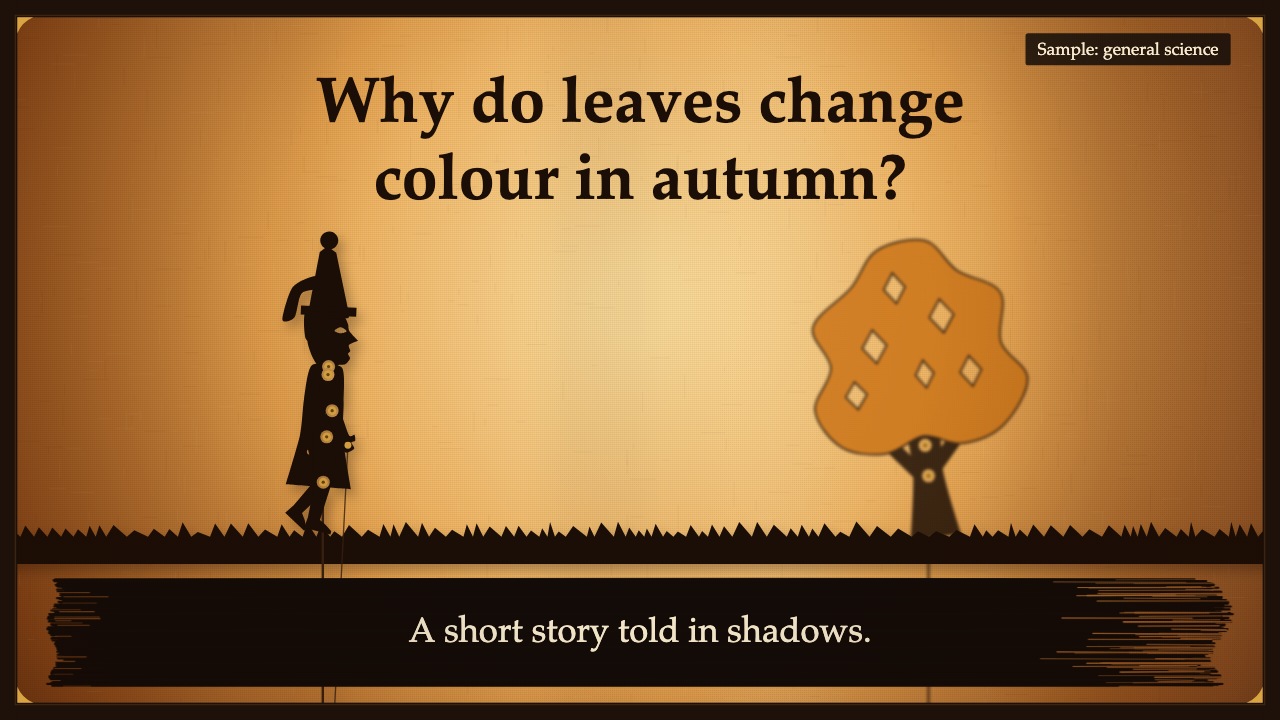
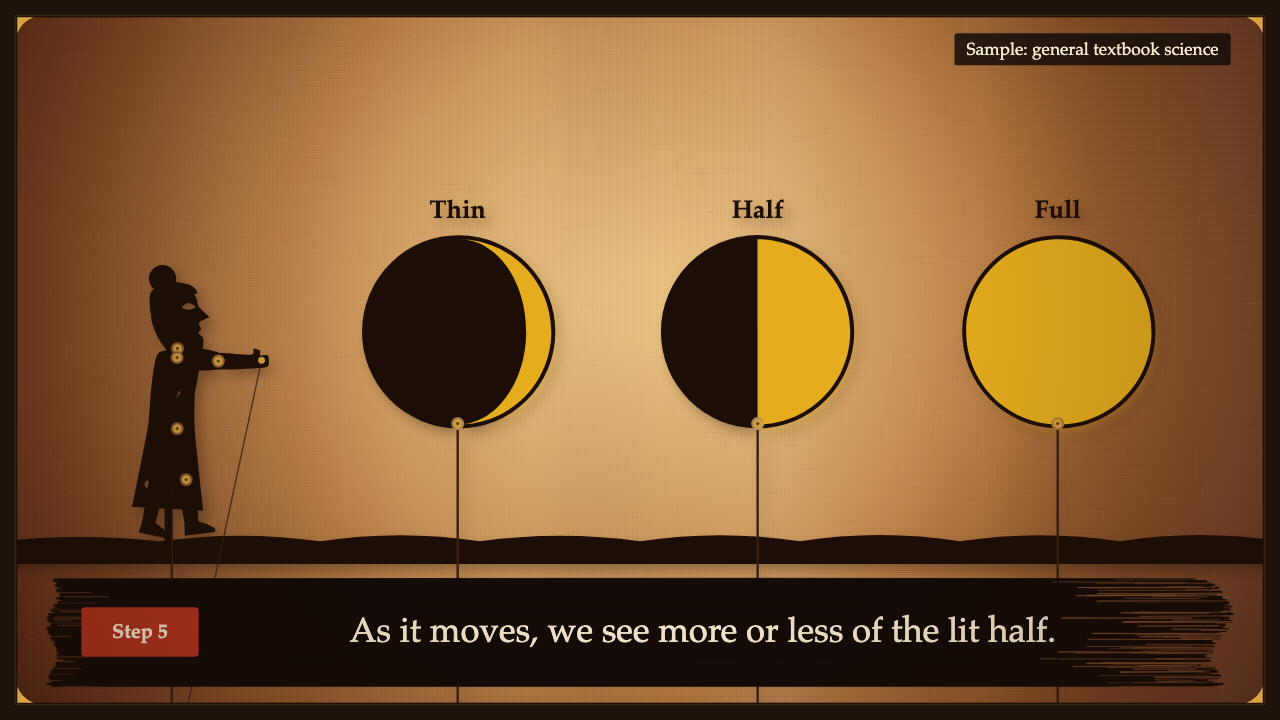
One test run on a fictional brief. Letterforms can differ on systems without the same fonts.
Turns a topic into a 35 to 50 second silent storybook MP4 with a scene plan, performed as a shadow-puppet theatre. Jointed silhouette figures with brass pivot pins and rods walk and gesture on a glowing lantern-lit cloth, with depth from blur and an ink-brush caption strip. Includes a deterministic engine, a library of 60 code-drawn props, including a moon with correct phases, Earth, orbit and arrow paths and a labelled diagram panel, and 16:9 and 9:16 output. Use when someone wants a short, warm explainer, story or lesson video, or asks for a shadow-puppet or storybook style.
What it must pass before delivery
node scripts/check.mjs scene.jsonexits 0.node scripts/check.mjs story.mp4 --stills framesexits 0, on the full-size render, without--test.- I viewed a proof of every scene and could name every puppet at a glance.
- I viewed the stills from the final MP4, one per scene, and checked any facts shown in pictures.
- Every caption restates facts I was given or plain general knowledge. No invented numbers, customers, quotes or credentials.
- Each scene has one idea and something moving.
- One language throughout, in the idea field as well.
- Inferred lines and assumptions are listed in my reply.
- The real render time was stated if the user was waiting.
Read the full SKILL.md
---
name: shadow-puppet
description: Turns a topic into a 35 to 50 second silent storybook MP4 with a scene plan, performed as a shadow-puppet theatre. Jointed silhouette figures with brass pivot pins and rods walk and gesture on a glowing lantern-lit cloth, with depth from blur and an ink-brush caption strip. Includes a deterministic engine, a library of 60 code-drawn props, including a moon with correct phases, Earth, orbit and arrow paths and a labelled diagram panel, and 16:9 and 9:16 output. Use when someone wants a short, warm explainer, story or lesson video, or asks for a shadow-puppet or storybook style.
version: 1.0.0
---

# Shadow Puppet Stories

The look lives in `assets/`. Your job is to write one file: a scene JSON. You choose the words, the puppets and what they do. You never edit the engine, and `scripts/check.mjs` fails a page whose engine differs.

Read `references/props.md` and look at `references/prop-sheet.png` before you cast anything. `references/style.md` has the exact tokens if you need them.

## Inputs to ask for

Ask once, in one message, for whatever the brief lacks.

Required:
1. The topic, and what the viewer should understand by the end.
2. The facts to use: the steps or points, in the user's words or from a source they give.

Optional:
3. Language: one of English or Chinese. One language per version; make two versions if they want both.
4. Format: 16:9 (default) or 9:16.
5. Length within 35 to 50 seconds.
6. A music file they own or may use. Without one the film is silent, with on-screen captions and no audio track.

## Steps

1. Copy `assets/scene.template.json` to your working folder as `scene.json`. Replace every `FILL`. Add step scenes as needed.
2. Write the plan: title, 2 to 6 steps, the lesson, a warm close. One idea and few words per scene.
3. Cast each scene from `references/props.md`. Give the actor a `do`.
4. Run `node scripts/check.mjs scene.json` (add `--format 9:16` for portrait). Fix everything it reports. Do not lower a limit or rewrite the checker.
5. Render proofs at reduced size: `node scripts/render.mjs scene.json proofs --proof --scale 0.5`. This takes seconds and writes two frames per scene. **View every one with your own eyes.** Ask of each puppet: could a stranger name this shape? If not, recast it. Redo steps 3 to 5 until they pass. Iterate here, not on full renders.
6. Render the film once, when ready: `node scripts/render.mjs scene.json out/story.mp4`. Portrait: add `--format 9:16`. Music: add `--music song.mp3`. Render one film at a time.
7. Run `node scripts/check.mjs out/story.mp4 --stills frames`. It reads the real file (codec, size, duration, motion, captions in decoded frames) and writes one sharp mid-scene frame per scene. The film stores its own plan, so you may rename or move it and check it again.
8. View every still in `frames`. Proofs from the page do not prove the MP4 is right. If the topic has facts in its pictures, such as moon phases, check them on these frames.

Trying something out:
- Short trial: `node scripts/render.mjs scene.json out/short.mp4 --test` takes 1.5 s from each scene. `--scenes 2,5` renders only those scenes in full. Check either with `node scripts/check.mjs out/short.mp4 --test`, which skips length and story rules. A scene file with only a few scenes also passes `check.mjs scene.json --test`.
- One frame: `node scripts/render.mjs scene.json out/frame.png --frame 240` re-renders that frame and prints its SHA-256. The same frame gives the same bytes every time.
- Other render flags: `--scale 0.5` (reduced size), `--every 2` (every second frame), `--crf 24` (higher is a smaller file), `--format 9:16`, `--music file`, `--proof`.

**Real render time**, on an Apple-silicon Mac with 16 GB at low priority with two ffmpeg threads: 52 seconds for the 48 second 16:9 example, 47 seconds for a 41 second 9:16 film, so plan on a little over real time. Slower machines take longer, so tell the user before you start. Proofs take a few seconds.

## Scene fields

Every field has one meaning and one limit. The checker enforces all of these, and rejects unknown fields.

### Story
| Field | Meaning | Limit | Thin brief |
|---|---|---|---|
| `lang` | Language of all visible text | `en` or `zh` | The language of the brief |
| `format` | Frame shape | `16:9` or `9:16` | `16:9` |
| `sample` | Small tag on every frame, for samples only | 40 characters or 16 Chinese | Omit it unless the content is a sample or illustrative |

### Scene
| Field | Meaning | Limit | Thin brief |
|---|---|---|---|
| `kind` | Role in the story | First `title`, then 2 to 6 `step`, then one `lesson`, last `close`. 6 to 10 scenes in all | Title, 3 steps, lesson, close |
| `seconds` | Time on screen | 3.5 to 9 per scene, 35 to 50 in total. English needs 1.4 + words / 3. Chinese needs 1.4 + characters / 6 | 6 seconds per scene |
| `idea` | The one idea, for the plan. Not shown | 70 characters | The user's own sentence for this point |
| `caption` | The words on the ink strip. Every scene needs one, because the film is silent | 12 words and 70 characters, or 24 Chinese. At most 2 lines. No repeats | Restate the user's facts. Never add a number or claim they did not give |
| `title` | Large ink words on the cloth. Only in `title` and `close` scenes | 40 characters or 14 Chinese. At most 2 lines | The topic as they named it; for the close, a thank-you |
| `light` | Lantern mood | `amber`, `dawn`, `dusk`, `night` | `amber` |
| `ground` | Cut-out strip under the puppets | `grass`, `hills`, `cobbles`, `sea`, `none` | `cobbles` |
| `cast` | The puppets | 1 to 6 | Storyteller plus a sign (see below) |

### Puppet (each item in `cast`)
| Field | Meaning | Limit | Thin brief |
|---|---|---|---|
| `prop` | Which puppet | An id in `references/props.md` | `storyteller`, `sign` |
| `as` | What the silhouette shows in this scene | One of the words in that prop's row. Any other word fails | The prop's own name |
| `x`, `y` | Position, as percent of the stage. `x` runs left to right, to the puppet's centre. `y` is the height of the puppet's base above the floor: 0 stands on the floor, 100 is the top of the stage. In 16:9, y 10 is 76 px up; in 9:16, 125 px | 0 to 100. The checker reports anything cut off | `x` 22 for a figure, 68 for a sign; `y` 0 |
| `size` | Longest side | `s`, `m`, `l`, `xl`. Thin shapes need a bigger size; the checker says so | `l` for figures and signs |
| `plane` | Depth | `far` (scenery, heavy blur), `mid`, `near` | `near` |
| `do` | The action | See below. Each scene needs at least one action a viewer can see, on `near` or `mid` | `point`, `think`, `raise` or `nod` on the figure; `bob` on the sign |
| `to` | Where the action ends | `{"x":…}` is required for `walk` and `fly`; `{"y":…}` is optional for `rise`, `sink` and `fall` | Omit unless walking |
| `from`, `towards` | Side for `enter`, side for `exit` | `left` or `right` | Omit |
| `at`, `for` | Start time and length of the action, in seconds. See Timing and reveals | Inside the scene | Omit |
| `show`, `hide` | The second it appears, and the second it leaves. Works on every prop | Inside the scene; on screen at least 1 s | Omit |
| `flip` | Face left when not moving | true or false. Ignored while walking, flying or travelling, because a moving puppet always faces where it goes. Refused on the moon | Omit; turn a standing figure toward the sign when needed |
| `gel`, `gelTo`, `gelAt`, `gelFor` | Dyed-leather colour, a colour to change to, and when | `green`, `gold`, `orange`, `red`, `plum`, `blue`, `teal`, `cream`. Only on props marked gel | Omit. Use only when colour is the point |
| `label` | A short tag above the puppet. Must not touch anything at any moment | 14 characters or 6 Chinese | Omit |
| `text` | The word on a `sign` | 14 characters or 6 Chinese. Required on a sign, not allowed elsewhere | A word from the user's brief |
| `p` | 9:16 overrides: `{"x","y","size","to"}` | Same limits as the fields it replaces | Use when the checker reports a crop in 9:16 |

Actions for `do`:
- Any puppet: `still`, `sway`, `enter`, `exit`, `rise`, `sink`, `fall`, `fly`, `float`, `bob`, `hop`, `grow`, `shake`, `spin`.
- Legs or wheels only: `walk`.
- People only: `point`, `wave`, `bow`, `think`, `raise`, `nod`, `carry`.
- Props marked work only: `work`.
- Along an orbit or arrow: `travel`. Orbit, arrow and panel: `draw`.

## Props that take parameters

These show the idea itself, so use them before reaching for words. All numbers are checked.

**moon**: draws the correct lit shape for any day of the cycle. The dark part is ink, the lit part is gel (default cream).
| Field | Meaning | Limit |
|---|---|---|
| `phase` | Point in the cycle: 0 new, 0.125 waxing crescent, 0.25 first quarter, 0.375 waxing gibbous, 0.5 full, 0.625 waning gibbous, 0.75 last quarter, 0.875 waning crescent, 1 new | 0 to 1. Default 0.12. `as` must agree: "full moon" at phase 0.1 fails |
| `phaseTo`, `phaseAt`, `phaseFor` | Change phase during the scene: end value, start second, length in seconds | 0 to 1. Keep it moving forward through the cycle |
| `hemisphere` | `north` (default): lit side on the right while waxing and on the left while waning. `south` mirrors it | Thin brief: `north`, and say so in your reply |

When drawing the moon from outside (a Sun in the scene), its lit half must face the Sun: with the Sun on the left use phase 0.75, on the right 0.25, wherever the moon is on its orbit. `flip` is refused on the moon.

**sun**: fixed shape; take `gel: "gold"`. **earth**: a planet with cut-out land; use `gel: "blue"` so it reads as Earth, and `do: "work"` to turn it. **globe**: the same on a desk stand.

**orbit** and **arrow** are guides: wires on the cloth, positioned in stage percent, with no rod and no `size`. Puppets may cross them.
| Field | Meaning | Limit |
|---|---|---|
| `id` | A name, so a puppet can travel along it | Required for travel |
| `x`, `y` | Orbit: the centre. Arrow: the start | 0 to 100 |
| `rx`, `ry` | Orbit radii: percent of stage width, percent of stage height | Required on orbit; must stay on screen |
| `start`, `clockwise` | Where a lap begins in degrees (0 right, 90 top), and direction. Default anticlockwise, as the Moon goes when seen from the north | Orbit only |
| `to`, `bend` | Arrow end `{"x","y"}`, and curve from -50 to 50 | Arrow only |
| `do` | `still` shows it whole; `draw` draws it over `for` seconds | No other action |
| `gel` | Coloured line, such as gold for sunlight | Optional |
| `label` | Sits outside the right edge | 14 characters or 6 Chinese |

To move a puppet along a guide: `"do": "travel", "along": "<id>"`, with optional `"span": [0, 1]` for the fraction of the path (0.5 is half a lap; 2 is two laps), plus `at` and `for`. The puppet's centre rides the line. Keep labels off travellers, because they pass over things; label the guide or the object at the centre.

**panel** is a labelled diagram for concepts with no prop: plaques joined by arrows on one rail.
| Field | Meaning | Limit |
|---|---|---|
| `boxes` | The labels, in order | 2 to 4, each 14 characters or 6 Chinese |
| `layout` | `row`, `column` or `cycle` (cycle needs 3 or 4) | Thin brief: `row`; in 9:16 use `column` or `cycle` |
| `w` | Width, as percent of stage width. Replaces `size` | 20 to 100. Words must render at 30 px or more |
| `do` | `draw` reveals the boxes one by one over `for` seconds | Thin brief: `draw` |

```json
{ "prop": "panel", "as": "process", "boxes": ["Input", "Process", "Output"], "x": 50, "y": 10, "w": 76, "do": "draw", "at": 0.5, "for": 3.5 }
```

## Timing and reveals

A puppet is on the cloth from the start of its scene unless you say otherwise. This works on every prop, sign and panel:
- `show`: the second it appears. It presses in over 0.35 s. Before that nothing is drawn: no shape, no rod, no label.
- `hide`: the second it leaves.
- `grow` with `at`: counts as a reveal, so nothing shows until `at`.
- `at`, `for` on any other action set when the action runs; the puppet is still visible before it. Add `show` if it must be hidden.

To bring in three things in turn, give them `show` values at least 1.2 s apart.

## When no prop fits

This is common. Do this, in order:
1. Check the rows in `references/props.md` again; words such as "system", "idea" and "cost" are listed there.
2. If the idea has parts or an order, use a **panel**, and an `arrow` or `orbit` if something moves.
3. Otherwise use the **neutral recipe**: a `sign` carrying the word, plus a `storyteller` who points at it.

```json
{ "prop": "sign", "as": "sign", "text": "Records", "x": 68, "size": "l", "do": "bob" },
{ "prop": "storyteller", "as": "storyteller", "x": 22, "size": "l", "do": "point" }
```

Never use a shape that is nearly right. A tree does not stand for lungs, and a coin does not stand for the sun. A near miss misleads a viewer; a sign cannot.

## What to do when

- **The brief is thin.** Restate the user's facts, never invent, and use the thin-brief column above. List every inferred line in your reply. A full film of neutral-recipe scenes passes the checker and is acceptable.
- **Nobody can answer.** Proceed, and list your assumptions with the delivery.
- **They want a different length.** Change the number of step scenes and their seconds. Under 35 or over 50 seconds is outside this pack, so say so, and offer the nearest length or more than one film.
- **There is no real link.** Do not invent one. The close needs no URL. If they give one, keep it out of the picture unless they ask, and give it in the post text.
- **The topic has facts you cannot verify.** Use only what they gave or general knowledge, say which is which, and set `sample` if the film is illustrative.
- **Pictures state facts.** A moon's phase, a direction or an order on screen is a claim. Check it as you would a caption. If the topic has no hemisphere stated, use `north` and say so.
- **You need a sign above the floor.** Signs stand on two legs, so a raised sign looks odd. Use `label` on the object or a `panel` instead.
- **They want voice-over.** This pack does not make one. It can carry their music file. They can add narration in an editor, using the plan as the script.

## Deliverables
- `story.mp4`: H.264, yuv420p, 30 fps; 1920x1080, or 1080x1920 for 9:16. Silent unless music was supplied.
- `story.plan.md`: the scene plan.
- `story.html`: the self-contained page, one file, which plays on open.
- `scene.json`: the source, for later changes.

## Before delivering
- [ ] `node scripts/check.mjs scene.json` exits 0.
- [ ] `node scripts/check.mjs story.mp4 --stills frames` exits 0, on the full-size render, without `--test`.
- [ ] I viewed a proof of every scene and could name every puppet at a glance.
- [ ] I viewed the stills from the final MP4, one per scene, and checked any facts shown in pictures.
- [ ] Every caption restates facts I was given or plain general knowledge. No invented numbers, customers, quotes or credentials.
- [ ] Each scene has one idea and something moving.
- [ ] One language throughout, in the idea field as well.
- [ ] Inferred lines and assumptions are listed in my reply.
- [ ] The real render time was stated if the user was waiting.

## When not to use it
- Data-heavy explanations that need charts, or exact figures on screen.
- Anything needing real people, real products or a brand's own look.
- Serious news, medical or legal guidance, where a storybook tone would mislead.
- Films outside 35 to 50 seconds, or anything needing spoken narration out of the box.
- Requests for a known character. All figures here are generic.

## Requirements
- Node 18 or later.
- Playwright and Chromium: `npm install playwright` then `npx playwright install chromium`. If it is installed elsewhere, set `NODE_PATH` to that `node_modules`.
- ffmpeg and ffprobe on the PATH, or set `FFMPEG` to the ffmpeg path. `check.mjs` on a scene file or page needs neither.
- About 1 GB of free memory. Run one render at a time. It runs at low priority, with two ffmpeg threads.
- Fonts are system stacks; on a machine without them the serif fallback is used, and the renderer re-measures with whichever font it gets.
Used in these workflows
- Make something for the kids step 3
- Run a lesson step 3
- Explain a concept step 4

