

Free
Wonky Doodles
Charming hand-doodled creatures, food and small things with uneven lines and slipped colour, drawn by script from 127 original doodles, as transparent stickers or finished posts
Install
Install the "Wonky Doodles" skill into ~/.claude/skills/wonky-doodles.
Download each file and save it under that folder:
https://skilllift.pages.dev/packs/wonky-doodles/SKILL.md → SKILL.md
https://skilllift.pages.dev/packs/wonky-doodles/references/style.md → references/style.md
https://skilllift.pages.dev/packs/wonky-doodles/assets/CREDITS.txt → assets/CREDITS.txt
https://skilllift.pages.dev/packs/wonky-doodles/assets/palettes.json → assets/palettes.json
https://skilllift.pages.dev/packs/wonky-doodles/assets/fonts/OFL-PatrickHand.txt → assets/fonts/OFL-PatrickHand.txt
https://skilllift.pages.dev/packs/wonky-doodles/assets/fonts/OFL-Xiaolai.txt → assets/fonts/OFL-Xiaolai.txt
https://skilllift.pages.dev/packs/wonky-doodles/assets/fonts/PatrickHand-Regular.ttf → assets/fonts/PatrickHand-Regular.ttf
https://skilllift.pages.dev/packs/wonky-doodles/assets/fonts/Xiaolai-subset.ttf → assets/fonts/Xiaolai-subset.ttf
https://skilllift.pages.dev/packs/wonky-doodles/assets/engine/backstop.mjs → assets/engine/backstop.mjs
https://skilllift.pages.dev/packs/wonky-doodles/assets/engine/build.mjs → assets/engine/build.mjs
https://skilllift.pages.dev/packs/wonky-doodles/assets/engine/doodles-creatures.mjs → assets/engine/doodles-creatures.mjs
https://skilllift.pages.dev/packs/wonky-doodles/assets/engine/doodles-food.mjs → assets/engine/doodles-food.mjs
https://skilllift.pages.dev/packs/wonky-doodles/assets/engine/doodles-plants.mjs → assets/engine/doodles-plants.mjs
https://skilllift.pages.dev/packs/wonky-doodles/assets/engine/doodles-tools.mjs → assets/engine/doodles-tools.mjs
https://skilllift.pages.dev/packs/wonky-doodles/assets/engine/doodles-world.mjs → assets/engine/doodles-world.mjs
https://skilllift.pages.dev/packs/wonky-doodles/assets/engine/font.mjs → assets/engine/font.mjs
https://skilllift.pages.dev/packs/wonky-doodles/assets/engine/library.mjs → assets/engine/library.mjs
https://skilllift.pages.dev/packs/wonky-doodles/assets/engine/pen.mjs → assets/engine/pen.mjs
https://skilllift.pages.dev/packs/wonky-doodles/assets/engine/raster.mjs → assets/engine/raster.mjs
https://skilllift.pages.dev/packs/wonky-doodles/assets/vendor/rough-LICENSE.txt → assets/vendor/rough-LICENSE.txt
https://skilllift.pages.dev/packs/wonky-doodles/assets/vendor/rough.esm.mjs → assets/vendor/rough.esm.mjs
https://skilllift.pages.dev/packs/wonky-doodles/scripts/check.mjs → scripts/check.mjs
https://skilllift.pages.dev/packs/wonky-doodles/scripts/doodle.mjs → scripts/doodle.mjs
https://skilllift.pages.dev/packs/wonky-doodles/scripts/preview.mjs → scripts/preview.mjs
Then read SKILL.md, tell me what it does, and remind me to start a new session.
Unpack it into ~/.claude/skills
Same skill, different brief
The left is the preview. The right was made by a separate agent from a different brief, using only the installed skill and without seeing the preview.
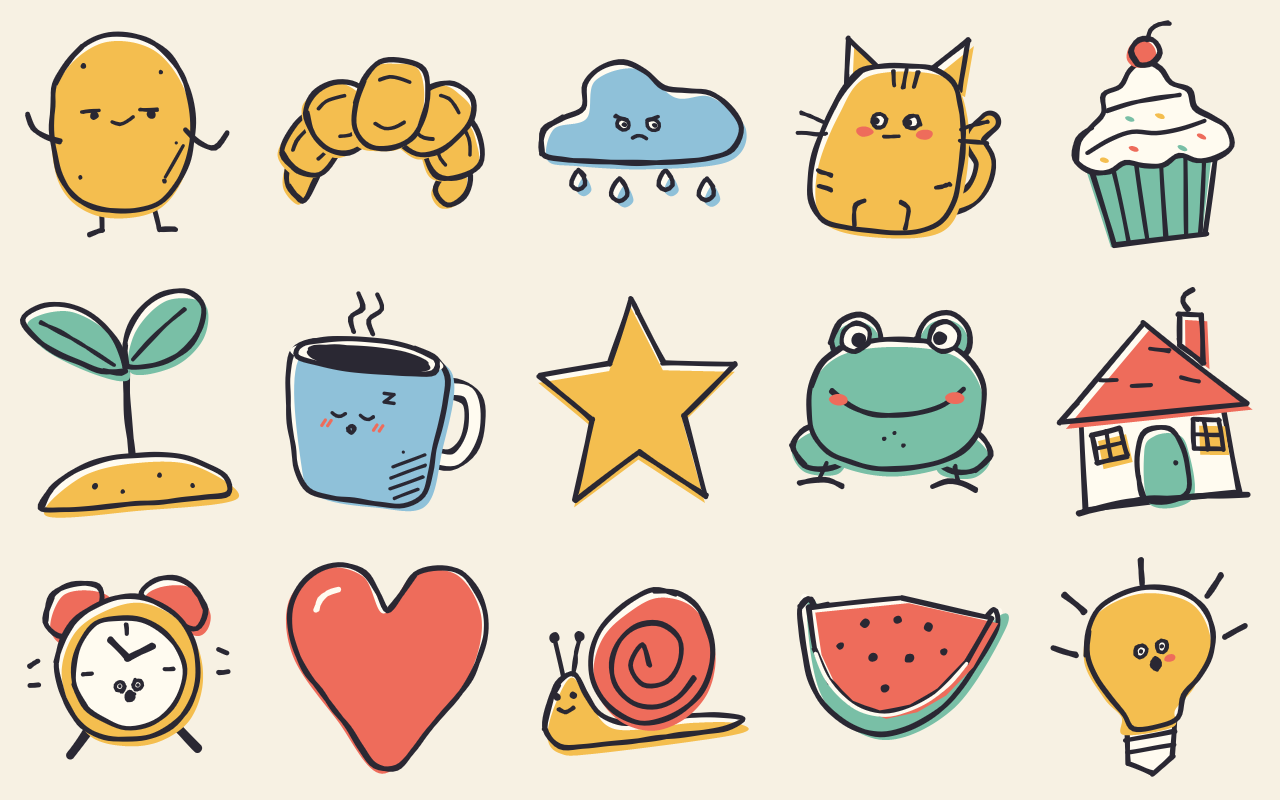
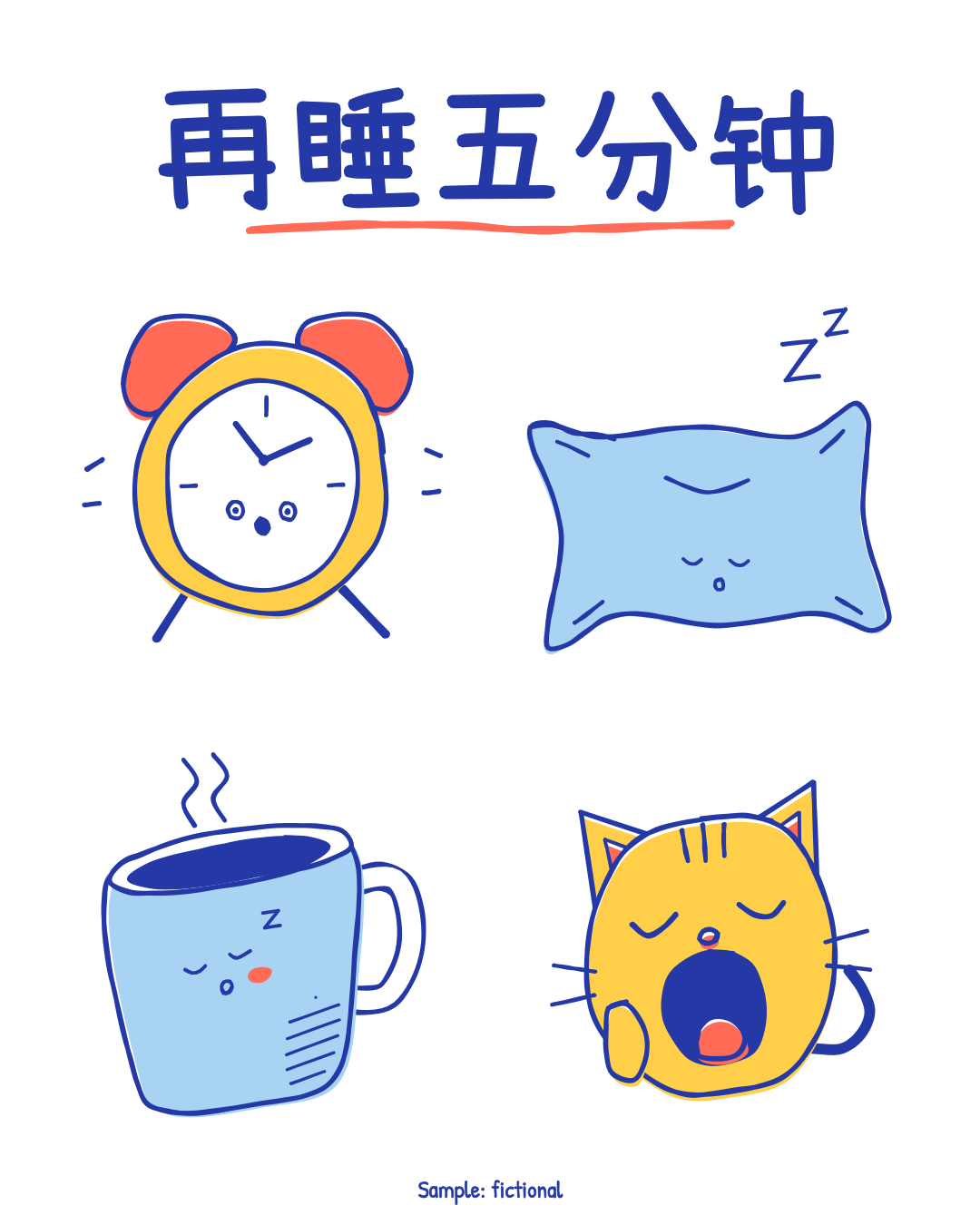
One test run on a fictional brief. Letterforms can differ on systems without the same fonts.
Generates charming, wonky, hand-doodled images by script with no image model. Draws a single doodle, a sticker sheet or a small themed set from a library of 127 original creatures, foods, plants, tools, weather, little houses, hearts, stars and scribbles, with uneven lines, slipped colour and small faces. Outputs transparent 2048 PNGs, a sheet, finished posts at 1080x1080 and 1080x1350 with a real headline, and editable SVG; the same seed gives the same file. Use when someone wants cute doodles, stickers or hand-drawn spot illustrations for social posts, slides, newsletters or a small brand, or asks for this style by name.
What it must pass before delivery
- I opened each cold-read sheet and each delivered PNG and sheet.
cold-read.jsonwas written before I reread the request, and every entry truly matches.- No doodle resembles a known character, mascot, logo or brand, whatever its name. The name list does not check this; I did.
- Nothing requested was swapped for a near miss. Anything missing was composed or reported.
- The doodles look like an illustrator's sketchbook, with expressions that are not all the same.
- Labels are the user's words, or there are none. No invented names, numbers or claims.
- A fictional sample says so visibly, in
footnote, not only intitle. - If there is a title, it is a
headline, and I read the whole post at phone size. node scripts/check.mjs out/exits 0, without--pixels-only. If I edited an SVG by hand, I said so and used--allow-edits.- I listed my assumptions.
Read the full SKILL.md
---
name: wonky-doodles
description: Generates charming, wonky, hand-doodled images by script with no image model. Draws a single doodle, a sticker sheet or a small themed set from a library of 127 original creatures, foods, plants, tools, weather, little houses, hearts, stars and scribbles, with uneven lines, slipped colour and small faces. Outputs transparent 2048 PNGs, a sheet, finished posts at 1080x1080 and 1080x1350 with a real headline, and editable SVG; the same seed gives the same file. Use when someone wants cute doodles, stickers or hand-drawn spot illustrations for social posts, slides, newsletters or a small brand, or asks for this style by name.
version: 1.1.0
---

# Wonky Doodles

The look lives in `assets/engine/` and `assets/palettes.json`. Your job is to choose the things, the palette, the seed and any short labels, then look hard at the result. You do not need to read the source. Exact tokens are in `references/style.md`. For a Chinese brief, follow `SKILL.zh.md`, the same instructions in Chinese.

Rough.js is the drawing engine, vendored with its MIT licence (see `assets/CREDITS.txt`). Credit stays with the pack.

## Inputs to ask for

Ask once, in one message, for whatever the brief does not already give.

Required:
1. A theme or a list of things to draw.

Optional:
2. Where it will be used (sets the mode: one image, a set, stickers, a finished post).
3. Palette, or two colours of their own.
4. A headline or short labels, in their words. The default is no text.
5. A seed, if they want to reproduce or vary a past run.

## Thin briefs

- **Theme only.** Run `--find` on the theme word and pick 6 doodles with different silhouettes. Restate the theme, never invent facts about their business, and list your picks as inferred.
- **Theme with no matching doodles.** `--find` exits with code 3. Work out which concrete things the theme contains and compose them (below). If you cannot name concrete drawable things, tell the user and ask for some. Never fill the set with unrelated doodles and pass it off as the theme.
- **Nobody can answer, and they asked for no theme at all.** Proceed with `heart, star, sparkle, flower-burst, scribble-ball, confetti`, palette `pencil-box`, seed 1, and list these as assumptions. This set passes the checker.
- **Nobody can answer about anything else.** Use mode `set`, palette `pencil-box`, seed 1, no labels, and list those assumptions in your reply.
- **They want a different number.** Draw what they ask for, one to 60 per run. Never pad with repeats. More than the library holds for a theme means composing the rest, or saying how many you could honestly draw.
- **They ask for a title on an image.** That is `headline`, in mode `post` or on a sheet, never a label under one doodle.
- **No labels given.** Leave labels off. Never make up a slogan, a business name, a price or a date.
- **Links.** The output contains no links, so none are needed.

## Refuse these

Keep every doodle original and generic. Refuse a request for a known character, mascot, logo or brand, or for "something like" one, whether it is named or plainly described: a famous cartoon mouse, a game's pocket creature, a cereal box tiger, a company's logo. Offer an original generic creature instead.

`doodle.mjs` and `check.mjs` refuse names on a short backstop list (exit code 4), in items, labels, headlines, titles and compose ids and names. **No list is complete, so you must judge.** The list only reads names. It cannot see a drawing, so passing it proves nothing. A doodle that merely looks like a known character, under any name or none, is refused too: a round-eared yellow bear in a short top, a white cat with a bow, a yellow creature with red cheeks. Ask yourself: would a stranger name a franchise or a company on seeing this? If yes, change it or refuse it. Watch for it when a palette's colours land on a generic animal by accident. Never rename a refused thing to get past the list.

## Steps

1. Find out what exists.
   ```
   node scripts/doodle.mjs --list              (add --lang zh for Chinese names)
   node scripts/doodle.mjs --find bakery
   node scripts/doodle.mjs --palettes
   ```
2. Write a job file, or use `--things` for something quick. Field meanings are in the table below.
3. Render. It takes about 0.4 seconds per doodle and needs only Node 18+: no browser, no Playwright, no image model, no network.
   ```
   node scripts/doodle.mjs --job job.json --out out/
   node scripts/doodle.mjs --things "cat, heart, sun" --mode set --palette pond-morning --seed 7 --out out/
   node scripts/doodle.mjs --things "moon, cat, alarm-clock" --mode post --headline "再睡五分钟" --palette pond-morning --seed 5 --out out/
   ```
4. Run the machine check: `node scripts/check.mjs out/ --pixels-only`. Fix what it reports.
5. Do the cold read (next section). Each cold-read sheet shows every doodle at 300 px and at 96 px, numbered, with no name and no label. Open every sheet. Write `out/cold-read.json` **before you reread the request**.
6. Open every doodle PNG you are delivering, and each sheet. The checker cannot see charm or meaning.
7. Run the final check: `node scripts/check.mjs out/`. It must exit 0.
8. Deliver the folder and list your assumptions.

## The cold read

`check.mjs` cannot judge charm or meaning, so you must. For each number on the sheet, write what a stranger would say it is. You already hold the brief, so true blindness is impossible: look at the sheet first, write the plain description, and only then compare it with the request. The checker trusts what you write, so this is on your honour. An honest "maybe a tomato" is the point.

```json
[
  { "n": 1, "stranger_says": "a sleepy mug of steaming coffee", "matches_request": true, "looks_like_known": false },
  { "n": 2, "stranger_says": "a round red fruit, maybe a tomato", "matches_request": false, "looks_like_known": false }
]
```

| Field | Meaning | Limit |
|---|---|---|
| `n` | The number on the cold-read sheet | Whole number, in order, one per doodle |
| `stranger_says` | The plain description a stranger would give | 3 to 120 characters; describe each doodle separately |
| `matches_request` | True only if those words name the requested thing or an obvious synonym | Must be true for all to pass |
| `looks_like_known` | True if a stranger could name a known character, mascot or brand on seeing it | Must be false for all to pass |

If an entry is false, change the doodle (another mood or seed, or compose a better one) or tell the user you cannot draw it. Do not change the words to make it pass. Do not ship a false entry.

## Job file

A job file is JSON with these fields. A worked one is printed below. The pack's `example/` folder is a gallery and is not installed, so do not look for it.

| Field | Meaning | Units and limit | If the brief is thin |
|---|---|---|---|
| `title` | What the run is, for the manifest and the sheet's SVG title | Text, up to 60 characters | A plain description of the use |
| `mode` | `single`: one doodle, no sheet. `set`: up to 9 per sheet. `sheet`: stickers, up to 16 per sheet, sticker edge on. `post`: a finished, opaque image with headline, up to 6 doodles | One of the four | `set`; `post` if they want something ready to publish |
| `headline` | The big lettered title. Modes `post`, `set`, `sheet`. On paged sheets, first page only | Up to 2 lines (break with `\n`), each up to 24 Latin or 12 Chinese characters | Leave it out. Use only the user's words |
| `sizes` | Post sizes to write | `1080x1080`, `1080x1350` | Both |
| `background` | Post background colour role | `paper`, `a`, `b`, `c`, `d`. Ink needs 3:1 against it | `paper` |
| `footnote` | Small line at the bottom of a sheet or post. Use it for "Sample: fictional ..." | Up to 40 characters | Required wording for fictional samples; otherwise leave out |
| `palette` | A palette name or `custom` | `pencil-box`, `jam-toast`, `pond-morning`, `blue-biro`, `plum-rain`, `old-almanac`, `custom` | `pencil-box` |
| `custom` | With `custom` only: ink then fill | Exactly two `"#RRGGBB"`. Ink needs 4.5:1 on white, 2.2:1 against fill | Do not guess a brand's colours |
| `seed` | Fixes every wobble. Same job and seed give the same files | Whole number, 1 to 2147483647 | 1; give a new seed to get a fresh drawing |
| `sticker` | Adds an opaque paper edge around each doodle | true or false | true for `sheet`, false otherwise |
| `items` | What to draw, one entry per doodle. A plain name is allowed in place of an object | 1 to 60, no repeats. Longer lists page across sheets. Over 60: split into runs | Pick from `--find` |
| `items[].doodle` | A library id, an English or Chinese name from `--list`, or a compose id | Exact match only. A near match is an error, by design | None: never guess |
| `items[].label` | Hand-lettered text under the doodle | Up to 14 Latin or 8 Chinese characters, no wrapping | Leave it out |
| `items[].mood` | The face's mood, for doodles marked `(mood)` in `--list` | content, smug, sleepy, worried, shocked, side-eye, one-tooth, blep, wink, grumpy, dreamy, whistling, teary, determined, yawn. For "happy" use content or dreamy; for "asleep" use sleepy, which draws its own Z, so do not add another | Leave it out |
| `items[].swap` | Recolour one doodle by swapping colour roles, such as `{"c":"a"}` | Roles `a`, `b`, `c`, `d` | Leave it out |
| `compose` | Extra doodles you built from primitives | See below | Only when needed |

## Composing a missing thing

If a requested thing is not in the library, **a near miss is refused**. Do not hand over a cloud for "fog bank", or a cup for "goblet". `doodle.mjs` exits with code 3 and names what is missing. Compose it instead, then cold-read it like any other. If your attempt does not read as the thing, tell the user. Do not ship it.

Worked example: a paper lantern. Draw back to front on a 1000 x 1000 drawing space. The engine fits it to the canvas and adds the wobble.

```json
{
  "title": "A paper lantern",
  "mode": "single",
  "palette": "old-almanac",
  "seed": 8,
  "compose": [{
    "id": "paper-lantern",
    "name": "Paper lantern",
    "parts": [
      { "shape": "line", "points": [[500, 30], [508, 150]] },
      { "shape": "line", "points": [[470, 800], [460, 900], [440, 960]], "w": 0.9 },
      { "shape": "line", "points": [[500, 800], [505, 900], [500, 975]], "w": 0.9 },
      { "shape": "line", "points": [[530, 800], [545, 900], [565, 960]], "w": 0.9 },
      { "shape": "oval", "x": 500, "y": 470, "rx": 340, "ry": 290, "fill": "b" },
      { "shape": "line", "points": [[500, 185], [340, 470], [500, 755]], "w": 0.8 },
      { "shape": "line", "points": [[500, 185], [660, 470], [500, 755]], "w": 0.8 },
      { "shape": "rbox", "x": 380, "y": 130, "width": 240, "height": 70, "r": 16, "fill": "a" },
      { "shape": "rbox", "x": 390, "y": 740, "width": 220, "height": 66, "r": 16, "fill": "a" },
      { "shape": "face", "x": 500, "y": 460, "size": 1.15, "mood": "content" }
    ]
  }],
  "items": [{ "doodle": "paper-lantern" }]
}
```

Order matters: string and tassels first, then the body hides their ends, then ribs, caps and face. How it was built: find the one silhouette that says the thing (a wide oval between two caps), then add the two or three details that clinch it (ribs, tassels). Leave out the rest.

| Compose field | Meaning | Limit |
|---|---|---|
| `id` | Your name for it, used in `items` | Lowercase, digits, dashes; up to 32; not a library id |
| `name` | What it depicts, in plain words | 1 to 40 characters |
| `parts` | Shapes, drawn in order, later over earlier | 3 to 80 |
| `shape` | `blob` closed smooth, `poly` closed straight-sided, `line` open smooth, `seg` open straight, `patch` colour with no outline, `hatch` shading strokes, `tube` thick outlined line, `oval`, `box`, `rbox` rounded box, `dot` solid dot, `star`, `face` | One of these |
| `points` | Path points for blob, poly, line, seg, patch, hatch, tube | 2 to 40 `[x, y]`, in drawing units, -200 to 1200 |
| `x`, `y`, `rx`, `ry` | Oval centre and radii. Also centre of dot, star, face; top left of box, rbox | Drawing units; the canvas is 1000 wide |
| `width`, `height`, `r` | Box size and corner radius; tube width; dot radius | Drawing units |
| `R` | Star outer radius; with `r` as inner radius | Drawing units |
| `fill` | `a` warm, `b` hot, `c` leaf cool, `d` sky cool, `paper`, `ink`, or `none` (see-through) | Omitted: opaque paper |
| `color` | Line colour, as a role. Default ink | Same roles |
| `w` | Line weight multiplier | 0.6 to 3; below 1 for details |
| `gap`, `angle` | Hatch only: spacing in final px, angle in degrees | Default 30 and -38 |
| `size`, `mood`, `blush`, `z`, `style` | Face only: 1 is 216 units wide; one of the moods; false removes cheeks; false removes the sleepy Z; `dots`, `beans`, `wide`, `rings`, `lopsided` or `blush-dots` | Size 0.5 to 2.5 |

## Faces and backgrounds

- A face on everything looks like clip art. Most objects in the library have none on purpose. Aim for faces on fewer than three in four doodles, with different moods. The engine spreads eye and cheek styles across a run, and `check.mjs` prints a warning when one face repeats too often. Warnings do not fail the run; act on them anyway.
- Doodle and sheet PNGs are transparent. On a dark layout, plain ink sinks into the background: use `"sticker": true`, whose paper edge keeps it readable. With scattered marks (confetti, sparkles) the edge becomes one rounded backing, like a real die-cut.
- Posts are opaque by design. They are the only opaque output.

## Deliverables

In the output folder:
- `doodles/NN-id.png`: transparent 2048 x 2048, one per doodle.
- `doodles/NN-id.svg`: the same drawing, editable and self-contained.
- `sheet.png` and `sheet.svg` (or `sheet-1`, `sheet-2`...), except in `single` mode.
- `post-1080x1080.png`, `post-1080x1350.png` and their SVGs, in `post` mode.
- `cold-read-sheet.png` (or numbered pages): for your cold read, not for delivery.
- `cold-read.json`: your written cold read.
- `manifest.json`: the job, seed, palette and file hashes.

## Before delivering

- [ ] I opened each cold-read sheet and each delivered PNG and sheet.
- [ ] `cold-read.json` was written before I reread the request, and every entry truly matches.
- [ ] No doodle resembles a known character, mascot, logo or brand, whatever its name. The name list does not check this; I did.
- [ ] Nothing requested was swapped for a near miss. Anything missing was composed or reported.
- [ ] The doodles look like an illustrator's sketchbook, with expressions that are not all the same.
- [ ] Labels are the user's words, or there are none. No invented names, numbers or claims.
- [ ] A fictional sample says so visibly, in `footnote`, not only in `title`.
- [ ] If there is a title, it is a `headline`, and I read the whole post at phone size.
- [ ] `node scripts/check.mjs out/` exits 0, without `--pixels-only`. If I edited an SVG by hand, I said so and used `--allow-edits`.
- [ ] I listed my assumptions.

`check.mjs` fails on: a non-transparent background; a drawing clipped by or touching an edge; doodles overlapping on a sheet; lines too thin at 300 px; off-palette colours; too little ink; repeated doodles; a PNG that does not match its SVG; an SVG that differs from its seed; external references; placeholders; a sticker in separate pieces; a post at the wrong size or not opaque; a name on the backstop list; a missing or failed cold read. It warns, without failing, when a face repeats too often.

## When not to use it

- Photorealistic, painterly or brand-matched illustration.
- Diagrams and charts, where precision matters. Wobble lies about data.
- Solemn subjects: illness, grief, disaster. Small smiling faces will read as mockery.
- A known character, mascot or logo.
- Long passages of text. Labels are for a word or two.

## Requirements

Node.js 18 or later. Nothing to install. The engine ships inside the pack, with Rough.js, Patrick Hand and Xiaolai and their licences. Render time is about 0.4 seconds per doodle and 1 second per sheet. A 40-doodle list takes about 15 seconds. Playwright is not needed. The only use of ffmpeg is rebuilding the preview with `scripts/preview.mjs`, which installers can ignore.

