

Free
Paper Metaphor
Turn one idea into one wordless cut-paper illustration with real thickness and shadow, generated by script and readable at a glance.
Install
Install the "Paper Metaphor" skill into ~/.claude/skills/paper-metaphor.
Download each file and save it under that folder:
https://skilllift.pages.dev/packs/paper-metaphor/SKILL.md → SKILL.md
https://skilllift.pages.dev/packs/paper-metaphor/references/style.md → references/style.md
https://skilllift.pages.dev/packs/paper-metaphor/references/elements.md → references/elements.md
https://skilllift.pages.dev/packs/paper-metaphor/references/elements.zh.md → references/elements.zh.md
https://skilllift.pages.dev/packs/paper-metaphor/references/element-sheet.png → references/element-sheet.png
https://skilllift.pages.dev/packs/paper-metaphor/assets/engine.mjs → assets/engine.mjs
https://skilllift.pages.dev/packs/paper-metaphor/assets/primitives.mjs → assets/primitives.mjs
https://skilllift.pages.dev/packs/paper-metaphor/assets/elements.mjs → assets/elements.mjs
https://skilllift.pages.dev/packs/paper-metaphor/assets/spec.template.json → assets/spec.template.json
https://skilllift.pages.dev/packs/paper-metaphor/assets/series.example.json → assets/series.example.json
https://skilllift.pages.dev/packs/paper-metaphor/scripts/check.mjs → scripts/check.mjs
https://skilllift.pages.dev/packs/paper-metaphor/scripts/render.mjs → scripts/render.mjs
https://skilllift.pages.dev/packs/paper-metaphor/scripts/sheet.mjs → scripts/sheet.mjs
https://skilllift.pages.dev/packs/paper-metaphor/scripts/hover.mjs → scripts/hover.mjs
Then read SKILL.md, tell me what it does, and remind me to start a new session.
Unpack it into ~/.claude/skills
Same skill, different brief
The left is the preview. The right was made by a separate agent from a different brief, using only the installed skill and without seeing the preview.
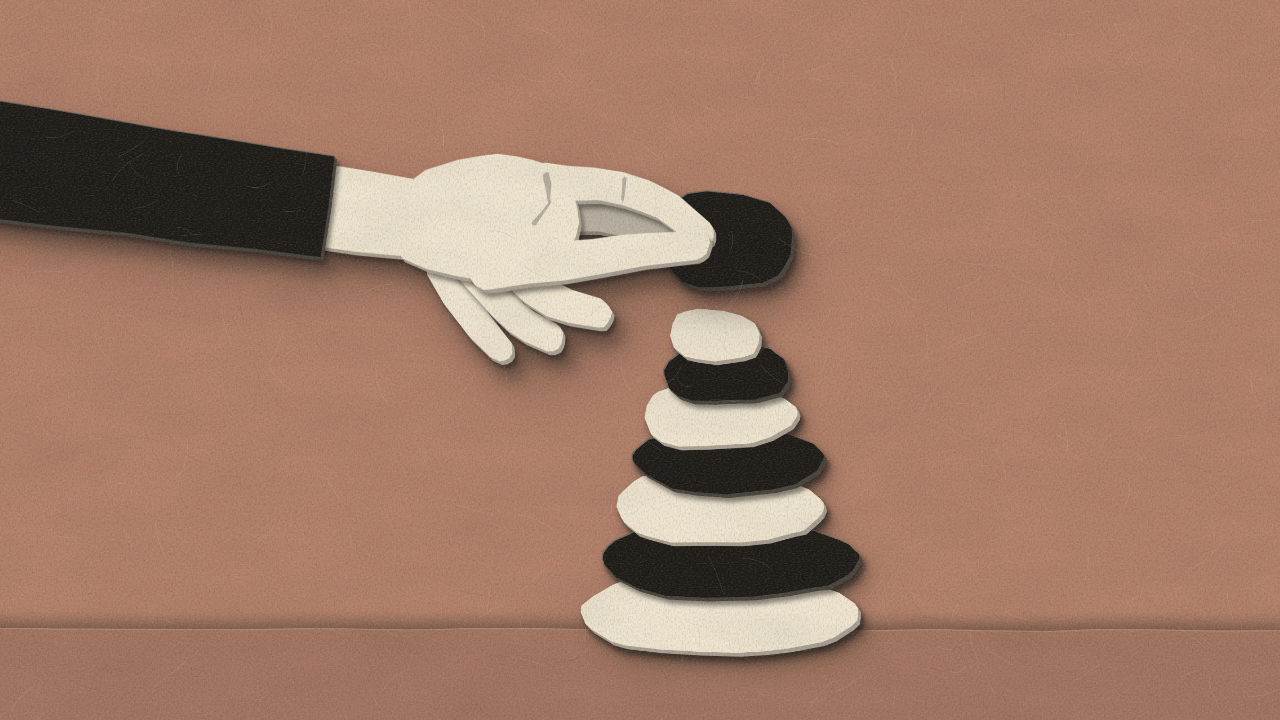
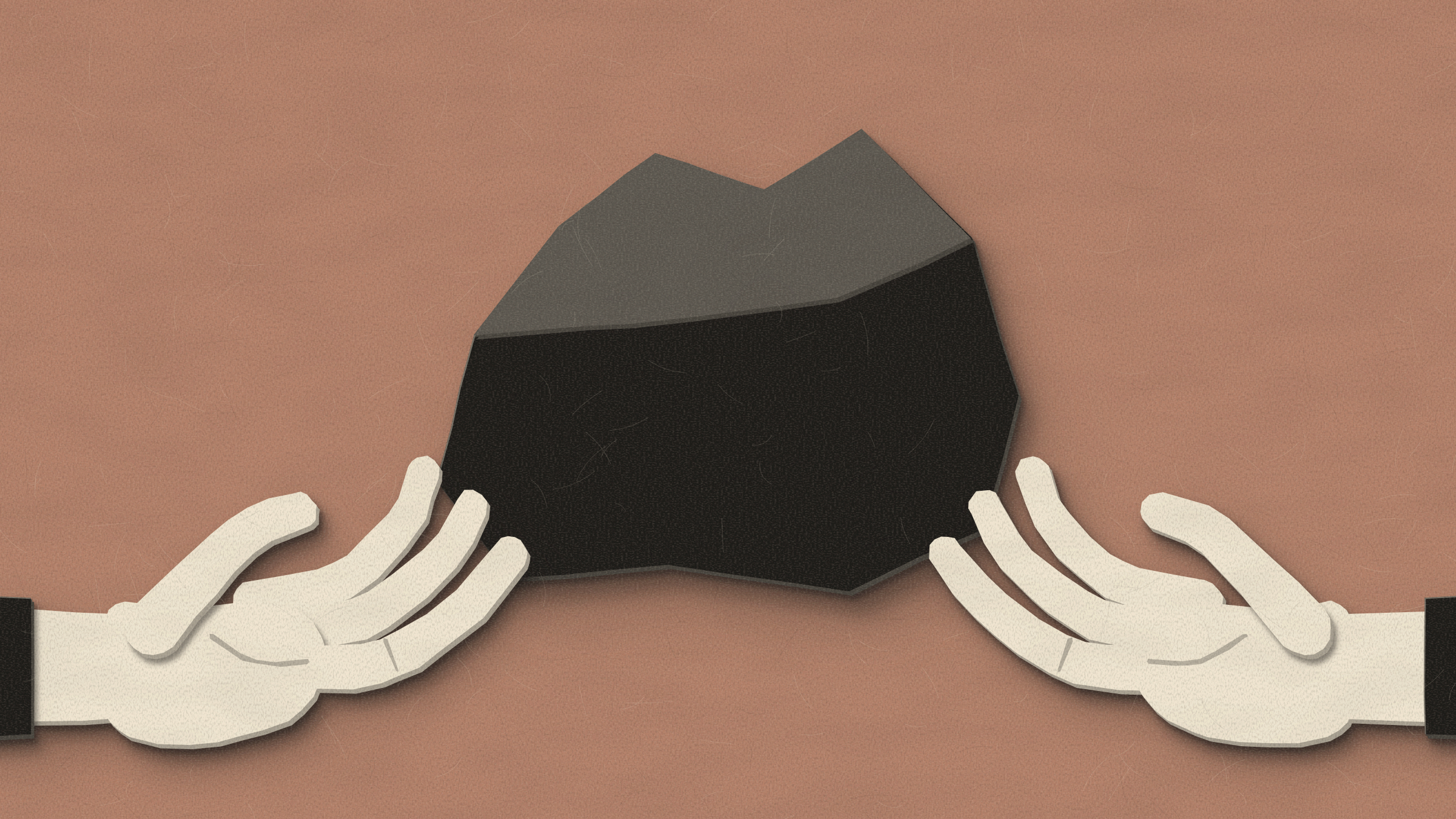
One test run on a fictional brief. Letterforms can differ on systems without the same fonts.
Turns one idea into one standalone editorial illustration that reads at a glance, in layered cut paper generated by script with no image model. Takes a concept or an article; delivers a 2400x1350 PNG, a 1200x675 copy, an editable SVG and a saved spec, and for a series, several illustrations in the same visual language. Each is a compact visual metaphor of two to four elements with no text. Use when someone wants a header image, article illustration, slide opener or a matched set of conceptual images, or asks for a paper-cut illustration or this style by name.
What it must pass before delivery
- One idea per picture, stated in one metaphor sentence the user has seen.
- Two to four elements, each with a real
means. - No text, numerals or letter shapes anywhere in the picture.
- The cold read is of the final picture, by an independent image-only reader if you can spawn one. If not, your message says so.
- What the reader missed is written down, and any idea a picture cannot carry alone has its headline.
- Hands read as hands at 600 wide, with fingers against clear sheet.
- Every illustration viewed at 1200 and at 600 wide.
node scripts/check.mjs <folder>exits 0, without--draft.- A series uses one background.
- Inferred lines and assumptions are listed. Nothing is invented.
Read the full SKILL.md
---
name: paper-metaphor
description: Turns one idea into one standalone editorial illustration that reads at a glance, in layered cut paper generated by script with no image model. Takes a concept or an article; delivers a 2400x1350 PNG, a 1200x675 copy, an editable SVG and a saved spec, and for a series, several illustrations in the same visual language. Each is a compact visual metaphor of two to four elements with no text. Use when someone wants a header image, article illustration, slide opener or a matched set of conceptual images, or asks for a paper-cut illustration or this style by name.
version: 1.0.0
---

# Paper Metaphor

One idea, one picture, no words. You find the metaphor and place elements in a JSON spec. The engine cuts the paper. Never draw the shapes another way, and never run an image model.

Exact tokens and the reasoning behind them are in `references/style.md`. `references/elements.md` lists every element with its options; `references/element-sheet.png` shows them all. You should never need to read the source.

## Inputs to ask for

Ask once, in one message, for whatever the brief does not already give.

1. The idea, or the article. Required.
2. How many illustrations. Default one. An article with several ideas may become a series, one idea each.
3. Background, one of the six. Default: choose by the guide in `references/style.md`.

## When the brief is thin

- A single word such as "resilience" is enough. Do not ask for more. Restate it, then use the method below. The picture makes no factual claim, so nothing needs inventing.
- Restate the user's facts in `idea`. Never invent customers, numbers, quotes or credentials in any field. List anything you inferred under "Inferred" when you deliver.
- Nobody can answer: proceed, and list your assumptions at delivery. There is no source to cite: set `source` to `not given`. That value passes the checker. There is no link to supply; the pictures contain none.
- An article: pick the single claim a reader would repeat to a friend. Say which claim you picked. If the article has three such claims, offer a series of three.
- Different length or size: this pack makes 16:9 at 2400 and 1200 only, and series of any length. Say so rather than cropping.

## Find the metaphor

Name three things, in this order, in plain words:

1. **The thing.** What the idea is about. Trust. Attention. A decision.
2. **The change.** What happens to it. Grows by small additions and can fall. Many want it and it runs out. Severs a tie that cannot be retied.
3. **A physical object that does that.** A stack of stones gets taller one stone at a time and can fall. A single coin cannot go to three hands. Scissors through a mooring rope cannot be undone.

Then write one sentence saying what the picture shows, with a person's action if you can. Propose it to the user in that sentence before final delivery.

### When the idea is a negation or a comparison

"Is not weakness" and "much harder than" are the point of those sentences, and thing, change, object alone will lose them. A single object cannot show "not" or "more". Use one of these patterns:

| Pattern | Use it for | How | Tested example |
|---|---|---|---|
| Two states, side by side, in one scene | Negation: "X is not Y". With or without something | The same kind of object in two conditions on one sheet, with no dividing line: what people fear next to what actually happens | "Closing one door is not failure": `door-closed` in ink, `door-open` in paper, `hand-point` between them aimed at the open one |
| Scale difference | Comparison: "much harder", "far more", "easier than" | Make the size of the difference physical, in the same scene, at least 3 to 1 | "Keeping trust is far easier than rebuilding it": `scale` with `tilt` 16, a big ink `stone` on the low pan, a small paper `stone` on the high pan |
| One thing transforming | "Turning X into Y", "from X to Y" | One material crossing the frame and changing on the way | Scraps into a `funnel`, out as `path-straight`. A `tangle` drawn out into a straight `thread` |

What blind readers made of those two tests, each given the image only. The doors: "one door closes, another opens: choose the open path", about 70% sure; the point arrived, "not failure" only by implication. The scale: "one side outweighs the other", about 75% sure; the comparison arrived, what is being weighed did not, so it needs a headline. The patterns carry the relation. They rarely carry the subject too.

**What a picture cannot do.** A picture shows things and what they do. It cannot say "not", "because", "should", "by how much" or who is to blame unless a pattern above turns that into a visible difference, and sometimes none can. So be honest: when the cold read reaches only part of the idea, either redraw, or set `cold_read_verdict` to `pass-with-headline`, put the missing words in `needs_headline`, and tell the user the picture must run beside that headline. For example: a second hand under a heavy rock carries "a weight is shared". It does not carry "asking is not weakness". Never deliver such a picture as if it carried the whole sentence.

Tests for a metaphor:
- It shows the change happening, not the topic. A lightbulb says "idea"; it does not say anything about ideas.
- Two to four objects. Every one earns a `means`. If it means nothing, remove it.
- It would survive with no caption.

Worked: "scattered ideas become a clear path". Thing: scattered ideas. Change: many loose bits become one line. Object: a funnel. Sentence: "Loose paper scraps pour into a funnel and leave it as one straight road."

## Steps

1. Find the metaphor. Write `thing`, `change`, `object`, `metaphor`.
2. Copy `assets/spec.template.json` and fill it, or write a series file (see Fields). Every `REPLACE:` must go in this step. The five `cold_read` fields start empty and stay empty until step 6; `--draft` allows that. Placement is in canvas units; see Units.
3. Draft at small size, one at a time: `node scripts/render.mjs spec.json out --small`. This writes `out/<name>-draft600.png`. View it with your image-reading tool. It prints each element's extent in canvas units, so you can adjust by number. Iterate here. Rendering takes one to three seconds.
4. Render in full: `node scripts/render.mjs spec.json out`. This writes `<name>.png`, `<name>-1200.png`, `<name>.svg`, `<name>.spec.json`.
5. Run `node scripts/check.mjs out --draft`, using the script in this skill. Fix the picture until it passes. Do not edit the checker or its limits.
6. **Cold read of the final picture.** If you can spawn a separate agent or reader, you must: copy `<name>-1200.png` to a neutral file name that does not hint at the idea, and give that reader the image only, with no idea, no metaphor, and the request "say what you see, and what idea you think it makes". Write their answer in `cold_read` and set `cold_read_by` to `independent-reader`. Only when you truly cannot spawn one, write it yourself before rereading your metaphor sentence, only the objects you see and what they are doing, set `cold_read_by` to `self-no-reader-available`, and say so when you deliver.
   Then compare it with `idea`. It passes only if the reader states the same claim in other words. Naming only the topic is not a pass. Write what they missed in `cold_read_missed`, or `nothing`. Missed nothing: verdict `pass`. Missed a part that words beside the picture can honestly carry: verdict `pass-with-headline`, with those words in `needs_headline`. Missed the point: reject the picture and redraw it, using a pattern above. Do not reword a read to fit. Copy the art id that `render.mjs` printed into `cold_read_art`. Any change to the art changes that id, so `check.mjs` then demands a new read.
7. Rerender (same seed, same files) and run `node scripts/check.mjs out` without `--draft`. It must exit 0. It prints a notice if the read was your own, and any headline the picture needs: pass both on to the user.
8. View every illustration at 1200 wide and at 600 wide. Look at hands first. Then deliver, with the Before delivering list done.

A real rejection: "resilience" drawn as a shoot between two dark split rocks passed every machine check. The cold read said "a plant growing out of a pair of sunglasses". It was thrown out and redrawn as a paper boat in ink riding the crest of a huge wave.

If a listed element reads wrong at your use size, you may build your own with `custom` even though the name exists. Say so at delivery, so the stock one can be fixed.

## Fields

Limits are enforced by `render.mjs` or `check.mjs`.

| Field | Meaning | Limit | When the brief is thin |
|---|---|---|---|
| `name` | File name | lowercase, digits, hyphens, up to 48 | Make it from the idea |
| `idea` | The idea in the user's words | required | Copy their word or phrase as is |
| `thing` | The thing, in plain words | required | The idea itself |
| `change` | What happens to it | required | Your reading of the idea; list it under Inferred |
| `object` | Physical object that does that | required | From the method |
| `metaphor` | One sentence: what the picture shows | one sentence; 170 characters, or 70 if Chinese | Always yours to write |
| `source` | Article title or URL given | optional string | `not given` |
| `background` | One of `clay`, `moss`, `slate`, `ochre`, `plum`, `pond` | exact; one per series | `clay` |
| `seed` | Whole number; same seed gives the same file | 0 or more | `1` |
| `ground` | Optional stage strip: `{"kind":"none\|water\|hill\|table","y":700,"front":74}`. `y` is the strip's top in canvas units. Water has a second strip, drawn in front of elements, `front` units lower | not counted as an element | Leave out unless something must stand or float |
| `cold_read` | What the reader said it shows and means | 240 characters, or 110 if Chinese; not a copy of `metaphor`; empty until step 6 | Always written after viewing |
| `cold_read_by` | `independent-reader`, or `self-no-reader-available` | one of those two. Using a reader is required when you can spawn one | Never claim a reader you did not use |
| `cold_read_missed` | What part of the idea the reader did not reach, or `nothing` | required | Be literal: if "not weakness" did not come up, it was missed |
| `cold_read_verdict` | `pass` (missed nothing) or `pass-with-headline` | `pass` is refused if something was missed | Never set it before the read |
| `cold_read_art` | The art id `render.mjs` printed for the picture that was read | must match the SVG, so a read of an earlier draft fails | Copy it from the render output |
| `needs_headline` | The words that must run beside the picture to carry what it cannot | required with `pass-with-headline`; leave out otherwise | Use the user's own sentence |
| `elements` | The objects, painted in list order, last on top | 2 to 4 | Start with 2 |

Each item in `elements`:

| Field | Meaning | Limit | Default or thin-brief rule |
|---|---|---|---|
| `el` | Element name from the list below, or `custom` | must exist | If it is not there, build it; see Making a missing element |
| `means` | What it stands for in the metaphor | required; 80 characters | If you cannot say, remove the element |
| `x`, `y` | Where the anchor goes, in canvas units | numbers | Start near the centre, 800 and 450 |
| `size` | Longest side of the unrotated element, in canvas units | at least 160; 250 to 700 is typical | 500 for the main object |
| `anchor` | Which point of the element sits at `x`,`y`: `center`, `top`, `bottom`, `left`, `right`, or a named one such as `tip` | named anchors are in `references/elements.md` | `center`. Use `tip` to put a fingertip or pinch exactly where it must act |
| `rotate` | Degrees clockwise, turning around the anchor | any | 0 |
| `flip` | Mirror left to right, before rotating | true or false | false. Use it so hands enter from the side you need |
| `tone` | Main colour of the element | `paper` or `ink` | `paper`. Use `ink` when it sits against other paper |
| `lift` | Height above the sheet, and so its shadow | 1 resting, 2 default, 3 held in the air | 2 |
| `bleed` | True if it deliberately enters from outside the frame | at least half of its extent must stay inside; fingertips must stay inside | false; hands, shores and cliffs only. Off the left or top its shadow stays visible. Off the right or bottom its shadow falls outside the frame; `check.mjs` says so and judges from the filter, so view it |
| `params` | Options for that element, such as `{"count":6}`. Hands take `arm` and `sleeve` | listed in `references/elements.md` | Leave out |

A series file has `series` (a title, used only in the file and never printed on a picture), `background`, `seed` and `illustrations`, a list of the fields above without `background` and `seed`. Each gets seed plus its position in the list. It goes to the same command, `render.mjs`, which writes every illustration into one folder. A full working one is `assets/series.example.json`. To keep a series tight, keep the ink share and element sizes close across its pictures.

Labels such as "sample" or "draft" go in the file name, the caption or your message, never in the picture.

## Units

- Canvas: 1600 wide, 900 high. Origin top-left. y grows downward.
- 1 canvas unit is 0.375 px at 600 wide. So an element of `size` 160 is 60 px at 600 wide, the smallest allowed.
- Element shapes, and all `custom` shapes and line widths, use a design box of about 100 units. The whole element is then scaled so its longest side equals `size`. So a line of `width` 5 in an element of `size` 700 is 35 canvas units wide, or 13 px at 600 wide.
- Keep every line at least 10 canvas units wide after scaling: design `width` of at least 1000 divided by `size`. The smallest accepted `width` is 3.

## Elements

105 elements, by family. Meanings, options and anchors are in `references/elements.md`.

- **Hands:** `hand-open`, `hand-stop`, `hand-point`, `hand-pinch`, `hand-grip`, `hand-offer`, `hand-reach`, `hand-thumb`
- **Doors and openings:** `door-closed`, `door-open`, `door-ajar`, `archway`, `window`, `gate`
- **Bridges, ladders and paths:** `bridge-arch`, `bridge-rope`, `bridge-broken`, `ladder`, `stairs`, `path-winding`, `path-straight`, `fork-road`, `stepping-stones`, `signpost`, `flag`, `arrow-bent`
- **Keys and fastenings:** `key`, `padlock`, `padlock-open`, `keyhole`, `chain`
- **Plants:** `sprout`, `leaf`, `tree`, `tree-roots`, `flower`, `seed`, `potted-plant`
- **Tools:** `hammer`, `wrench`, `scissors`, `pencil`, `saw`, `shovel`, `gear`, `magnifier`, `needle`, `funnel`, `compass-drawing`
- **Scales, compass and measures:** `scale`, `hourglass`, `compass`, `ruler`, `clock`
- **Lanterns and light:** `lantern`, `candle`, `lighthouse`, `bulb`, `sun`, `moon`, `star`, `match`
- **Boats and water:** `boat-paper`, `sailboat`, `anchor`, `wave`, `bottle`, `bollard`
- **Threads and knots:** `thread`, `rope-cut`, `knot`, `tangle`, `spool`, `rope-coil`
- **Stones and land:** `stone`, `cairn`, `pebbles`, `wall`, `mountain`, `cliff`
- **Clouds and sky:** `cloud`, `rain-cloud`, `bird`, `kite`, `balloon`, `umbrella`
- **Simple forms:** `circle`, `square`, `triangle`, `half-circle`, `ring`, `cube`, `blocks`
- **Objects with a job:** `scraps`, `coin`, `coin-eye`, `eye`, `coin-stack`, `bowl`, `jar`, `basket`, `envelope`, `book`, `shield`, `egg`

Hands are a person's: fingers, palm and forearm are one cut sheet with a tapered wrist, the thumb is a layer on top, and creases are thin cuts. Each was viewed at use size and at 600 wide. Do not hide fingers behind other objects. Things to know:

- `size` includes the forearm. To enter from outside the frame, set `"bleed": true`, `"params": {"arm": 110}` and a `size` near 800 to 1000, then place it with `"anchor": "tip"`. The hand itself is then about 400 canvas units long.
- A hand with `arm` at its default 34 ends in a straight cut, which looks odd in mid-air: let it bleed, or rest that end against something. `"sleeve": true` adds a long sleeve in the contrast colour; there is no plain cuff. Use it on long forearms: blind readers took a long bare forearm for a strip or a second cord.
- `hand-grip` holds its object at right angles to the forearm. `hand-offer`'s fingers run about 40% of the hand past its `tip`. `hand-pinch` takes a thread or a small object at its left end, forearm to the right; use `flip` for the other side.

## Making a missing element

If the object you need is not in the list, make it. A near-miss is refused: no using a `lantern` for a lamp post, a `bowl` for a hat, or `triangle` for a tent with nothing else. A substitute leaves the stranger with the wrong object and fails the cold read.

Use `"el": "custom"` with `name`, optional `anchors` and up to 14 `pieces`. Sketch it in the 100-unit design box from these shapes, back to front:

| Shape | Fields |
|---|---|
| `rect` | `x`, `y`, `w`, `h`, optional `r` (corner radius) |
| `ellipse` | `cx`, `cy`, `rx`, optional `ry` |
| `poly` | `points`: `[[x,y],...]`, straight sides, sharp corners |
| `curve` | `points`, a smooth closed outline through them |
| `line` | `points`, `width` (at least 3), optional `width_end`. A cut strip with round ends: for handles, stems, ropes. With three or more points it is a smooth curve through them, so 4 to 12 points are enough |
| `ring` | `cx`, `cy`, `r`, `hole` |
| `arc` | `cx`, `cy`, `r`, `hole`, `from`, `to` in degrees, 0 pointing right, clockwise |

Each piece takes `tone`: `a` main colour, `b` contrast colour, `s` main colour in shade for a fold or far side, `g` the background colour for a cut-through. Worked, a wheelbarrow with a hand on its handle:

```json
{ "el": "custom", "name": "wheelbarrow", "means": "the load to be moved",
  "x": 720, "y": 470, "size": 720, "lift": 2,
  "anchors": { "tip": [8, 34] },
  "pieces": [
    { "shape": "line", "points": [[8,34],[34,50],[62,62]], "width": 5, "tone": "b" },
    { "shape": "line", "points": [[46,60],[38,84]], "width": 5, "tone": "b" },
    { "shape": "line", "points": [[62,62],[72,76]], "width": 5, "tone": "b" },
    { "shape": "poly", "points": [[24,26],[92,26],[78,62],[38,62]], "tone": "a" },
    { "shape": "poly", "points": [[24,26],[38,26],[46,62],[38,62]], "tone": "s" },
    { "shape": "ring", "cx": 74, "cy": 78, "r": 14, "hole": 5, "tone": "b" }
  ] }
```

Paired with `{ "el": "hand-grip", "means": "the person", "x": 420, "y": 390, "anchor": "tip", "size": 420, "lift": 3 }` listed after it, this passes the checker. Test a new element in silhouette: at 600 wide it must read as that object and nothing else. Handles, wheels and legs go first, big shapes after. Because every edge is hand cut, let neighbouring pieces overlap by a unit or two instead of abutting, or a thin seam can show at full size. Never make letters or numerals with it.

## Deliverables

For each illustration: `<name>.png` at 2400x1350, `<name>-1200.png` at 1200x675, `<name>.svg` with one named group per element and one path per paper piece, `<name>.spec.json`. For a series, all of these in one folder with one background. Plus, in your message: the metaphor sentence, the cold read and who wrote it, what it missed, any headline the picture needs, what you inferred, and your assumptions.

## Before delivering

- [ ] One idea per picture, stated in one metaphor sentence the user has seen.
- [ ] Two to four elements, each with a real `means`.
- [ ] No text, numerals or letter shapes anywhere in the picture.
- [ ] The cold read is of the final picture, by an independent image-only reader if you can spawn one. If not, your message says so.
- [ ] What the reader missed is written down, and any idea a picture cannot carry alone has its headline.
- [ ] Hands read as hands at 600 wide, with fingers against clear sheet.
- [ ] Every illustration viewed at 1200 and at 600 wide.
- [ ] `node scripts/check.mjs <folder>` exits 0, without `--draft`.
- [ ] A series uses one background.
- [ ] Inferred lines and assumptions are listed. Nothing is invented.

## When not to use it

- The picture must show real data, a real product, a real person or a real place.
- The message depends on words in the image, such as a quote card or infographic. A picture beside a headline is fine; words inside it are not.
- The brief asks for a photographic look, or a corporate brand's illustration style.
- A diagram would be more honest: if the idea is a process with five steps, draw a diagram.

## Requirements

- Node 18 or newer. `scripts/check.mjs` has no dependencies and runs from this folder as it is.
- Playwright with Chromium for rendering: `npm install playwright && npx playwright install chromium`. If it is installed elsewhere, set `NODE_PATH` to that `node_modules` folder.
- ffmpeg only for `scripts/hover.mjs`, the optional assembling film.
- Timing: one to three seconds per illustration, about ten seconds for a four-picture film. No image model, no network. The same spec and seed give byte-identical SVG and PNG on the same machine.
- Close nothing but what you started. Run renders one at a time, and never stop other processes by name.
Used in these workflows
- Grow a content account step 2
- Open an online shop step 4
- Explain a concept step 3

