

Free
Woodcut Cover
Turns an article's argument into one black-and-white relief-print cover with no text, drawn entirely by script from a visual allegory
Install
Install the "Woodcut Cover" skill into ~/.claude/skills/woodcut-cover.
Download each file and save it under that folder:
https://skilllift.pages.dev/packs/woodcut-cover/SKILL.md → SKILL.md
https://skilllift.pages.dev/packs/woodcut-cover/references/style.md → references/style.md
https://skilllift.pages.dev/packs/woodcut-cover/references/elements.md → references/elements.md
https://skilllift.pages.dev/packs/woodcut-cover/references/element-sheet.png → references/element-sheet.png
https://skilllift.pages.dev/packs/woodcut-cover/assets/engine.mjs → assets/engine.mjs
https://skilllift.pages.dev/packs/woodcut-cover/assets/graver.mjs → assets/graver.mjs
https://skilllift.pages.dev/packs/woodcut-cover/assets/elements.mjs → assets/elements.mjs
https://skilllift.pages.dev/packs/woodcut-cover/assets/scenes.mjs → assets/scenes.mjs
https://skilllift.pages.dev/packs/woodcut-cover/assets/compose.mjs → assets/compose.mjs
https://skilllift.pages.dev/packs/woodcut-cover/assets/spec.template.json → assets/spec.template.json
https://skilllift.pages.dev/packs/woodcut-cover/scripts/render.mjs → scripts/render.mjs
https://skilllift.pages.dev/packs/woodcut-cover/scripts/check.mjs → scripts/check.mjs
https://skilllift.pages.dev/packs/woodcut-cover/scripts/svg-raster.mjs → scripts/svg-raster.mjs
https://skilllift.pages.dev/packs/woodcut-cover/scripts/export-svg.mjs → scripts/export-svg.mjs
https://skilllift.pages.dev/packs/woodcut-cover/scripts/sheet.mjs → scripts/sheet.mjs
https://skilllift.pages.dev/packs/woodcut-cover/assets/examples/custom-element.spec.json → assets/examples/custom-element.spec.json
https://skilllift.pages.dev/packs/woodcut-cover/assets/examples/headline-only.spec.json → assets/examples/headline-only.spec.json
Then read SKILL.md, tell me what it does, and remind me to start a new session.
Unpack it into ~/.claude/skills
Same skill, different brief
The left is the preview. The right was made by a separate agent from a different brief, using only the installed skill and without seeing the preview.
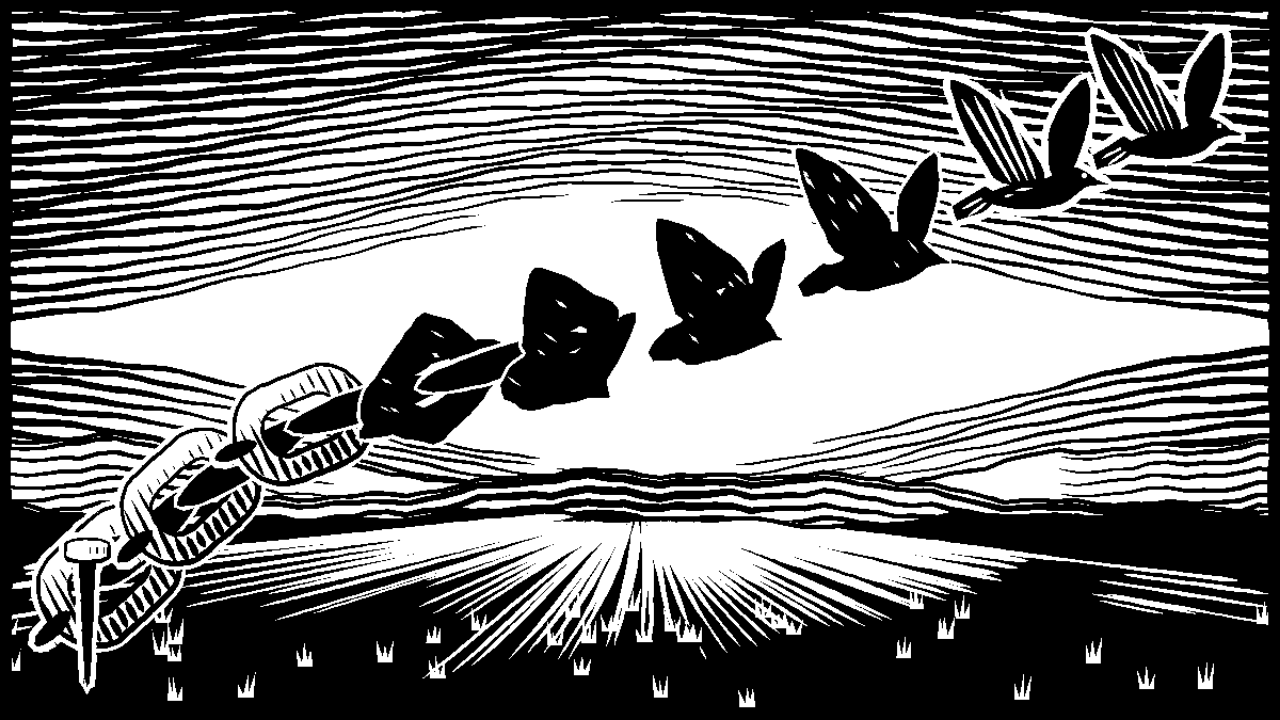
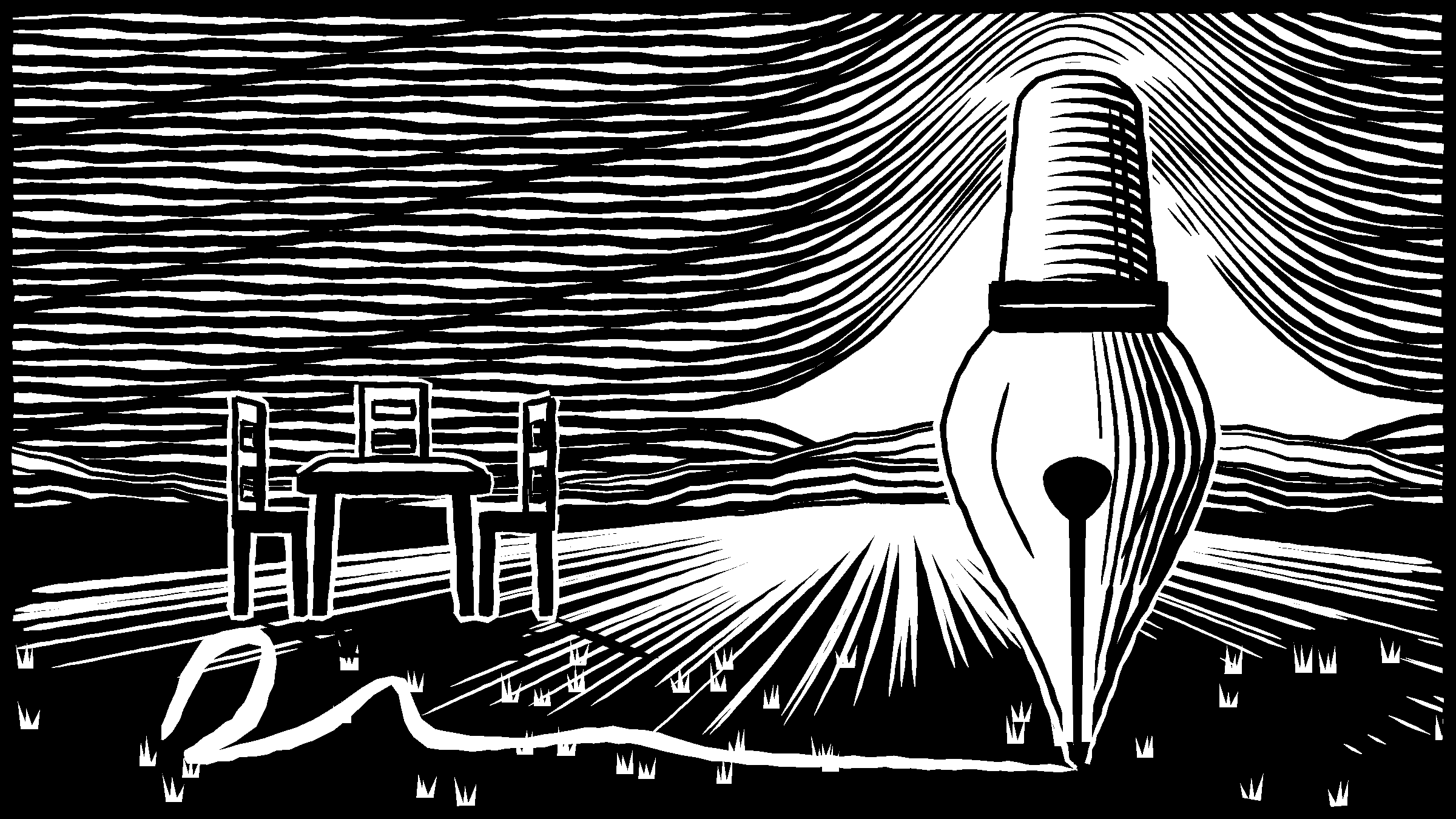
One test run on a fictional brief. Letterforms can differ on systems without the same fonts.
Turns an article into one black-and-white 16:9 cover with no text in it, generated by script with no image model. Proposes three visual allegories for the central argument, picks one, and composes it in bold relief-print line work from a library of 96 code-drawn elements, using one real transformation. Outputs a 2400x1350 PNG, a 1200x675 copy, an editable SVG and a short note. Use when someone wants an article, essay or newsletter cover that argues something, a woodcut or engraved look, or this style by name.
What it must pass before delivery
- The thesis is one sentence that someone could disagree with, or it is labelled as inferred.
- Three allegories considered, two rejected with reasons, and the chosen one stated in one sentence.
- The swap test passed: this image would not fit the opposite thesis.
- One object, one transformation, at most three signs, at most 4 placed elements.
- Cold read written from the picture before the note, and it lands on the thesis.
- Every element is what the allegory calls it, with no near misses.
node scripts/check.mjsexits 0 from this skill's folder.- You looked at the cover at 1200 and 600 wide, and it reads as one idea at a glance.
- No text in the image, and the note is in one language.
- Fictional content is labelled and nothing is invented.
Read the full SKILL.md
---
name: woodcut-cover
description: Turns an article into one black-and-white 16:9 cover with no text in it, generated by script with no image model. Proposes three visual allegories for the central argument, picks one, and composes it in bold relief-print line work from a library of 96 code-drawn elements, using one real transformation. Outputs a 2400x1350 PNG, a 1200x675 copy, an editable SVG and a short note. Use when someone wants an article, essay or newsletter cover that argues something, a woodcut or engraved look, or this style by name.
version: 1.0.0
---

# Woodcut Cover

The look lives in `assets/`. Your job is the thinking: find the argument, find an image that makes it, and write a spec. You do not draw and you do not choose a style. The same spec and seed always give the same picture.

The pack has one original look. If someone asks for the style of a named artist, studio or existing engraving, refuse that part, say so in one line, and offer this look. `render.mjs` refuses any unknown field at every level of the spec, and refuses wording such as "in the style of" in the allegory, note or assumptions. It cannot spot a bare name in free text, so that part rests on you: never write one.

## Inputs to ask for

Ask once, in one message, only for what is missing.

1. The article, or a link you can read. A headline alone also works, see "When the brief is thin".
2. Whether they want to choose among the allegories, or have you choose. Default: you choose and give reasons.
3. Output folder. Default: `./cover`.

Do not ask about style, colour, typeface or layout. They are fixed.

## Steps

1. **Find the argument.** Write the thesis as one sentence that someone could disagree with. A topic is not a thesis: "attention" is a topic, "attention is chosen, not stolen" is a thesis.
2. **Propose three allegories.** Each is one concrete object, one strange transformation and at most three supporting signs. Each must be a different idea, not three drawings of one idea. Check `references/elements.md` as you go.
3. **Test each one.**
   - Swap test: would it fit the opposite thesis just as well? Then reject it.
   - Glance test: can you describe it in one short sentence that names the object and what is wrong with it?
   - Cliche test: a light bulb for an idea or a tree for growth says nothing. Reject it.
4. **Pick one, with reasons**, or show the three and let the user choose. State it in one sentence.
5. **Check every noun.** Each thing drawn must be in `references/elements.md` under that noun. If not, see "Building a missing element".
6. **Write the spec** from `assets/spec.template.json`. Fill every field in the table below.
7. **Iterate small.** `node scripts/render.mjs spec.json --out cover --small` writes `cover/preview-600.png`. Render one at a time.
8. **Read it cold. Required.** Look at `preview-600.png` before you look at your note or allegory again. Write what a stranger would say, in their words, into `cold_read`: `sees` is what it shows and `argues` is what it seems to claim. Now compare `argues` with the thesis. If it misses, set `verdict` to `misses`: the cover is rejected. Change the composition, then the allegory, and read it again. If you can give the image alone to someone or something with no context, do that. A cover that needs its note to make sense has failed. A full render refuses a spec with no `cold_read`.
9. **Render.** `node scripts/render.mjs spec.json --out cover`.
10. **Check.** `node scripts/check.mjs cover`, using the copy in this skill. Fix what it reports and rerun until it exits 0.
11. **Look at it** at full size and at `cover/preview-600.png`. A passing check does not mean it reads: the script can't tell.

## Deliverables

In the output folder: `cover.png` (2400x1350), `cover-1200.png` (1200x675), `cover.svg` (editable, one group per element), `note.md` (thesis, allegory, reasons, the connection to the argument, cold read, rejected allegories), and `spec.json`. `preview-600.png` is a review copy with grey from downscaling. Do not deliver it. Give the user the image, the one-sentence allegory and the note.

## Spec fields

Every field in plain terms. Limits are English words, or Chinese characters when `lang` is `zh`.

| Field | Meaning | Limit | When the brief is thin |
|---|---|---|---|
| `seed` | Whole number. Changes hand-cut drift and scene details, never the idea | whole number | Any number. Keep it so the cover can be redone |
| `lang` | Language of all the words | `en` or `zh` | The article's language |
| `sample` | True labels the note as a sample essay | true or false | False unless it is a sample |
| `article.title` | The title. It is not drawn | 20 words, 40 characters | Use the headline given. If the article has none, use its opening sentence or, over the limit, its opening clause, unchanged, and say so in `assumptions`. Never invent one |
| `article.thesis` | The argument in one sentence | 40 words, 80 characters | Begin with `Working thesis, inferred from the headline only:` and state the reading you chose |
| `article.thesis_source` | Where the thesis came from: `article`, `user`, `headline` or `inferred` | one word | `headline` if only a headline, `inferred` if the article has no single argument |
| `allegory.sentence` | One sentence naming the object and what is strange. Must contain the noun of each main element: those the transformation names (`object`, `material`, `giant`, `a`, `b`, `shadow`, `from`, `to`). Signs and `tiny` need not be named | 35 words, 70 characters, one sentence | Same rule. It does not get vaguer because the brief is thin |
| `allegory.object` | The one concrete object | a noun | Same |
| `allegory.why` | Why this one, not the other two | 45 words, 90 characters | Say `Under this reading,` and give the reason |
| `rejected` | Exactly the two allegories you did not pick, each `{sentence, why}` | 35 and 30 words, 70 and 60 characters | Still two. Reasons can be about which reading they fit |
| `assumptions` | Everything you inferred | list | Required for `headline` and `inferred`. List what was not supplied and which reading you took |
| `scene` | Setting, see `references/style.md`: `setting`, and optionally `key`, `horizon`, `shore`, `ground`, `beam` | see below | Choose what makes the object stand out, not what the topic suggests |
| `transformation` | The operation, see below | one | Pick by the argument. Never default to one |
| `signs` | Supporting signs: `{element, x, y, h}`, optionally `rest` (`ground`, `sea` or `air`), `flip`, `rot` in degrees, `params` | 0 to 3, and at most 4 placed in all | Prefer none |
| `nouns` | Maps each element id used to the noun your allegory calls it, for example `{"chair":"chairs"}`. Plurals of a listed noun are accepted | every element used | Same. No near misses |
| `custom_elements` | Elements built from primitives | see below | Use only if the idea needs it |
| `cold_read.sees` | What a stranger would say the image shows, in their words, written from the picture and before the note. Must not repeat the allegory sentence | 40 words, 80 characters | Same. A thin brief does not excuse it |
| `cold_read.argues` | What a stranger would say it claims | 30 words, 60 characters | Same. Compare it with your inferred thesis |
| `cold_read.verdict` | `hits` if `argues` lands on the thesis, `misses` if not. `misses` is refused | one word | Same |
| `note` | How the image carries the thesis: what stands for what. Not a description of the picture | 90 words, 180 characters | Open by saying the thesis is an inference and is the first thing to confirm |

**At most 4 placed elements.** Count the elements the transformation names, each `tiny`, each element inside a scene, and each sign. A tile field or a chain counts as its two named elements however many copies it draws. `render.mjs` and `check.mjs` both enforce this. For a group, use one element that is a group, such as `meeting-table`.

`x`, `y` and `h` are fractions of page width, height and height. `y` is where the element's base sits. Placeholders such as TODO, TBD or a `<<slot>>` fail. The thin-brief opening above is not a placeholder, and it passes.

`beam` is `{"to":[x,y],"spread":0.17}`, a white wedge of light across a night sky. For `impossible_join` it starts from the second object; otherwise add `"from":[x,y]`. Aim `to` beyond the frame so the beam does not end in view.

## Scenes and small objects

Every placed object gets a white halo gouge, so thin legs stay clear of dark ground. Even so:

- Small objects, under 0.3 of page height, go on `ground: dark` with their base near the horizon, where the ground has the most white marks. Thin things read worst low on solid black.
- `ground: light` and `room` floors are busy with black lines. Use them for big objects and shadows, not small furniture.
- A pale object goes on a dark sky, and a dark object on a lit one.

## The six transformations

Exactly one per cover. Each is a real operation on geometry, and each is demonstrated in `example/`.

| `type` | What it does | Fields (defaults) | Example |
|---|---|---|---|
| `made_of` | One object made of another. Copies of B are clipped inside A's silhouette, shaded as A | `object`, `material`, `x` .5, `y` .86, `h` .72, `tile` .115 (at least .09) | Bell made of padlocks. Needs a solid outline, not an arch or a frame, and a squarish material |
| `size_inversion` | The small thing is huge, the huge thing tiny. Refused unless the tiny thing is at least 3 times larger in real life, and at most a third of the height on the page | `giant`, `tiny` `[{element,x,y,h,rest,flip,behind}]`, `x` .5, `y` .86, `h` .8 | Candle towers over lighthouse. `rot` tilts the giant. `tiny[].rest` is `ground`, `sea` or `air` |
| `impossible_join` | A is cut at its seam and B grows out of the cut, with a shared collar | `a`, `b`, `x` .5, `y` .88, `a_h` .8, `b_h` .45, `overlap` .03, `collar` .075 | Lighthouse with an eye for a lamp |
| `scene_inside` | A whole scene, with its own sky and ground, clipped inside the object | `object`, `x`, `y`, `h`, `inside` `{setting, key, horizon, elements:[{element,x,y,h}]}` where these are fractions of the opening | Landscape in a suitcase |
| `false_shadow` | A stands in the light; its shadow is B. On a wall it stays upright and reads best | `object`, `shadow`, `surface` `wall` or `ground`, `x` .32, `y` .84, `h` .3, `shadow_x` .56, `shadow_h` .72 | Coin casts an anchor |
| `chain_opposite` | A's outline morphs into B's, step by step, along one path | `from`, `to`, `steps` 8, `path` `[[x,y],...]`, `from_h`, `to_h`, `hold_from` 2, `hold_to` 2, `connector` | Chain links become birds |

Elements with a `seam` anchor make the cleanest joins, and those with a `window` hold the cleanest scenes. Without a window, the whole silhouette holds the scene. An `impossible_join` works best when B sits where A already has a meaningful part.

## Building a missing element

If the allegory needs something not in the library, do not substitute something close. A cart is not a bicycle and a lantern is not a lightbulb. `render.mjs` refuses the near miss. Either choose another allegory, or build it under `custom_elements`. This block renders as written:

```json
"custom_elements": {
  "lamp-post": { "theme": "custom", "names": ["lamp post"], "h": 1000, "w": 300, "real": 4, "parts": [
    { "cyl": { "a": [0, 0], "b": [0, -780], "ra": 34, "rb": 20, "dark": 0.2 } },
    { "shape": { "pts": [[-90,-940],[90,-940],[60,-780],[-60,-780]], "tone": 0 } },
    { "solid": { "pts": [[-120,-930],[0,-1000],[120,-930]], "gouge": 0 } }
  ] },
  "ink-stroke": { "theme": "custom", "names": ["ink stroke"], "h": 1000, "w": 8000, "real": 0.02, "parts": [
    { "line": { "pts": [[-3650,-260],[-3300,-950],[-2850,-1000],[-3000,-420],[-2500,-330],[-1900,-720],[-1000,-230],[700,-130],[3333,-32]], "w": [80,170,110,180,100,150,110,90,50], "curve": true, "white": true } }
  ] }
}
```

Everything is in local units: the origin is the middle of the element's base, up is negative y, and `h` and `w` set its size. `signs[].h` then scales it to the page.

| Primitive | Draws | Silhouette |
|---|---|---|
| `cyl {a,b,ra,rb,dark,cap}` | round form, hatched round | yes |
| `shape {pts,tone,angle,cross,curve}` | flat hatched form; `tone` 0 white to 1 black | yes |
| `solid {pts,gouge,curve}` | black with white cuts | yes |
| `ball {c,r,ry,dark}` | sphere or ellipsoid | yes |
| `ring {c,ro,ri,tone}` | ring with a real hole | yes |
| `box {x0,y0,x1,y1,d,tone,side}` | oblique box | yes |
| `line {pts,w,white,curve}` | a cut line with a hand-cut edge | yes |

`line.w` is in local units, the same as `pts`, never page pixels. It is one number, or a list with one width per point so the line swells. It is never thinner than 5.5 px on the page. A custom element may be all lines, and they count towards its size and position. A `white` line gets no halo, because it is already a cut.

Draw back to front. `names` holds only what it honestly is. A custom element counts as one placed element.

Look at it alone first, as a sign at use size and at 0.1 of page height, both at 600 wide, and as a bare outline: `sheet.mjs` only shows library elements, so judge your render. If it could be mistaken for something else without a label, add the feature that identifies it or drop the idea.

A complete working spec is at `assets/examples/custom-element.spec.json`.

## When the brief is thin

Restate the facts you were given. Never invent facts, customers, numbers or quotes.

- **Headline only.** A headline can usually be read two ways. Name both, ask which one if someone can answer, and otherwise choose the stronger one and proceed. Set `thesis_source` to `headline`, begin the thesis with `Working thesis, inferred from the headline only:`, and list your reading under `assumptions`. A complete spec is at `assets/examples/headline-only.spec.json`.
- **The argument is unclear.** If the article reports, lists or wanders, do not draw its topic. Tell the user: "I can't find one claim here. The nearest is: ...". Ask them to confirm. If nobody can answer, use the claim the ending leans on, set `thesis_source` to `inferred` and list what you assumed. If the article has two arguments, pick the one the ending argues and mention the other in `assumptions`.
- **No argument at all**, such as a news notice or a product list: say so, and do not make a cover from this skill. See "When not to use it".
- **Nobody can answer.** Proceed and list assumptions in your reply and in the spec.
- **They want another option.** Render a rejected allegory with its own spec and a new folder. Change the object as well as the seed.
- **They want another size.** Only 16:9 is produced. Crop a copy with their tool and say the frame may cut the border.
- **There is no link to the article.** Nothing in the cover needs one.
- **The article has no title.** Use its opening sentence as `article.title`, unchanged, and list that under `assumptions`.

## A set of covers

For a series, keep each cover's main object, transformation and most elements different. Run `node scripts/check.mjs --set folder1 folder2 folder3`.

## Editing

`cover.svg` has one group per element with `data-element` and `data-role`. Edit with black and white fills only, then run `node scripts/export-svg.mjs cover` and check again. A PNG that no longer matches its SVG fails the check, which is how pasted captions are caught.

## Before delivering

- [ ] The thesis is one sentence that someone could disagree with, or it is labelled as inferred.
- [ ] Three allegories considered, two rejected with reasons, and the chosen one stated in one sentence.
- [ ] The swap test passed: this image would not fit the opposite thesis.
- [ ] One object, one transformation, at most three signs, at most 4 placed elements.
- [ ] Cold read written from the picture before the note, and it lands on the thesis.
- [ ] Every element is what the allegory calls it, with no near misses.
- [ ] `node scripts/check.mjs` exits 0 from this skill's folder.
- [ ] You looked at the cover at 1200 and 600 wide, and it reads as one idea at a glance.
- [ ] No text in the image, and the note is in one language.
- [ ] Fictional content is labelled and nothing is invented.

## When not to use it

- The cover must carry a title, logo or price. Add them outside this image, or use another pack.
- The article has no argument, such as a notice, schedule or changelog.
- It needs a photograph, a real person's likeness, or a real place or product shown accurately.
- It needs colour, or brand colours.
- The subject is one where a strange allegory would be offensive, such as a recent bereavement or a disaster.

## Requirements

Node.js 18 or later, and nothing else. Anything the reference files leave open is a gap in this skill: you should not need to read `assets/` source. A full render takes under a second, and `check.mjs` takes under a second. No browser, network or image model is used. Playwright is not needed; if you want to compare the SVG in a browser yourself, use `npm install playwright` and set `NODE_PATH` if needed. Look at every cover you deliver.

See `references/style.md` for tokens, `references/elements.md` for the library and `references/element-sheet.png` to see it. The sheet has no labels, because this pack draws no type; the table gives each element's row and column. To view chosen elements, run `node scripts/sheet.mjs out.png --px 220 --only key,padlock`, and add `--sil` to see the bare outline. If you cannot name it as an outline, it will not read small. Elements marked "inside only" are refused where only the outline survives.
Used in these workflows
- Grow a content account step 3
- Explain a concept step 3

