

Free
Chalk Talk
A browser deck drawn on a real classroom blackboard, with speaker notes, an overview grid and a built-in editor.
Install
Install the "Chalk Talk" skill into ~/.claude/skills/chalk-talk.
Download each file and save it under that folder:
https://skilllift.pages.dev/packs/chalk-talk/SKILL.md → SKILL.md
https://skilllift.pages.dev/packs/chalk-talk/references/style.md → references/style.md
https://skilllift.pages.dev/packs/chalk-talk/assets/template.html → assets/template.html
https://skilllift.pages.dev/packs/chalk-talk/assets/layouts.html → assets/layouts.html
https://skilllift.pages.dev/packs/chalk-talk/assets/ui.en.json → assets/ui.en.json
https://skilllift.pages.dev/packs/chalk-talk/assets/ui.zh.json → assets/ui.zh.json
https://skilllift.pages.dev/packs/chalk-talk/assets/fonts-latin.css → assets/fonts-latin.css
https://skilllift.pages.dev/packs/chalk-talk/assets/fonts-zh.css → assets/fonts-zh.css
https://skilllift.pages.dev/packs/chalk-talk/assets/fonts-license.txt → assets/fonts-license.txt
https://skilllift.pages.dev/packs/chalk-talk/scripts/assemble.mjs → scripts/assemble.mjs
https://skilllift.pages.dev/packs/chalk-talk/scripts/check.mjs → scripts/check.mjs
https://skilllift.pages.dev/packs/chalk-talk/scripts/view.mjs → scripts/view.mjs
https://skilllift.pages.dev/packs/chalk-talk/scripts/export-pdf.mjs → scripts/export-pdf.mjs
Then read SKILL.md, tell me what it does, and remind me to start a new session.
Unpack it into ~/.claude/skills
Same skill, different brief
The left is the preview. The right was made by a separate agent from a different brief, using only the installed skill and without seeing the preview.
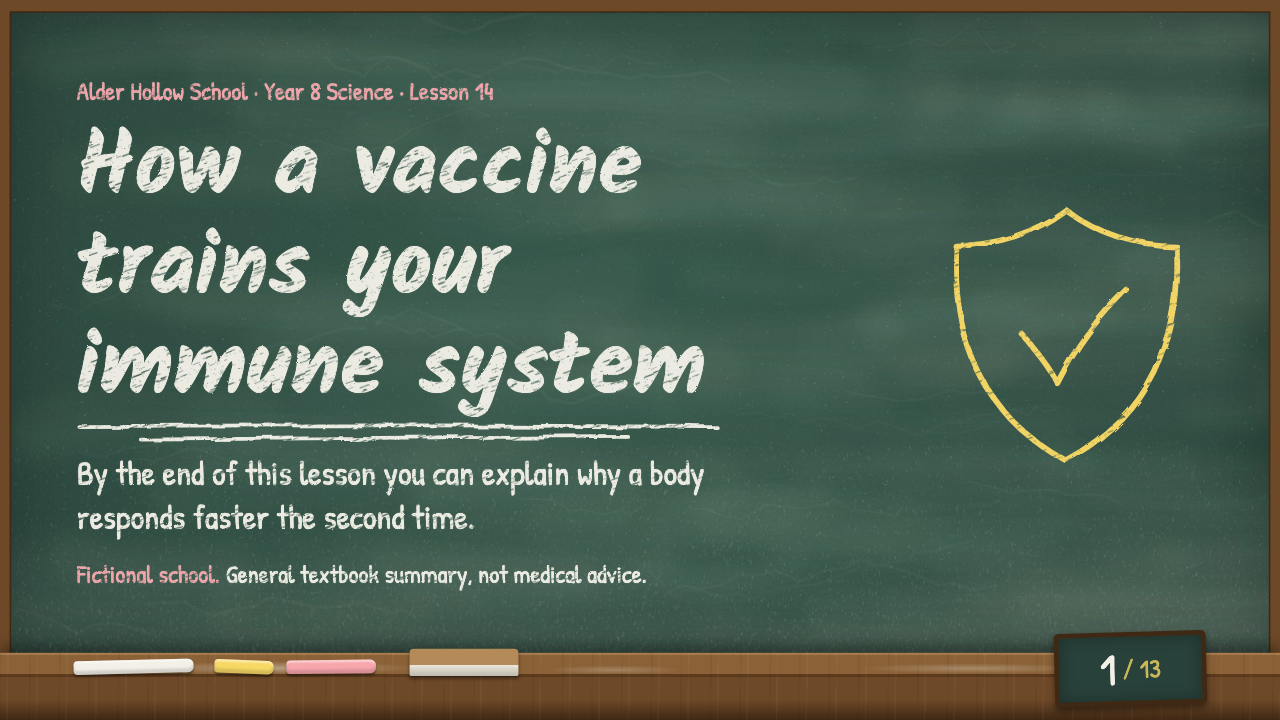

One test run on a fictional brief. Letterforms can differ on systems without the same fonts.
Builds a working browser presentation that looks written on a real classroom blackboard, at any length, in English or Simplified Chinese. Slate-green board with dust, chalk lettering, seeded wobbly hand-drawn marks, a chalk ledge holding the page number. Includes keyboard navigation, overview grid, speaker notes and speaker window, print to PDF, and a built-in editor that saves a new HTML file. Use when someone asks for a lesson deck, a teaching presentation, a team talk or a workshop in a warm, hand-taught style, or names this style.
What it must pass before delivery
scripts/check.mjspasses on the final file.scripts/view.mjsreports no overflow, and I looked at every slide.- Every slide has speaker notes written for this talk.
- Interface and content are in one language only.
- Nothing was invented. Inferred lines are listed for the user.
- Fictional examples are labelled fictional once on the title slide and on the ledge of the others.
- Every sum and drawing agrees: cell counts match the formula.
- Any PDF I deliver was opened and looked at.
- Yellow and pink are used for meaning: at most two coloured runs in a slot.
- The steps on
quizandflowslides reveal in the right order.
Read the full SKILL.md
---
name: chalk-talk
description: Builds a working browser presentation that looks written on a real classroom blackboard, at any length, in English or Simplified Chinese. Slate-green board with dust, chalk lettering, seeded wobbly hand-drawn marks, a chalk ledge holding the page number. Includes keyboard navigation, overview grid, speaker notes and speaker window, print to PDF, and a built-in editor that saves a new HTML file. Use when someone asks for a lesson deck, a teaching presentation, a team talk or a workshop in a warm, hand-taught style, or names this style.
version: 1.0.0
---

# Chalk Talk

The look and every feature live in `assets/template.html`. Your job is to choose layouts and write the words. You write only a slides file; `scripts/assemble.mjs` builds it into one self-contained HTML deck. Never hand-edit the engine, and never rebuild it from memory.

Read `assets/layouts.html` before writing: it holds all 14 layouts, the diagram primitives, the maths markup, and every slot with its limit. Read `references/style.md` only if you need a token or a reason for a rule. Do not open `assets/fonts-*.css`; they are large embedded fonts.

## Inputs to ask for

Ask once, in one message, for whatever the brief leaves out.

Required:
1. Topic and what the audience should be able to do afterwards.
2. Audience: who they are and what they already know.
3. Length: minutes or number of slides.
4. Language: English or Simplified Chinese.

Optional:
5. Source material, facts and dates to use.
6. One line for the ledge on every slide, such as the course name or a disclaimer.
7. Whether the deck must run offline on a school computer. It always does; say so if they worry.

## Steps

1. Plan the deck: one line per slide with its layout. Use this guide, then adjust to the material.

   | Talk | Slides |
   |---|---|
   | 5 minutes | 5 to 6 |
   | 15 minutes | 10 to 12 |
   | 30 minutes | 18 to 22 |
   | 45 minutes | 26 to 32 |
   | 60 minutes | 35 to 45 |

   Start with `title`, end with `recap`. Do not use the same layout three times in a row. For teaching, place a `quiz` about every 8 slides.
2. Create a working folder outside this skill and write `slides.html` there, copying blocks from `assets/layouts.html`. Replace every `[[...]]`. Keep every attribute. Stay within each `data-max` (first number English, second Chinese). Give each slide its own `data-seed`. Pick drawings that fit the subject; the ones in the library are starting points. Write real speaker notes on every slide.
   - **Line breaks:** `<br>` works in any text slot, body as well as headings. Use it wherever a word or formula would break badly.
   - **Reveals:** `data-step` goes on the block to reveal. In `flow`, put it on a box and on the arrow before that box, with the same number. The first box needs none. Numbers only have to rise.
   - **Diagrams:** for any drawing a subject needs (bars, grids, axes, arrows, brackets, shaded parts), use the `diagram` layout or put a `<figure class="dg">` in the figure slot of `points`. The primitives are listed in `assets/layouts.html`. Labels are `.dg-label` slots, so they can be edited in the deck. Never hand-write `<svg>` or `<text>`: the check rejects it.
   - **Maths:** write stacked fractions as `<span class="frac"><span>3</span><span>4</span></span>` and wrap formulas in `<span class="math">...</span>`. Both stay legible in heading fonts, where a typed 5/12 does not.
   - **Ledge:** `--ledge` is limited to 70 Latin or 36 Chinese characters, and the check enforces it. The ledge line is hidden on `title` slides, so put a fiction or advice label in the title slide's byline, and do not repeat it in the kicker.
3. Build:
   ```
   node scripts/assemble.mjs --slides slides.html --lang en --title "Deck title" --ledge "One line for the tray" --out deck.html
   ```
   Use `--lang zh` for Chinese. Use `--foreign-ok "term,term"` only for words that must stay in the other language.
4. Check: `node scripts/check.mjs deck.html`. Fix everything it reports and rerun until it passes. A `WARN` line names characters the embedded fonts lack: they still show, in a system font. Replace them if you can.
5. Look: `node scripts/view.mjs deck.html shots` writes a screenshot of every slide and reports overflow. Takes about 2 seconds per slide. It also notes any glyphs drawn in a system font. Open every screenshot. Rewrite copy that breaks badly. If a slide was shrunk, shorten it. Do not touch the CSS.
6. In Chinese decks, always use `<br>` in headings so no word is split across lines.
7. Press through the deck once with the keyboard if you can open a browser. Otherwise say it was not done.

## Deliverables

- `deck.html`: one file, no external requests. Open it in Chrome or Edge.
- Optional `deck.pdf`: `node scripts/export-pdf.mjs deck.html deck.pdf`, about 5 seconds for 15 slides. In PDF the chalk texture is baked into images with one clean text layer, so it opens properly in Preview too. Stacked fractions extract as two separate numbers when text is copied.
- A short list of assumptions and any lines you inferred.

Tell the user how to run it: arrow keys or Space to advance, O for overview, N for notes, S for speaker window, E to edit, P to print. In the print dialog, choose Save as PDF. Press P or use the Print to PDF button rather than a browser menu if you can, and keep background graphics on. In edit mode, Save as new file downloads a new copy and leaves the original alone.

## When the situation is not ideal

- **The brief is thin.** Restate the user's facts in the deck and never invent. No made-up numbers, customers, testimonials, credentials, quotes or dates. List every line you inferred.
- **Nobody can answer.** Proceed with the smallest honest deck and list your assumptions at the top of your reply.
- **A different length is wanted.** Use the table above and rebuild. Cutting: remove whole slides and keep `title`, one `quiz` and `recap`. Adding: split dense slides and add `quiz` or `statement` slides, not more words per slide.
- **There is no real link.** Links are not part of this deck. Do not invent a web address; write what the audience should do in plain words, or leave it out.
- **The subject touches health, law or money.** Keep to general facts, say so on the title and ledge, and tell the audience where to get personal advice.
- **The example is made up.** Label it fictional once on the title slide, in the byline, and on the ledge of the other slides.
- **You write practice exercises.** Numbers in an exercise you make up are fine if they are correct. Say in the notes that the exercise was written for this lesson, and check the arithmetic.
- **The content is mostly large tables or dense data.** The style will not carry it. Say so and suggest a different format.
- **A graph needs real data.** The `graph` layout draws a sketch by hand. If the points are not real measurements, the caption must say it is a sketch. Do not use it to imply precision.

## Before delivering

- [ ] `scripts/check.mjs` passes on the final file.
- [ ] `scripts/view.mjs` reports no overflow, and I looked at every slide.
- [ ] Every slide has speaker notes written for this talk.
- [ ] Interface and content are in one language only.
- [ ] Nothing was invented. Inferred lines are listed for the user.
- [ ] Fictional examples are labelled fictional once on the title slide and on the ledge of the others.
- [ ] Every sum and drawing agrees: cell counts match the formula.
- [ ] Any PDF I deliver was opened and looked at.
- [ ] Yellow and pink are used for meaning: at most two coloured runs in a slot.
- [ ] The steps on `quiz` and `flow` slides reveal in the right order.

## When not to use it

- Investor or legal decks that must look formal.
- Decks that must be delivered as PowerPoint files for others to edit in PowerPoint.
- Data-heavy reporting, or anything that needs exact charts.
- Very small screens as the main venue. It works on a phone, but it is built for a projector or a shared screen.

## Requirements

- Node 18 or later for `assemble.mjs` and `check.mjs`. No packages needed.
- `view.mjs` and `export-pdf.mjs` need Playwright: `npm install playwright`, then `npx playwright install chromium`. If it is installed elsewhere, set `NODE_PATH` to that `node_modules` folder.
- The built deck was tested by driving Chromium, so use Chrome or Edge for the talk. It uses only standard web features, but Safari and Firefox were not tested: try the deck there first. The speaker window needs pop-ups allowed.
- Chinese decks are about 3.5 MB because they embed the fonts, which are subset to the 3,755 most common characters. Rarer characters fall back to a system Kai font. English decks are about 150 KB.
Used in these workflows
- Run a lesson step 2
- Record a video lesson step 2

